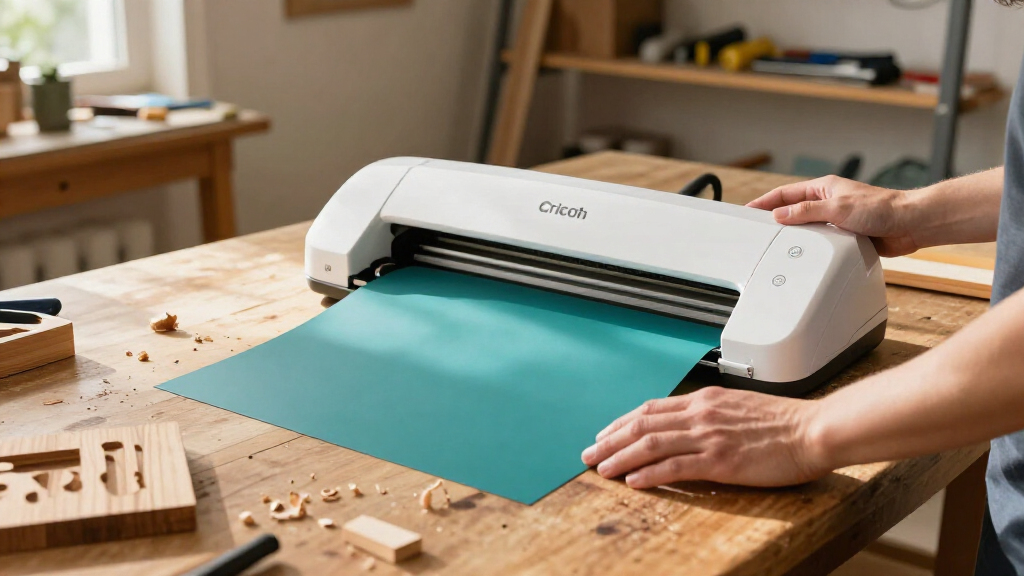

Choosing the best Cricut machines depends largely on your crafting ambitions and material preferences. The Cricut Maker 5 stands out as the top choice for versatility, handling thick materials like balsa wood and chipboard with ease, while the Cricut Explore 5 offers a more affordable entry point for paper and vinyl enthusiasts. For those with limited space, the Cricut Joy Xtra provides a compact footprint without sacrificing too many core features. The main tradeoff in this category revolves around material capability versus cost and size. This guide breaks down the specific strengths and limitations of each model to help you decide which machine fits your workflow.

Get business pricing on tools and workshop supplies
- Business-only prices and quantity discounts
- Tax-exempt purchasing
- Multiple users, one account, clear invoices
Complete the kit


Key Takeaways
- The Cricut Maker 5 introduces enhanced adaptive tool system capabilities that significantly reduce manual adjustments compared to the Maker 4.
- Bundle value heavily depends on material needs; starter bundles with vinyl are cost-effective for beginners, while tool-heavy bundles suit advanced users.
- The Cricut Joy Xtra bridges the gap between hobbyist and serious crafter by offering longer cut lengths than the standard Joy, though it lacks the full material range of the Maker.
- Digital content bundles add measurable value for new users by reducing the learning curve, whereas physical material bundles are better for immediate hands-on practice.
- Space constraints are a primary differentiator; the Joy series fits on small desks, while Maker and Explore units require dedicated workspace due to their wider cutting mats.
| Cricut Explore 5 Essential Bundle with Multicolor Sampler |  | Best Starter Kit for Vinyl & Paper Projects | Materials Supported: 100+ materials including vinyl, iron-on, cardstock, and paper | Matless Cutting: Supports Smart Materials up to 12 feet long | Connectivity: Bluetooth | VIEW LATEST PRICE | See Our Full Breakdown |
| Cricut Maker® 5 Essential Bundle + Digital Content, Slate Blue |  | Best Overall for Versatility and Power | Materials Supported: 300+ materials, up to 3mm thick | Tool Compatibility: 13 tools including engraving, debossing, and scoring | Bundle Contents: Machine, Premium Fine Point Tool, Scoring Tool, Engraving Tool, materials for 65 projects | VIEW LATEST PRICE | See Our Full Breakdown |
| Cricut Joy Xtra Cutting Machine and Smart Vinyl Bundle for Labels, Decals & Custom Projects |  | Best Compact Option for Labels and Small Decals | Dimensions: 5.5″ D x 12.5″ W x 5.5″ H | Active Surface Area: 68.75 square inches | Bundle Contents: Joy Xtra machine, rainbow Smart Vinyl, transfer tape, tools, guides | VIEW LATEST PRICE | See Our Full Breakdown |
| Cricut Maker 4 Smart Cutting Machine, Seashell |  | Best Budget-Friendly High-Power Option | Condition: Used, tested, working; no warranty | Tool Compatibility: 13 blades and tools | Max Cut Length: 12 ft (3.6 m) with Smart Materials | VIEW LATEST PRICE | See Our Full Breakdown |
| Cricut Explore 5 Smart Cutting Machine Essential Bundle, Taupe |  | Best All-Rounder for Home Crafters | Cutting Width: 12 in (30.5 cm) | Functions: Write, draw, foil, score, cut | Bundle Contents: Smart Vinyl, Iron-On, Cardstock, Insert Cards, Printable Vinyl | VIEW LATEST PRICE | See Our Full Breakdown |
| Cricut Joy 2 Cutting Machine Ultimate Bundle, Coral |  | Best Compact Starter Kit | Cutting Width: 4.5 inches | Weight: 2.0 lbs | Material Compatibility: 75+ materials | VIEW LATEST PRICE | See Our Full Breakdown |
| Cricut Joy Xtra – Smart Cutting Machine | Digital Content Bundle | 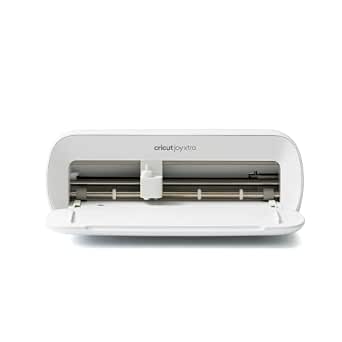 | Best Mid-Size Compact Option | Cutting Width: 8.5 inches (inferred from Xtra model specs) | Active Surface Area: 95.94 sq in | Weight: 0.55 lbs (250g listed likely refers to a component, machine is heavier) | VIEW LATEST PRICE | See Our Full Breakdown |
| Cricut Maker 4 – Smart Cutting Machine (Seashell) | Digital Content Bundle |  | Best Versatile Powerhouse | Dimensions: 7.1″ D x 22.1″ W x 6.2″ H | Active Surface Area: 270.25 sq in | Material Compatibility: 300+ materials | VIEW LATEST PRICE | See Our Full Breakdown |
| Cricut Explore 5 Essential Bundle + Rainbow Sampler |  | Best All-Round Value | Dimensions: 10.25″ D x 22.6″ W x 8.3″ H | Active Surface Area: 232.15 sq in | Material Compatibility: 100+ materials | VIEW LATEST PRICE | See Our Full Breakdown |
| Cricut Maker 4 Cutting Machine Ultimate Card Making Bundle |  | Best for Card Makers | Model: Cricut Maker 4 | Active Surface Area: 144 sq in (Card Mat configuration) | Included Components: Card Mat 2×2, Infusible Ink, Iron-On, Vinyl, Tools | VIEW LATEST PRICE | See Our Full Breakdown |
| Cricut Maker 5 Cutting Machine and EasyPress 9×9 Heat Press Bundle |  | Best Apparel Creation Bundle | Brand: Cricut | Included Components: Maker 5, EasyPress 9×9, tools, vinyl/iron-on samplers | Operation Mode: Automatic | VIEW LATEST PRICE | See Our Full Breakdown |
| Cricut Maker 4 Cutting Machine Beginner Bundle with Vinyl & Iron-On |  | Best Beginner Starter Kit | Brand: Cricut | Model: Maker 4 | Operation Mode: Automatic | VIEW LATEST PRICE | See Our Full Breakdown |
| Cricut Explore® 5 Essential Bundle + Digital Content, Taupe | 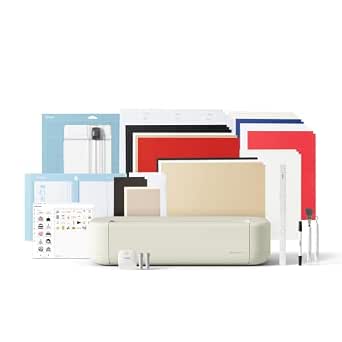 | Best Compact Versatility | Brand: Cricut | Model: Explore 5 | Color: Taupe | VIEW LATEST PRICE | See Our Full Breakdown |
| Cricut Maker 5 Cutting Machine with Vinyl and Iron-On Bundle |  | Best Advanced Material Support | Brand: Cricut | Model: Maker 5 | Materials Supported: 300+ | VIEW LATEST PRICE | See Our Full Breakdown |
| Cricut Joy Xtra Cutting Machine and Mini EasyPress T-Shirt Making Bundle | 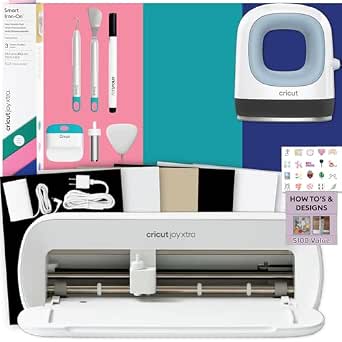 | Best Portable Apparel Kit | Brand: Cricut | Model: Joy Xtra | Included Components: Joy Xtra, Mini EasyPress, Smart Iron-On, tools | VIEW LATEST PRICE | See Our Full Breakdown |
| Cricut machine | Connectivity | Active Surface Area |
|---|---|---|
| Cricut Explore 5 Essential Bun | Bluetooth | — |
| Cricut Maker® 5 Essential Bund | — | — |
| Cricut Joy Xtra Cutting Machin | Bluetooth | 68.75 square inches |
| Cricut Maker 4 Smart Cutting M | Bluetooth to smartphone, tablet, computer | — |
| Cricut Explore 5 Smart Cutting | Bluetooth | — |
| Cricut Joy 2 Cutting Machine U | Bluetooth | — |
| Cricut Joy Xtra | Bluetooth | 95.94 sq in |
| Cricut Maker 4 | — | 270.25 sq in |
| Cricut Explore 5 Essential Bun | Bluetooth | 232.15 sq in |
| Cricut Maker 4 Cutting Machine | — | 144 sq in (Card Mat configuration) |
| Cricut Maker 5 Cutting Machine | — | 12 x 24 inches |
| Cricut Maker 4 Cutting Machine | — | 144 square inches |
| Cricut Explore® 5 Essential Bu | Bluetooth | 72 square inches |
| Cricut Maker 5 Cutting Machine | Bluetooth | — |
| Cricut Joy Xtra Cutting Machin | — | 92 sq. inches |
More Details on Our Top Picks
Cricut Explore 5 Essential Bundle with Multicolor Sampler
This bundle stands out for its generous inclusion of Smart Vinyl and Iron-On samples, making it an ideal entry point for crafters focused on stickers and apparel. Unlike the Cricut Maker 5, which handles thick materials like wood and leather, the Cricut Explore 5 is limited to thinner substrates, so it lacks the versatility for heavy-duty crafting. However, its matless cutting capability significantly speeds up workflow for long decals and shirts. The included multicolor sampler removes the guesswork from buying materials, allowing users to test different finishes immediately. While it cannot cut fabric without a mat or handle rigid materials like balsa wood, it offers a streamlined experience for the most popular craft categories. This machine is best suited for those who want to start creating quickly without the complexity of tool changes.Pros:- Includes a wide variety of Smart Vinyl and Iron-On samples to start projects immediately
- Supports matless cutting for faster setup and longer continuous cuts
- More affordable entry point compared to the Maker series
Cons:- Cannot cut thick materials like leather, chipboard, or wood
- Limited tool compatibility compared to the Maker 5
- Requires Cricut Design Space for all operations
Best for: Beginners and hobbyists primarily interested in stickers, cards, and iron-on apparel who want immediate access to materials.
Not ideal for: Crafters planning to cut thick materials like leather, balsa wood, or fabric without mats, as the Explore series lacks the adaptive force for these tasks.
- Materials Supported:100+ materials including vinyl, iron-on, cardstock, and paper
- Matless Cutting:Supports Smart Materials up to 12 feet long
- Connectivity:Bluetooth
- Bundle Contents:Smart Vinyl, Smart Iron-On, Printable Vinyl, cardstock, pens, tools
- Software:Cricut Design Space
- Size Profile:30% more compact than previous models
Our verdict“A perfect first machine for vinyl and paper enthusiasts who value convenience over material versatility.”
Cricut Maker® 5 Essential Bundle + Digital Content, Slate Blue
The Cricut Maker 5 is the definitive choice for crafters who need to work with a wide range of materials, from delicate tissue paper to 3mm leather and balsa wood. Compared to the Cricut Explore 5, the Maker 5 offers adaptive force technology and support for 13 different tools, including engraving and debossing, which the Explore cannot do. This bundle provides supplies for 65 projects, reducing the initial learning curve for complex tasks like fabric appliques or engraved metal signs. While the price point is higher, the ability to handle thicker substrates and specialized tools makes it a long-term investment for serious creators. The snap-in pen holder and simplified design address previous frustrations with tool changes, making the workflow smoother. It is the superior option if you anticipate expanding your craft repertoire beyond basic vinyl cutting.Pros:- Cuts over 300 materials including thick substrates like leather and wood
- Supports 13 compatible tools for engraving, scoring, foiling, and debossing
- Includes supplies for up to 65 projects plus bonus digital content
Cons:- Higher price point than the Explore series
- Some specialty tools are sold separately
- Requires a computer or mobile device for operation
Best for: Serious crafters and small business owners who need to cut diverse materials like fabric, wood, and leather, and use multiple tools.
Not ideal for: Casual users who only cut vinyl and paper, as the additional cost and tool complexity may be unnecessary for their needs.
- Materials Supported:300+ materials, up to 3mm thick
- Tool Compatibility:13 tools including engraving, debossing, and scoring
- Bundle Contents:Machine, Premium Fine Point Tool, Scoring Tool, Engraving Tool, materials for 65 projects
- Digital Content:25 premium images and 1 font included
- Design:30% more compact than previous models
- Color:Slate Blue
Our verdict“The most powerful and versatile machine in the lineup, ideal for those who refuse to limit their creative possibilities.”
Cricut Joy Xtra Cutting Machine and Smart Vinyl Bundle for Labels, Decals & Custom Projects
The Cricut Joy Xtra carves out a distinct niche for crafters focused on small-scale projects like labels, stickers, and mini decals. Unlike the larger Cricut Explore 5 or Maker 5, the Joy Xtra is designed for portability and simplicity, fitting easily on a small desk. This bundle includes rainbow Smart Vinyl and transfer tape, allowing users to create colorful, long-lasting labels without needing a cutting mat for many tasks. However, its limited cutting width means it cannot handle standard 12-inch projects or large apparel designs, making it a specialized tool rather than an all-rounder. It is best viewed as a companion machine for organization enthusiasts and teachers who need speed and precision for small items. If you need to cut full-size t-shirts or large signs, you will need to look at the larger models in this roundup.Pros:- Compact size ideal for small workspaces and portability
- Includes Smart Vinyl and tools for immediate label-making projects
- Matless cutting capability speeds up small-project workflow
Cons:- Limited cutting width restricts project size significantly
- Cannot handle thick materials or fabric without mats
- Not suitable for large-scale commercial projects
Best for: Teachers, organizers, and crafters who primarily make small labels, stickers, and mini-decals for water bottles or storage bins.
Not ideal for: Users who need to cut large posters, full-size apparel, or thick materials, as the Joy Xtra has a restricted cutting area and force.
- Dimensions:5.5″ D x 12.5″ W x 5.5″ H
- Active Surface Area:68.75 square inches
- Bundle Contents:Joy Xtra machine, rainbow Smart Vinyl, transfer tape, tools, guides
- Function:Cuts, writes, draws, scores
- Connectivity:Bluetooth
- Material Type:Plastic housing
Our verdict“A specialized, space-saving machine perfect for creating high-quality small labels and decals with minimal setup.”
Cricut Maker 4 Smart Cutting Machine, Seashell
This Cricut Maker 4 offers nearly identical performance to the newer Maker 5 but at a lower cost, making it an attractive option for budget-conscious buyers. It supports the same 13 tools and cuts materials up to 3mm thick, including wood and leather, providing the versatility missing from the Explore series. However, this specific listing is for a used unit with no warranty, which introduces a risk regarding reliability and cosmetic condition. Compared to the new Cricut Maker 5, you lose the warranty and the updated aesthetic, but you gain significant savings while retaining the core adaptive force technology. It cuts up to twice as fast as older models, ensuring efficient workflow for heavy users. This is a calculated risk for experienced crafters who are comfortable troubleshooting minor issues and want high-end capabilities without paying for brand-new hardware.Pros:- Delivers Maker-level power and tool compatibility at a lower price
- Cuts up to twice as fast as previous generation models
- Supports 13 tools and materials up to 3mm thick
Cons:- Sold as a used item with no warranty
- May have cosmetic defects or missing original packaging
- Lacks the newest design updates found in the Maker 5
Best for: Experienced crafters on a budget who are comfortable buying used electronics and do not require a manufacturer warranty.
Not ideal for: First-time buyers or those who value peace of mind and warranty protection, as this unit is sold as-is with no guarantees.
- Condition:Used, tested, working; no warranty
- Tool Compatibility:13 blades and tools
- Max Cut Length:12 ft (3.6 m) with Smart Materials
- Speed:Up to 2x faster than previous model
- Connectivity:Bluetooth to smartphone, tablet, computer
- Color:Seashell
Our verdict“A high-value option for savvy buyers who prioritize function over form and warranty, accepting the risks of a used device.”
Cricut Explore 5 Smart Cutting Machine Essential Bundle, Taupe
The Cricut Explore 5 in Taupe offers a balanced feature set for home crafters who want more than just basic cutting but do not need the heavy-duty power of a Maker. It handles over 100 materials, including vinyl, iron-on, and cardstock, and supports writing, drawing, and foiling. Compared to the Cricut Joy Xtra, it offers a full 12-inch cutting width, allowing for larger projects like full-size t-shirts and posters. This bundle includes supplies for 65 projects, providing a comprehensive start for various crafts. While it lacks the adaptive force technology of the Maker 5, meaning it cannot cut thick materials like wood or leather, it is lighter and more affordable. The snap-in pen holder and Bluetooth connectivity make it user-friendly for desktop and mobile devices. It is the logical choice for those who want a reliable, versatile machine for standard home crafting tasks without the premium price tag of the Maker line.Pros:- Cuts over 100 materials including vinyl, iron-on, and cardstock
- Includes supplies for 65 projects, reducing initial setup costs
- Compact design with Bluetooth connectivity for mobile and desktop use
Cons:- Deep Cutting Tool must be purchased separately
- Cannot cut thick materials like wood or leather
- Premium content requires Cricut Access subscription
Best for: Home crafters who want a versatile machine for vinyl, paper, and iron-on projects but do not need to cut thick materials.
Not ideal for: Professionals or advanced crafters who need to engrave metal, cut wood, or work with 3mm thick materials regularly.
- Cutting Width:12 in (30.5 cm)
- Functions:Write, draw, foil, score, cut
- Bundle Contents:Smart Vinyl, Iron-On, Cardstock, Insert Cards, Printable Vinyl
- Connectivity:Bluetooth
- Weight:8.6 kg
- Color:Taupe
Our verdict“A well-rounded machine that balances affordability and versatility for the average home crafter.”
Cricut Joy 2 Cutting Machine Ultimate Bundle, Coral
This bundle stands out for its portability and immediate usability. Unlike larger machines that demand dedicated workspace, the Cricut Joy 2 fits almost anywhere, making it ideal for renters or students. The inclusion of the EasyPress Mini LT is a significant advantage over the Cricut Joy Xtra, which lacks a heat press, allowing users to apply iron-on materials right out of the box. However, its 4.5-inch cutting width is a hard limitation; if you plan to make full-size t-shirt designs or large banners, this machine simply cannot accommodate them. It is strictly for small-scale projects like labels, cards, and small decals. While the 75+ material compatibility is decent, it lacks the heavy-duty tool options found in the Maker series. This is a niche product for specific needs, not a general-purpose workhorse.
Pros:- Extremely lightweight and portable at just over 2 lbs
- Includes a mini heat press for immediate iron-on projects
- Supports matless cutting for long continuous designs
- Bundle provides supplies for up to 75 projects
Cons:- Limited 4.5-inch cutting width restricts project size significantly
- Cannot handle thick or dense materials like wood veneer or chipboard
- Requires a paid subscription for many premium design features
Best for: Apartment dwellers, students, or crafters who only make small items like jewelry tags, mini cards, and small vinyl decals.
Not ideal for: Users wanting to make full-size apparel, large home decor, or projects requiring heavy materials like balsa wood or thick leather.
- Cutting Width:4.5 inches
- Weight:2.0 lbs
- Material Compatibility:75+ materials
- Connectivity:Bluetooth
- Bundle Includes:EasyPress Mini LT, Smart Vinyl, Iron-On, Cardstock
- Functions:Cut, Write, Draw, Foil, Score
Our verdict“Choose this if your crafting space is tiny and your projects are small; skip it if you need versatility or large-format cutting.”
Cricut Joy Xtra – Smart Cutting Machine | Digital Content Bundle
The Cricut Joy Xtra bridges the gap between the tiny Joy and the full-sized Explore, offering a wider 8.5-inch cutting capacity that allows for standard-sized t-shirt transfers and larger stickers. Compared to the Cricut Explore 5, it lacks the extensive tool compatibility but gains points for its slim profile and lower price point (implied by category positioning). It handles 50+ materials, which is sufficient for vinyl, iron-on, and cardstock, but it cannot engrave, deboss, or cut thick materials like the Maker 4. The digital content bundle provides a gentle on-ramp for beginners, though the lack of a heat press means you will need to buy one separately for apparel projects. This machine is for those who want more than the Joy offers but aren’t ready to commit to a full-sized studio machine.
Pros:- 8.5-inch cutting width accommodates standard apparel and decals
- Compact footprint fits easily on small desks or shelves
- Includes 30 bonus digital images to start creating immediately
- Supports matless cutting for longer projects
Cons:- Does not support the wide range of adaptive tools found in Maker models
- No heat press included, requiring a separate purchase for iron-on
- Limited to 50+ materials compared to hundreds for larger machines
Best for: Crafters who want to make standard-sized t-shirts and decals but have limited desk space and do not need advanced tools.
Not ideal for: Users who need to cut materials thicker than 2mm or require engraving and debossing capabilities.
- Cutting Width:8.5 inches (inferred from Xtra model specs)
- Active Surface Area:95.94 sq in
- Weight:0.55 lbs (250g listed likely refers to a component, machine is heavier)
- Material Compatibility:50+ materials
- Connectivity:Bluetooth
- Bundle Includes:Fine-Point Blade, Pen, Weeder, 30 Digital Images
Our verdict“A smart choice for space-conscious crafters who need standard project sizes without the bulk of an Explore or Maker.”
Cricut Maker 4 – Smart Cutting Machine (Seashell) | Digital Content Bundle
This machine defines the upper tier of Cricut’s lineup, offering 300+ material compatibility that dwarfs the 100+ options of the Cricut Explore 5. The ability to engrave, deboss, and cut leather or balsa wood makes it the only choice for mixed-media artists. While it is larger and heavier than the Explore series, the 2X faster cutting speed compared to previous models justifies the footprint for high-volume makers. The bundle includes essential mats and tools, but unlike the Joy 2, it does not include a heat press, which is a notable omission for beginners planning apparel projects. It is the most capable machine here, but if you only cut vinyl and cardstock, you are paying for power you will never use.
Pros:- Supports over 300 materials including leather, wood, and metal
- Includes adaptive tool system for engraving, debossing, and more
- Cuts up to 2X faster than previous Maker models
- Largest cutting area and matless capability for long banners
Cons:- Higher entry cost and larger physical footprint than Explore models
- Does not include a heat press in the bundle
- Overkill for users who only stick to basic vinyl and paper
Best for: Serious crafters, small business owners, and mixed-media artists who need to cut diverse materials like wood, leather, and metal.
Not ideal for: Casual hobbyists who only make simple vinyl decals or cards and have limited budget or space.
- Dimensions:7.1″ D x 22.1″ W x 6.2″ H
- Active Surface Area:270.25 sq in
- Material Compatibility:300+ materials
- Speed:Up to 2X faster than previous model
- Functions:Cut, Write, Draw, Foil, Score, Engrave, Deboss
- Bundle Includes:Fine-Point Blade, Materials Sampler, Light Grip Mat, 30 Images
Our verdict“The definitive choice for maximum creative freedom, provided you have the space and the need for heavy-duty materials.”
Cricut Explore 5 Essential Bundle + Rainbow Sampler
The Cricut Explore 5 hits the sweet spot for most hobbyists, offering 100+ material compatibility at a fraction of the complexity of the Maker 4. It is 30% more compact than previous Explore models, making it easier to store while still supporting full-size projects. Unlike the Joy Xtra, it supports a wider array of tools like the rotary blade for fabric, though it cannot engrave or deboss. The Rainbow Sampler adds immediate color variety for vinyl projects, reducing the need for extra supply runs. Compared to the Maker 4, it lacks the heavy-duty capability for wood or metal, but for vinyl, iron-on, and cardstock, it performs identically. This is the most balanced option for beginners who want room to grow without overbuying.
Pros:- 30% smaller footprint than previous Explore models
- Includes a rainbow sampler of vinyl and iron-on for variety
- Supports matless cutting for long continuous designs
- Compatible with rotary and deep-point blades for fabric and cardstock
Cons:- Cannot cut materials thicker than 2mm
- Does not support adaptive tools for engraving or debossing
- Requires separate purchase of a heat press for iron-on projects
Best for: Beginners and intermediate crafters who want to make t-shirts, decals, and cards without the complexity of adaptive tools.
Not ideal for: Artists who need to cut thick materials like balsa wood or require engraving and debossing functions.
- Dimensions:10.25″ D x 22.6″ W x 8.3″ H
- Active Surface Area:232.15 sq in
- Material Compatibility:100+ materials
- Connectivity:Bluetooth
- Bundle Includes:Smart Vinyl, Iron-On, Printable Vinyl, Cardstock, Tools
- Smart Materials:Supports matless cutting up to 12 feet
Our verdict“The smartest buy for general crafting, offering the perfect mix of size, capability, and price for most users.”
Cricut Maker 4 Cutting Machine Ultimate Card Making Bundle
This bundle is a specialized package for one specific niche: card making. While it uses the same powerful Cricut Maker 4 hardware as the general bundle, the inclusion of the Card Mat 2×2 and Infusible Ink materials streamlines the process of creating intricate folded cards. Compared to the Cricut Explore 5, this machine allows for debossing and embossing, which adds professional texture to cards that the Explore cannot achieve. However, if you do not plan to make cards, the Infusible Ink and specific mats are wasted money. The 144 sq in active surface area listed appears to refer to the specific card mat configuration rather than the machine’s full capacity. It is a premium convenience pack for a specific audience, not a general starter kit.
Pros:- Includes specialized Card Mat 2×2 for precise card creation
- Maker 4 hardware supports debossing and embossing for texture
- Includes Infusible Ink for vibrant, permanent designs
- Comprehensive tool set for detailed paper crafting
Cons:- Bundle supplies are too specific for general vinyl or fabric projects
- Higher cost than a standard Maker 4 bundle if you don’t need card mats
- Requires significant learning curve for advanced techniques like embossing
Best for: Dedicated card makers and scrapbookers who want specialized mats and supplies for creating textured, multi-layered greeting cards.
Not ideal for: General crafters who want to make t-shirts, decals, or home decor, as the bundle supplies are too narrow.
- Model:Cricut Maker 4
- Active Surface Area:144 sq in (Card Mat configuration)
- Included Components:Card Mat 2×2, Infusible Ink, Iron-On, Vinyl, Tools
- Functions:Cut, Score, Deboss, Engrave, Write
- Warranty:1 year against manufacturer defects
- Operation Mode:Automatic
Our verdict“An excellent investment for serious card makers who want specialized tools, but poor value for general crafters.”
Cricut Maker 5 Cutting Machine and EasyPress 9×9 Heat Press Bundle
This bundle stands out for crafters who want to jump straight into apparel production without hunting for separate tools. The inclusion of the EasyPress 9×9 heat press is the key differentiator here; unlike the Cricut Joy Xtra Mini EasyPress Bundle, this press offers a larger 9×9 inch plate, allowing for standard-sized t-shirt designs without awkward repositioning. The Maker 5 itself handles a vast array of materials, ensuring you are not limited to just fabric. However, the 12 x 24 inch active surface area is a notable constraint for those hoping to cut large banners or oversized vinyl decals in one go. It is a cohesive, ready-to-work system, but the 9 lb total weight and bulk mean it requires significant dedicated counter space compared to smaller, portable options.Pros:- Includes a full-sized EasyPress 9×9 heat press for standard apparel projects
- Comes with vinyl and iron-on samplers to start testing immediately
- Maker 5 supports over 300 materials for versatile crafting
- Heat press features auto-shutoff and a stable base for safety
Cons:- Active cutting area is limited to 12 x 24 inches
- Bundle is bulky and heavy, requiring dedicated storage space
Best for: Crafters focused on t-shirts and tote bags who want a complete, ready-to-press workflow.
Not ideal for: Users with limited workspace or those who primarily cut large signage rather than apparel.
- Brand:Cricut
- Included Components:Maker 5, EasyPress 9×9, tools, vinyl/iron-on samplers
- Operation Mode:Automatic
- Active Surface Area:12 x 24 inches
- Item Weight:9 lb
- Warranty:1 year
Our verdict“This is the ideal choice for apparel-focused makers who want a professional-grade heat press included in the box.”
Cricut Maker 4 Cutting Machine Beginner Bundle with Vinyl & Iron-On
Designed specifically for first-time users, this bundle removes the intimidation factor of setting up a new machine. It pairs the Cricut Maker 4 with essential vinyl and iron-on materials, offering a gentler learning curve than the advanced Cricut Maker 5. The Maker 4 is robust enough for most hobbyist projects, though it lacks some of the newer speed optimizations found in the latest generation. The included tools and instructional guides are tailored to help novices build confidence, making it a safer bet than buying a bare machine and hoping to figure it out. The tradeoff is that you are investing in an older platform; while still capable, you miss out on the 300+ material compatibility and refined interface of the Maker 5. It is a solid entry point, but power users may feel limited quickly.Pros:- Includes essential tools and materials to start crafting immediately
- Beginner-friendly setup with instructional guides
- Maker 4 offers reliable performance for standard projects
- Cost-effective entry point compared to newer models
Cons:- Based on the older Maker 4 platform
- Lacks the advanced material range of the Maker 5
Best for: Complete beginners who want guided setup and basic materials to learn the ropes.
Not ideal for: Experienced crafters who need the latest speed features or advanced material support.
- Brand:Cricut
- Model:Maker 4
- Operation Mode:Automatic
- Active Surface Area:144 square inches
- Material Type:Metal, Plastic
- Included Materials:Vinyl and Iron-On sheets
Our verdict“A forgiving and complete package for those just starting their Cricut journey.”
Cricut Explore® 5 Essential Bundle + Digital Content, Taupe
The Cricut Explore 5 strikes a balance between size and capability, boasting a design that is 30% more compact than previous models. This makes it a superior choice for small apartments or crafters who need to store their machine away, unlike the bulkier Cricut Maker 5. While the Explore 5 handles over 100 materials, it does not match the Maker 5’s ability to cut thick materials like balsa wood or chipboard without the optional Deep Cutting Tool. The bundle shines with its Print Then Cut capabilities, allowing for full-color stickers and decals straight from a home printer. The new Taupe finish and simplified interface feel modern, but users seeking heavy-duty durability or complex 3D projects should look toward the Maker line. It is a lightweight, efficient tool for paper, vinyl, and cardstock enthusiasts.Pros:- 30% more compact footprint than previous Explore models
- Supports Print Then Cut for full-color projects
- Works with over 100 materials including vinyl and cardstock
- Includes supplies for up to 65 projects
Cons:- Does not support heavy-duty materials without add-ons
- Smaller active surface area compared to Maker series
Best for: Crafters with limited space who focus on stickers, cards, and light vinyl projects.
Not ideal for: Users who plan to cut thick materials like wood or leather regularly.
- Brand:Cricut
- Model:Explore 5
- Color:Taupe
- Active Surface Area:72 square inches
- Connectivity:Bluetooth
- Materials Supported:100+ materials
- Included Content:25 premium images, 1 font
Our verdict“The best option for space-conscious crafters who prioritize portability and print-then-cut features.”
Cricut Maker 5 Cutting Machine with Vinyl and Iron-On Bundle
This bundle centers on the Cricut Maker 5, the most versatile cutting machine in the lineup, capable of handling more than 300 materials. Compared to the Cricut Explore 5, the Maker 5 offers significantly higher cutting force and adaptive tool support, making it suitable for everything from delicate fabric to thick balsa wood. The inclusion of Smart Materials allows for matless cutting, speeding up workflow for long decals or iron-on transfers. However, this is a cutting-focused bundle; unlike the Maker 5 and EasyPress Bundle, it does not include a heat press, meaning apparel makers must source that separately. The 9.5 x 13 inch sheet size for Smart Materials is convenient for standard projects but limits large-scale single-piece cuts. It is the premium choice for crafters who want the highest performance and material flexibility without the added bulk of a heat press.Pros:- Cuts over 300 different materials
- Supports Smart Materials for matless cutting
- Includes a variety of vinyl, iron-on, and cardstock supplies
- Bluetooth connectivity for mobile and desktop use
Cons:- Does not include a heat press
- Higher initial cost than Explore or Joy bundles
Best for: Serious crafters who need to cut diverse, thick, or delicate materials with precision.
Not ideal for: Beginners who only plan to do simple vinyl projects and don’t want to buy a separate heat press.
- Brand:Cricut
- Model:Maker 5
- Materials Supported:300+
- Connectivity:Bluetooth
- Sheet Size:9.5 × 13 in
- Warranty:1 year
- Included Materials:Smart Vinyl, Smart Iron-On, cardstock, printable vinyl
Our verdict“The ultimate machine for material versatility, ideal for makers who outgrow basic vinyl cutting.”
Cricut Joy Xtra Cutting Machine and Mini EasyPress T-Shirt Making Bundle
This bundle is engineered for portability and small-scale apparel projects, pairing the Cricut Joy Xtra with the Mini EasyPress. Unlike the larger Maker 5 and EasyPress Bundle, this setup fits in a backpack, making it perfect for craft fairs or quick home projects. The Mini EasyPress is specifically designed for curved surfaces like baby onesies or hats, areas where flat-bed presses struggle. However, the 92 square inch active surface area is a significant limitation; you cannot cut large t-shirt designs in one pass. The Joy Xtra is also slower and less versatile than the Maker series, restricted to specific materials. This is not a primary crafting station replacement but a specialized tool for makers who value convenience and small, detailed fabric work over raw power or capacity.Pros:- Extremely compact and portable design
- Mini EasyPress is ideal for curved surfaces like onesies
- Includes Smart Iron-On for easy setup
- Low footprint for small storage spaces
Cons:- Limited to 92 square inches of cutting area
- Not suitable for large or complex multi-material projects
Best for: Parents or crafters who need a portable kit for small baby clothes and hats.
Not ideal for: Users who need to cut large designs or work with heavy-duty materials.
- Brand:Cricut
- Model:Joy Xtra
- Included Components:Joy Xtra, Mini EasyPress, Smart Iron-On, tools
- Active Surface Area:92 sq. inches
- Operation Mode:Automatic
- Warranty:1 year
Our verdict“A niche, highly portable solution for small apparel projects on curved surfaces.”
How We Picked
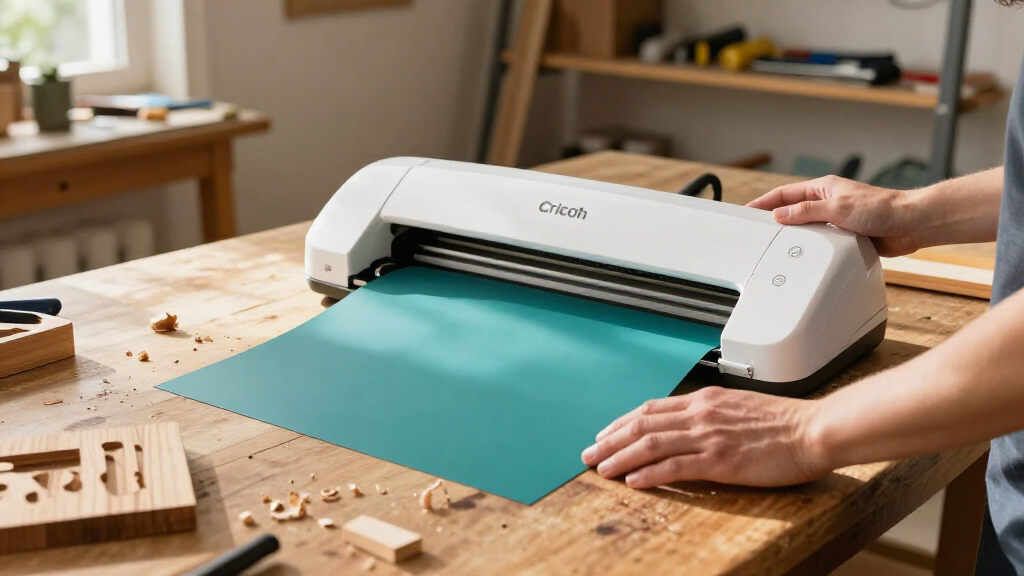
I evaluated these machines based on material versatility, ease of setup, and long-term usability. The primary factor was the machine’s ability to cut a wide range of materials, from delicate tissue paper to dense chipboard, which directly impacts the variety of projects you can tackle. I also weighed the software ecosystem, specifically how well each machine integrates with Cricut Design Space and whether specific bundles included helpful digital assets for beginners.
Value assessment focused on the total cost of ownership, including the price of necessary accessories like mats and blades. I prioritized bundles that offered tangible starter materials over those with purely digital perks, as physical supplies provide immediate practice opportunities. Finally, I considered physical footprint and noise levels, recognizing that many crafters operate in shared living spaces where a compact, quieter machine is a significant advantage.
| Cricut machine | Connectivity |
|---|---|
| Cricut Explore 5 Essential Bun | Bluetooth |
| Cricut Maker® 5 Essential Bund | — |
| Cricut Joy Xtra Cutting Machin | Bluetooth |
| Cricut Maker 4 Smart Cutting M | Bluetooth to smartphone, tablet, computer |
| Cricut Explore 5 Smart Cutting | Bluetooth |
| Cricut Joy 2 Cutting Machine U | Bluetooth |
| Cricut Joy Xtra | Bluetooth |
| Cricut Maker 4 | — |
| Cricut Explore 5 Essential Bun | Bluetooth |
| Cricut Maker 4 Cutting Machine | — |
| Cricut Maker 5 Cutting Machine | — |
| Cricut Maker 4 Cutting Machine | — |
| Cricut Explore® 5 Essential Bu | Bluetooth |
| Cricut Maker 5 Cutting Machine | Bluetooth |
| Cricut Joy Xtra Cutting Machin | — |
Factors to Consider When Choosing Best Cricut Machines
Selecting a cutting machine is not just about brand loyalty; it is about matching technical capabilities to your specific project types. Below are the critical factors that should drive your decision.
Material Capability and Tool Systems
The most significant difference between Cricut lines is material thickness and type. The Maker series uses an Adaptive Tool System that can swap blades automatically for materials like fabric, wood, and leather. In contrast, the Explore series is limited to thinner materials like vinyl, iron-on, and cardstock. If you plan to create home decor or wearables, skipping the Maker line will limit your creative output. Conversely, if you only make stickers and paper crafts, the Maker’s advanced tools are unnecessary overhead. Assess your primary materials before choosing a model to avoid paying for capabilities you will never use.
The Bundle Strategy: Digital vs. Physical Assets
Many listings include “digital content” or “essential bundles,” which can confuse buyers. Physical bundles containing vinyl, transfer tape, and tools offer immediate utility, allowing you to start cutting the day your machine arrives. Digital content bundles are valuable for users who want pre-made designs to learn from but do not provide physical supplies. A common mistake is buying a digital-only bundle expecting materials to be included. If you are a beginner, prioritize bundles with physical starter kits. If you are an experienced designer with a stock of materials, digital content might save you time on design work.
Workspace Constraints and Portability
Machine size is often overlooked until the box arrives. The Cricut Joy and Joy Xtra are designed for small apartments and craft carts, fitting easily on narrow desks. The Explore and Maker models require a dedicated table space because they use wider cutting mats (12×12 inches or larger). If you lack a dedicated craft room, a compact machine like the Joy Xtra is not just a convenience but a necessity. However, remember that smaller machines often have shorter cut lengths, which may frustrate users trying to make large decals or banners.
Software Learning Curve and Support
All Cricut machines rely on Cricut Design Space, but the experience varies by bundle. Beginners often struggle with the software’s interface more than the hardware itself. Bundles that include step-by-step guides or video tutorials can mitigate this friction. The Maker 5 and Explore 5 have improved connectivity features that reduce pairing issues, a common pain point in earlier models. If you are tech-averse, look for bundles that emphasize user-friendly setup guides. For those comfortable with technology, the software’s advanced features in the Maker line offer more design freedom.
Long-Term Accessory Costs
The initial price tag is only part of the equation. Replacement blades, mats, and specific tool holders vary in cost between lines. The Maker series requires specific tool holders that are more expensive than the simple clamp system used in Explore machines. Additionally, subscription costs for Cricut Access can add up if you rely on exclusive fonts and images. Factor in the ongoing cost of consumables when comparing bundles. A cheaper machine with expensive proprietary accessories may cost more over two years than a slightly pricier model with standard, widely available parts.
Frequently Asked Questions
What is the main difference between the Cricut Maker 4 and Maker 5?
The Cricut Maker 5 offers faster cutting speeds and an enhanced Adaptive Tool System that makes switching between tools quicker and more intuitive. While the Maker 4 is still a powerful machine, the Maker 5 includes updated connectivity features and a more streamlined interface for tool changes. The physical footprint is similar, but the Maker 5 handles thicker materials with greater precision. If budget is not a primary constraint, the Maker 5 is the better long-term investment due to its improved performance and future-proofing.Is the Cricut Joy Xtra worth the upgrade over the standard Cricut Joy?
Yes, for most users, the Cricut Joy Xtra is worth the upgrade because it supports longer cut lengths and a wider variety of materials, including smart vinyl and sticker materials. The standard Joy is limited to shorter cuts and fewer material types, which can feel restrictive as your skills grow. The Xtra also offers better connectivity and a slightly larger cutting area. Unless you have extremely tight space constraints or a very limited budget, the Xtra provides a more versatile crafting experience without a significant increase in size.Can I use the Cricut Explore 5 for fabric projects?
The Cricut Explore 5 can cut basic fabrics like cotton and felt, but it struggles with thicker, stretchy, or delicate materials like silk, leather, or denim. It does not have the Adaptive Tool System found in the Maker line, so you cannot use the rotary blade or knife blade. For simple t-shirt decals or basic fabric shapes, it works well. However, if you plan to sew quilts or make intricate fabric wearables, you will need a Cricut Maker model for the necessary tool compatibility.Do I need a subscription to use a Cricut machine?
No, you do not need a paid subscription to use any Cricut machine. You can access a library of free images, fonts, and designs within Cricut Design Space without paying a monthly fee. A subscription to Cricut Access unlocks thousands of premium assets, which can save time on design creation. Many crafters operate successfully without a subscription by using free resources or creating their own designs. Consider the subscription optional unless you rely heavily on pre-made graphics for commercial projects.Which bundle is best for a complete beginner?
For a complete beginner, the Cricut Explore 5 Essential Bundle is often the best starting point because it includes the machine, essential tools, and a starter pack of vinyl and transfer tape. This allows you to jump straight into making stickers, decals, and simple paper crafts without buying separate supplies. The Cricut Joy 2 Ultimate Bundle is another strong option if you prefer a smaller, more portable machine for quick projects. Both bundles reduce the initial friction of sourcing materials and tools, letting you focus on learning the software and cutting basics.Conclusion
Choosing the right Cricut machine comes down to matching your project goals with the correct toolset. For most crafters who want to do it all, the Cricut Maker 5 is the best overall pick due to its unmatched material versatility and speed. If you are on a tighter budget and primarily work with paper and vinyl, the Cricut Explore 5 offers the best value without compromising on essential cutting quality. Beginners who want a low-barrier entry into crafting should look at the Cricut Joy 2 Ultimate Bundle, which provides a manageable learning curve and immediate hands-on materials. For those with limited space but serious crafting ambitions, the Cricut Joy Xtra strikes the perfect balance between compact size and expanded capability. Evaluate your primary materials and workspace before purchasing to ensure you get the most out of your new machine.
Black Friday Picks

Philips Hue Play Floor Lamp, RGBWWIC LED, 53 Inch, Black
As an affiliate, we earn on qualifying purchases.