
If your DEWALT 20V MAX battery isn’t charging properly, it can halt your work and cause frustration. This guide walks you through common causes and safe, effective fixes to get your tools powered up again.

Get tools and workshop supplies delivered free — and shop member deals
- Fast, free delivery on millions of items
- Access to Prime Big Deal Days deals on October 6–7
- Prime Video, Amazon Music and more included
Following these steps will help you identify the problem, whether it’s with the battery, charger, or connections, and restore your DEWALT tools to optimal performance.
Key Takeaways
| Battery Age | Older batteries may fail to hold charge and need replacement. |
| Charger Compatibility | Using a non-DEWALT charger can prevent proper charging. |
| Connection Issues | Loose or dirty contacts can stop charging. |
| Temperature Factors | Extreme cold or heat can interfere with charging. |
| Battery Health | Damaged or swollen batteries should be replaced immediately. |
Check the Charger and Power Source
- Ensure the charger is plugged into a functioning power outlet. Test with another device if needed.
- Inspect the charger’s LED indicator: it should light up when connected.
- Make sure the charger is compatible with your DEWALT 20V MAX battery.
Inspect the Battery
- Remove the battery from the tool and examine for swelling, corrosion, or damage.
- If the battery is old or visibly damaged, consider replacing it.
- Clean the battery contacts with a dry cloth to remove dirt or debris.
Ensure Proper Connection
Insert the battery fully into the charger, ensuring it clicks into place. Check for any misalignment or debris preventing contact. Avoid forcing the battery in if it doesn’t fit easily.
Test in Different Conditions
- Try charging the battery at room temperature, avoiding extreme cold or heat.
- If possible, use a different DEWALT charger compatible with your battery model.
- Wait at least 30 minutes and observe the LED indicator for progress or errors.
Replace the Battery or Charger if Needed
If your battery still refuses to charge after troubleshooting, it may be dead and need replacing. Consider purchasing a compatible replacement, like the DEWALT 20V MAX 5 Ah Lithium Ion Battery (DCB205-2).
If the charger shows no signs of power, test with another charger or contact DEWALT support.
The Products in This Guide

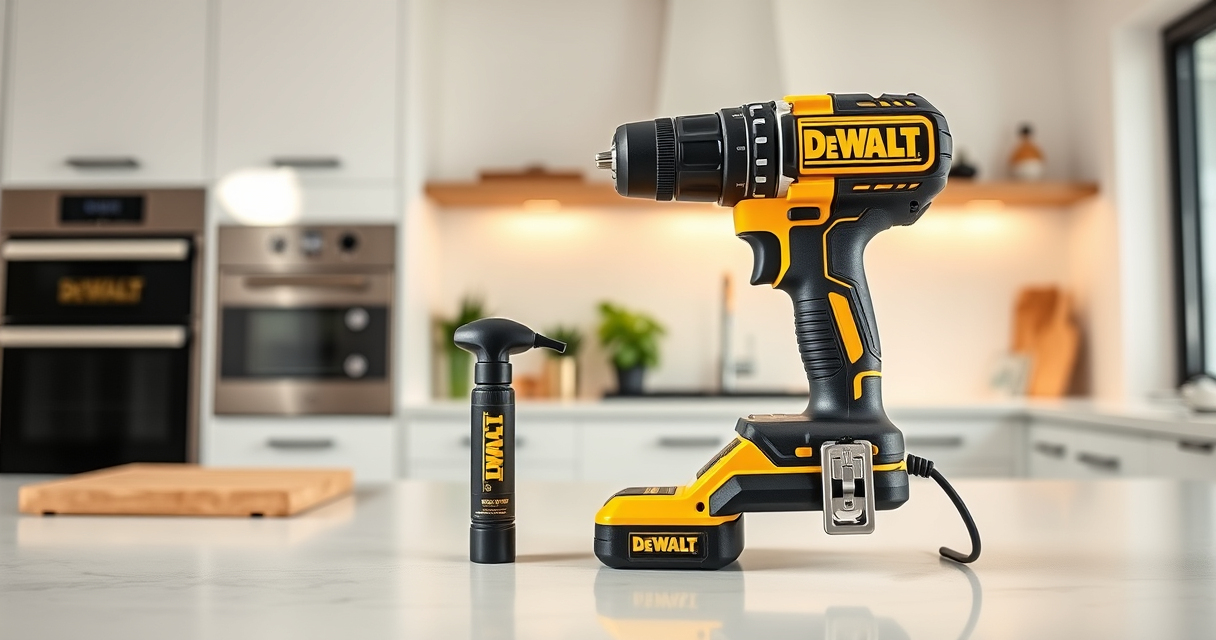
DEWALT 20V MAX Cordless Drill Driver Set
- ✔ LED Light: Yes
- ✔ Drive Size: 1/2 inch
- ✔ Power Source: 20V MAX Lithium-ion

DEWALT Drill Bit Set
- ✔ Size Range: Various
- ✔ Web Design: Tapered
- ✔ Rust Resistance: Yes
DEWALT 20V MAX Cordless Drill Driver Set
The DEWALT 20V MAX Cordless Drill Driver Set offers a powerful brushless motor, compact design, and ergonomic grip, making it ideal for a wide range of applications. Its battery and charger are designed for durability and consistent performance.
Pros:
- Brushless motor for longer run time
- Compact and lightweight
- Ergonomic handle for comfort
- LED work light included
Cons:
- Battery life may vary with heavy use
- Charger may need replacement after extended use
Best for: General-purpose drilling, fastening, and tight space work.
Not ideal for: Heavy-duty industrial applications requiring higher power.
Bottom line: A versatile, reliable drill set suitable for most DIY and professional tasks.
DEWALT Drill Bit Set
This DEWALT 14-piece drill bit set features high-speed steel with a 135° split point tip design, making it ideal for plastic, wood, and metal. It complements your power tools perfectly.
Pros:
- Durable high-speed steel
- Reduces walking with split point
- Easy size identification
- Corrosion-resistant coating
Cons:
- Limited to bit set use
- Not for heavy-duty industrial drilling
Best for: General drilling tasks in various materials.
Not ideal for: Heavy-duty or high-torque applications.
Bottom line: A reliable drill bit set that enhances your drilling efficiency across materials.
Frequently Asked Questions
Why isn’t my DEWALT battery charging?
Possible reasons include a faulty charger, damaged battery, poor connection, or extreme temperature conditions. Follow the troubleshooting steps to identify the cause.
How can I tell if my battery is dead?
Signs of a dead battery include swelling, corrosion, failure to charge after multiple attempts, or noticeable loss of power during use.
Can I use any charger with my DEWALT battery?
No, always use a DEWALT-approved charger compatible with your battery model to ensure safe and effective charging.
How long should a DEWALT battery take to charge?
Typically, a DEWALT 20V MAX battery takes about 30-60 minutes to fully charge, depending on the charger and battery condition.
Power Up Your Projects Again
Dealing with a non-charging DEWALT battery can be frustrating, but with proper troubleshooting, most issues are fixable or diagnosable. Always prioritize safety, and replace batteries or chargers when necessary to maintain optimal performance. Keeping your tools in good working order ensures your projects stay on track and your work remains efficient.
Affiliate disclosure: As an Amazon Associate we earn from qualifying purchases. Prices and availability are accurate as of the time of publishing.
Fall yard work Picks
leaf blowers
As an affiliate, we earn on qualifying purchases.