
This guide helps beginners choose a cordless drill set and use it for common home tasks such as assembling furniture, hanging shelves, and drilling pilot holes. You will identify the features that fit your work, prepare the drill and materials, and complete a test hole or screw. Allow 30-60 minutes for choosing a set and practicing; a larger project may take longer.

Get business pricing on tools and workshop supplies
- Business-only prices and quantity discounts
- Tax-exempt purchasing
- Multiple users, one account, clear invoices

DEWALT 20V MAX Cordless Drill and Impact Driver (DCK240C2)
- ✔ Voltage: 20V MAX
- ✔ Included tools: Drill/driver and impact driver
- ✔ Batteries: 2 lithium-ion batteries

DEWALT 20V MAX Cordless Drill/Driver Kit with Screwdriver/Drill Bit Set, 100-Piece (DCD771C2 & DWA2FTS100)
- ✔ Voltage: 20V MAX
- ✔ Included tool: DCD771C2 drill/driver
- ✔ Motor output: 300 UWO

BLACK+DECKER 20V MAX POWERCONNECT Cordless Drill Driver Kit with Drill Bit Set and Sockets, 100 pc. (BDC120VA100)
- ✔ Voltage: 20V MAX
- ✔ Included tool: LD120 drill/driver
- ✔ Battery: 1.5 Ah lithium-ion, one included
Difficulty: Beginner | Time: 30-60 minutes for selection and first use
What You’ll Need
Tools & Materials:
- Cordless drill or drill-driver set with a charged battery
- Drill bits and driver bits suited to your material and fasteners
- Safety glasses
- Tape measure, pencil, and a level for layout work
- Clamps or a stable work surface
- Screwdriver or compatible socket bits if your project needs them
Knowledge:
- Basic ability to identify wood, metal, masonry, and common screw heads
- Ability to read the drill and bit manufacturer’s instructions
For a first household drill, a drill-driver with a keyless chuck, adjustable clutch, variable speed trigger, and at least one removable battery is a practical starting point. Check that the set includes the bits and charger you need. A standard drill-driver does not replace a hammer drill for frequent masonry work. Keep the battery and drill dry, and inspect the work area for hidden wires and pipes before drilling.
DEWALT 20V MAX Cordless Drill and Impact Driver (DCK240C2)
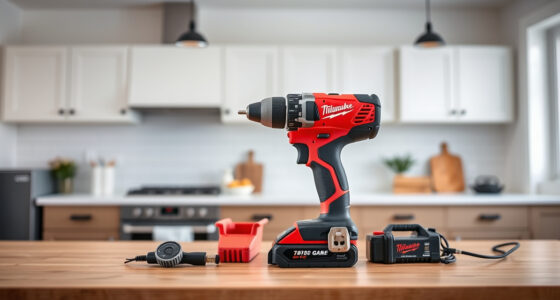
The DCK240C2 earns the top spot because it gives us a drill/driver and an impact driver in one cordless set. That division matters: we can use the drill for holes and controlled fastening, then switch to the impact driver for driving tasks that benefit from its listed 1,400 in-lb of torque. The set includes two 20V batteries, a charger, and a storage bag, so it is more ready for extended or changing jobs than either single-drill kit here.Its compact design and integrated LED lights with a 20-second delay are practical in tight or dim work areas. Compared with the DCD771C2, we give up the latter’s large included bit assortment, so we may need to source task-specific accessories separately. The BLACK+DECKER kit has a broader mix of bits and sockets for household jobs, but it cannot match this set’s second powered tool. This is our most versatile pick, though buyers who only need occasional drilling may be carrying more tool than they need.
Pros:
- Includes both a drill/driver and an impact driver
- Two 20V lithium-ion batteries and a charger are included
- Compact tools are described as suited to tight spaces
- Integrated LED work lights include a 20-second delay
Cons:
- The set does not include the large bit assortment supplied with the other kits
- Two-tool setup may be more than occasional household users need
Best for: Home renovators and frequent DIY users who want a drill and impact driver, plus two batteries, in one set.
Not ideal for: Buyers who only need a basic drill for occasional tasks or who want a large assortment of included drill and driver bits.
Bottom line: We recommend the DCK240C2 for buyers who will use both drilling and impact driving and value a spare battery in the same set.
“We recommend the DCK240C2 for buyers who will use both drilling and impact driving and value a spare battery in the same set.”
DEWALT 20V MAX Cordless Drill/Driver Kit with Screwdriver/Drill Bit Set, 100-Piece (DCD771C2 & DWA2FTS100)
For buyers who want one capable drill and a wide accessory selection, the DCD771C2 kit is the more focused DEWALT alternative. Its 300 UWO motor and two-speed design support a range of drilling and driving tasks, while the included 100-piece set provides a starting assortment without adding a second powered tool. The compact, lightweight drill is described as suited to tight areas, which can make it easier to handle for repairs and installation work.Compared with the DCK240C2, this package trades the impact driver and second battery for bits and a tough case. That makes sense if our work is mostly drilling and routine fastening, but less so if we repeatedly drive larger fasteners where a dedicated impact driver would be useful. The BLACK+DECKER kit also supplies 100 pieces, including sockets and a ratcheting screwdriver; the DEWALT set emphasizes drill and driver bits instead. We should check that its included accessories match our projects rather than assuming piece count alone means broader coverage.
Pros:
- Drill/driver is rated at 300 UWO
- Two speeds support different drilling and driving tasks
- 100-piece accessory assortment includes Impact Ready and Pilot Point bits
- Compact form is intended for tight work areas
Cons:
- Includes a drill/driver only, with no impact driver
- One 1.3 Ah battery is listed, rather than the two in the DCK240C2
- Accessory assortment is less centered on sockets than the BLACK+DECKER kit
Best for: DIY users and contractors who need one compact drill/driver with a ready assortment of common drill and driver bits.
Not ideal for: People who want an impact driver, a second battery, or a kit centered on sockets and general household accessories.
Bottom line: We would choose this kit when a single 300 UWO drill and a substantial bit assortment matter more than an impact driver.
“We would choose this kit when a single 300 UWO drill and a substantial bit assortment matter more than an impact driver.”
BLACK+DECKER 20V MAX POWERCONNECT Cordless Drill Driver Kit with Drill Bit Set and Sockets, 100 pc. (BDC120VA100)
The BDC120VA100 is aimed at the buyer who wants a drill alongside a mixed household accessory kit. Its 24-position clutch gives us multiple settings for controlling how firmly the drill drives screws, which can help when working with smaller fasteners or softer materials. The 100-piece assortment adds drill bits, driver bits, nut drivers, sockets, and a ratcheting screwdriver. Compared with the DEWALT DCD771C2, the contents lean more toward varied home repairs than a drill-and-driver bit collection alone.That broad accessory mix comes with a capability tradeoff. The product lists 150 in-lb maximum torque, substantially below the 1,700 in-lb listed for the DCK240C2, whose figure is for a different tool combination and should not be treated as a direct drill-to-drill comparison. For demanding fastening or heavier work, the two-tool DEWALT set is better equipped. The BLACK+DECKER includes one 1.5 Ah battery, charger, and a zippered storage case, but its lower stated torque and home-project focus make it the least suited of these three to sustained, demanding jobs.
Pros:
- 24-position clutch offers multiple screw-driving settings
- 100-piece kit includes bits, nut drivers, sockets, and a ratcheting screwdriver
- One battery and charger are included
- POWERCONNECT battery works with compatible BLACK+DECKER tools
Cons:
- Listed maximum torque is 150 in-lb
- Only one drill is included, with no impact driver
- Listed wood and metal drilling capacities are modest compared with the DEWALT DCD771C2
Best for: Homeowners assembling furniture, handling quick repairs, and wanting bits, sockets, and a ratcheting screwdriver together.
Not ideal for: Users who expect frequent heavy fastening, need an impact driver, or want the strongest stated capability in this comparison.
Bottom line: We recommend this set for routine home jobs where a mixed accessory assortment and adjustable clutch are more useful than higher stated power.
“We recommend this set for routine home jobs where a mixed accessory assortment and adjustable clutch are more useful than higher stated power.”
As an Amazon Associate we earn from qualifying purchases.
Before You Start
Read the drill manual before fitting accessories or changing settings. Wear safety glasses, tie back long hair, and secure loose clothing. Clamp small or movable workpieces; never hold them in your hand while drilling. Check both sides of the work area for electrical cables, plumbing, or other hidden hazards. If you cannot confirm that the drilling path is clear, stop and use a suitable detector or ask a qualified professional.
Use a bit made for the material: wood bits for wood, metal bits for metal, and masonry bits with a hammer drill for masonry. A regular drill may handle occasional small masonry holes only if its manual and the bit instructions allow it. Keep the drill straight, use steady pressure, and let the bit do the cutting.
Step-by-Step Instructions
Step 1: Match the set to your project
List the jobs you expect to do, such as driving screws into furniture, drilling wood, or making occasional holes in metal. Choose a drill-driver with a chuck that accepts common round-shank bits, a variable speed trigger, and a clutch for screwdriving. Compare battery voltage and capacity as part of the whole tool system: higher capacity can extend runtime, while the battery may add weight. If you already own compatible batteries, check whether they fit the drill. For regular masonry drilling, select a hammer drill designed for that work.
Tip: Check what the kit actually contains. Some sets include batteries and a charger; others are tool-only or provide few useful bits.
Check: The drill fits your expected materials and tasks, and the kit includes a compatible battery, charger, and required accessories.
Step 2: Prepare the work area
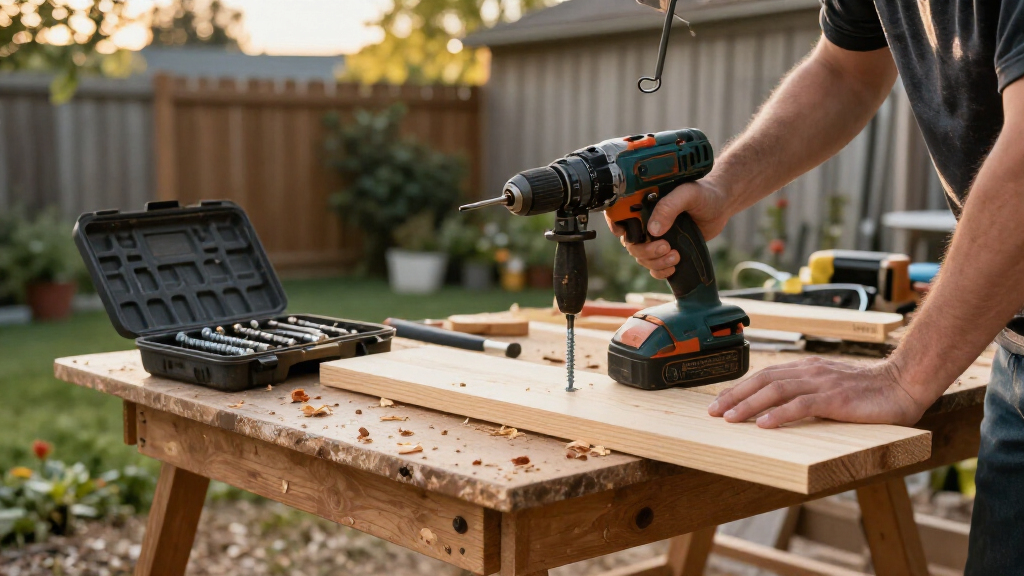
Set the workpiece on a stable surface and clamp it so it cannot shift. Mark the hole or screw location with a pencil. Measure twice if the placement affects alignment, and use a level for shelves or other horizontal fixtures. Clear the area behind the workpiece so the bit will not hit a wall, bench, or hidden object as it exits.
Tip: When drilling through a board, place scrap wood beneath it to reduce splintering on the exit side.
Check: The workpiece is steady, the mark is visible, and the drill path is clear on both sides.
Step 3: Fit the correct bit
Remove the battery before changing the bit if the manual recommends it, and keep your finger off the trigger. Open the chuck, insert the bit’s shank straight and far enough to grip securely, then tighten the chuck by hand or with the supplied key, according to the drill design. Pull the bit gently to check that it is held firmly. Match a driver bit to the screw head, or choose a drill bit sized for the hole or pilot hole you need.
Tip: A bit that is off-center or loosely held can wobble, damage the work, or slip out. Do not force an oversized bit into the chuck.
Check: The bit is centered, secure, and appropriate for the material and fastener.
Step 4: Set the drill controls
Reinstall the battery and select forward rotation for drilling or driving a screw in. Choose the low-speed range for controlled screwdriving or larger bits, and a higher range for smaller holes when the manual allows it. Set the clutch to a low number for your first screw test; the clutch limits turning force to help prevent overdriving. Select drill mode for drilling holes, which typically bypasses the clutch. Use hammer mode only with a hammer drill and a suitable masonry bit.
Tip: Control names and selector positions differ by model. Follow the manual and do not change the gear selector while the motor is running.
Check: The direction, speed range, and mode match the operation you are about to perform.
Step 5: Test on scrap material
Put on safety glasses and place the drill bit or driver tip on the marked point. Hold the drill with a firm, balanced grip and keep it aligned with the surface. Press the trigger gently to start at low speed, then increase pressure only as needed. For a screw, stop when the head reaches the surface and check whether the clutch setting is suitable. For a hole, keep the drill straight and withdraw the bit occasionally if material or chips build up.
Tip: If the drill twists unexpectedly, release the trigger, steady the work, and lower the clutch setting or reduce pressure before trying again.
Check: The test screw sits at the intended depth without stripping, or the test hole is clean and close to the planned size.
Step 6: Complete the project and check the result
Repeat the tested technique on the project, keeping the bit aligned and the work secured. Pause if the bit overheats, the battery becomes depleted, or the drill begins to bind. Release the trigger before lifting the tool away. When finished, switch off or lock the trigger if provided, remove the battery before changing accessories, and let hot bits cool before touching them.
Tip: For multiple screws, keep the clutch setting consistent and inspect the first few fasteners before continuing.
Check: Holes and fasteners are in the marked locations, the material has no unwanted cracks or damage, and the workpiece remains secure.
Common Mistakes to Avoid
- Choosing a set based only on the number of accessories. — Check the drill’s intended use, battery compatibility, chuck, clutch, charger, and whether the included bits match your materials and fasteners.
- Using the wrong bit or mode for the material. — Match the bit to the material and task. Use hammer mode only on a compatible hammer drill for masonry, as the manual directs.
- Applying too much pressure or starting at full speed. — Start slowly, hold the drill straight, and increase trigger pressure gradually. Let the bit cut rather than forcing it.
- Drilling into an unsecured workpiece or an unchecked wall. — Clamp movable material and check for hidden wires and plumbing before drilling. Stop if the drill path is uncertain.
Troubleshooting
Problem: The drill does not start.
Solution: Release the trigger, check that the battery is charged and fully seated, and confirm that the direction selector is not in its center lock position. Follow the manual if the tool still does not run.
Problem: The bit wobbles or slips in the chuck.
Solution: Stop the drill, remove the battery, and reseat the bit straight in the chuck. Tighten it using the method specified in the manual. Replace a damaged bit or chuck rather than continuing.
Problem: The screw head strips or the screw goes too deep.
Solution: Stop and use a driver bit that fits the screw head closely. Lower the clutch setting, reduce trigger pressure, and test on scrap before continuing.
Problem: The bit stalls, gets hot, or stops cutting.
Solution: Release the trigger and let the bit cool. Check that it is sharp and suited to the material, clear accumulated chips, and reduce pressure. For masonry, confirm the drill and bit are designed for the job.
What Success Looks Like
Your cordless drill set is ready for the intended task, with a charged battery and correctly fitted bit. The test confirms that you can drill or drive at a controlled speed without the bit slipping, the screw head stripping, or the workpiece shifting. The completed holes or fasteners match your layout, and the material is free of unintended damage.
Next Steps
Remove the battery before cleaning or storing the drill. Brush dust from the chuck and tool vents without pushing debris inside, then store bits, battery, and charger in a dry place. Recharge batteries according to the manufacturer’s guidance. After each project, check bits for wear and replace damaged ones. For repeated masonry work, large holes, or unfamiliar materials, use a drill designed for the job or get advice from a qualified professional.
Frequently Asked Questions
What is the difference between a drill-driver and an impact driver?
A drill-driver uses a chuck and adjustable clutch for drilling and controlled screwdriving. An impact driver uses rotational impacts to drive suitable fasteners with less wrist reaction, but it is not a direct substitute for a drill when making precise holes. Many home users start with a drill-driver.
Can I use a cordless drill to drill into concrete or brick?
Use a hammer drill and a masonry bit for regular masonry work. A standard drill-driver may lack the impact action needed for reliable progress. Check both the tool and bit manuals, and do not use a mode the tool does not provide.
How do I choose a drill bit size for a pilot hole?
Use the screw maker’s guidance when available. Otherwise, choose a pilot bit close to the screw’s core diameter, with a smaller bit for softwood and a larger one for hardwood. Test on scrap of the same material to check that the screw drives securely without splitting the wood.
When should I use the clutch?
Use the clutch for driving screws, starting with a low setting and increasing it only if the screw stops before reaching the intended depth. Use the drill setting for drilling holes when the manual specifies it.