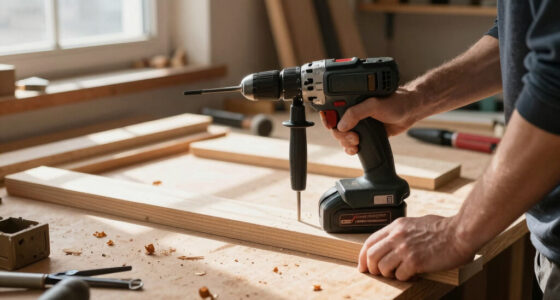
If your Milwaukee power tool isn’t charging properly, it can disrupt your work schedule. This guide provides practical, step-by-step troubleshooting tips to identify and fix common charging problems safely. Before starting, ensure you have the right replacement batteries and tools on hand.

Get tools and workshop supplies delivered free — and shop member deals
- Fast, free delivery on millions of items
- Access to Prime Big Deal Days deals on October 6–7
- Prime Video, Amazon Music and more included
Follow these instructions carefully to restore your tool’s charging capability and get back to work efficiently.
Key Takeaways
| Check the charger and battery contacts | Dirty or damaged contacts prevent proper charging. |
| Use the correct charger | Ensure you’re using the charger compatible with your Milwaukee battery. |
| Inspect the battery for damage | Cracks, bulges, or corrosion indicate a faulty battery. |
| Test with a known good battery | Isolate whether the issue is with the battery or charger. |
| Follow safety precautions | Always disconnect power before inspecting or handling batteries. |
Step 1: Inspect the Charger and Battery Contacts
- Unplug the charger from power and remove the battery.
- Visually check the metal contacts on both the charger and battery for dirt, debris, or corrosion.
- Clean contacts gently with a dry cloth or a soft brush if dirty.
Step 2: Verify the Charger Is Functioning Properly
- Plug the charger into a different power outlet to rule out outlet issues.
- Look for indicator lights on the charger; consult your charger’s manual for what they mean.
- If the charger shows no lights or behaves abnormally, consider testing with another compatible charger or replacing it.
Step 3: Test the Battery
- Insert the battery into the charger and observe the indicator lights.
- If the battery doesn’t charge or no lights appear, try using a different, known-good battery.
- If the replacement battery charges normally, your original battery is likely faulty.
Step 4: Check for Battery Damage and Replace if Needed
Inspect the battery for physical damage such as cracks, leaks, or swelling. If damaged, replace it with a new Milwaukee battery compatible with your tool.
Step 5: Seek Professional Help or Replace Components
If troubleshooting doesn’t resolve the issue, contact Milwaukee customer service or a qualified repair technician. Sometimes, internal circuitry or components may fail, requiring professional repair or replacement.
The Products in This Guide

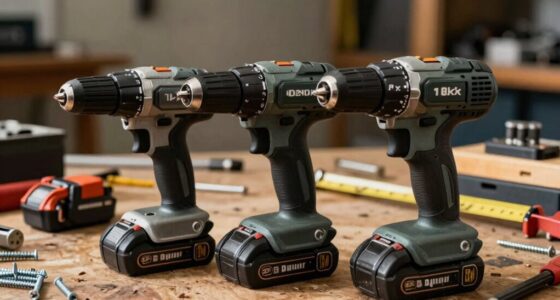
Milwaukee M18 18V Cordless Power Tool Combo Kit
- ✔ Weight: Varies by tool
- ✔ Battery type: Lithium-ion
- ✔ Warranty: Limited

Milwaukee Shockwave 100pcs Impact Driver Bit Set Packout
- ✔ Storage: Packout case
- ✔ Impact rating: Yes
- ✔ Size range: Various
Milwaukee M18 18V Cordless Power Tool Combo Kit
<p>The Milwaukee M18 18V Cordless Power Tool Combo Kit offers a versatile set of tools with reliable batteries and charger. Ideal for construction, remodeling, and maintenance tasks.</p>
Pros:
- Includes 8 tools for various applications
- Comes with 3 batteries for extended runtime
- Includes a rapid charger
- Two heavy-duty storage bags
Cons:
- Bulkier for tight spaces
- Battery charging can be slow if batteries are damaged
Best for: Tradesmen needing a comprehensive cordless tool kit
Not ideal for: Users with very specific single-tool needs
Bottom line: A versatile, all-in-one power tool kit perfect for professional and DIY projects.
Milwaukee Shockwave 100pcs Impact Driver Bit Set Packout
<p>This Milwaukee Shockwave 100pcs Impact Driver Bit Set offers a wide variety of bits to complement your power tools, making it easier to handle different tasks efficiently.</p>
Pros:
- Large variety of bits
- Durable construction
- Includes Packout case
- Great value for the price
Cons:
- Bits may wear over heavy use
- Case might be bulky for small storage
Best for: Professional contractors and DIYers needing versatile bits
Not ideal for: Users seeking only basic bit sets
Bottom line: A durable, extensive impact driver bit set for demanding jobs.
Frequently Asked Questions
Why won’t my Milwaukee battery charge?
Common causes include dirty contacts, incompatible or faulty charger, or a damaged battery. Troubleshooting these areas typically resolves the issue.
How do I clean the contacts on my battery and charger?
Use a dry cloth or soft brush to gently remove debris and dirt from the metal contacts. Avoid using water or liquids.
Can I use a different charger for my Milwaukee batteries?
Always use the charger specified for your Milwaukee batteries to ensure proper charging and avoid damage.
When should I replace my Milwaukee battery?
If the battery shows visible damage, no longer holds a charge, or the charger indicates a fault, it’s time for a replacement.
Keep Your Milwaukee Power Tools Charging Smoothly
Regular maintenance of your charger and batteries ensures optimal performance. If you follow these troubleshooting steps and still face issues, contacting Milwaukee support or replacing faulty components will help keep your tools ready for the job.
Affiliate disclosure: As an Amazon Associate we earn from qualifying purchases. Prices and availability are accurate as of the time of publishing.
Halloween Picks
halloween
As an affiliate, we earn on qualifying purchases.