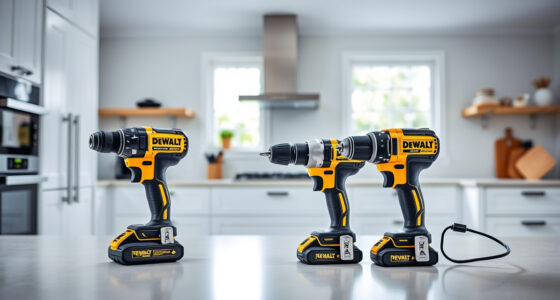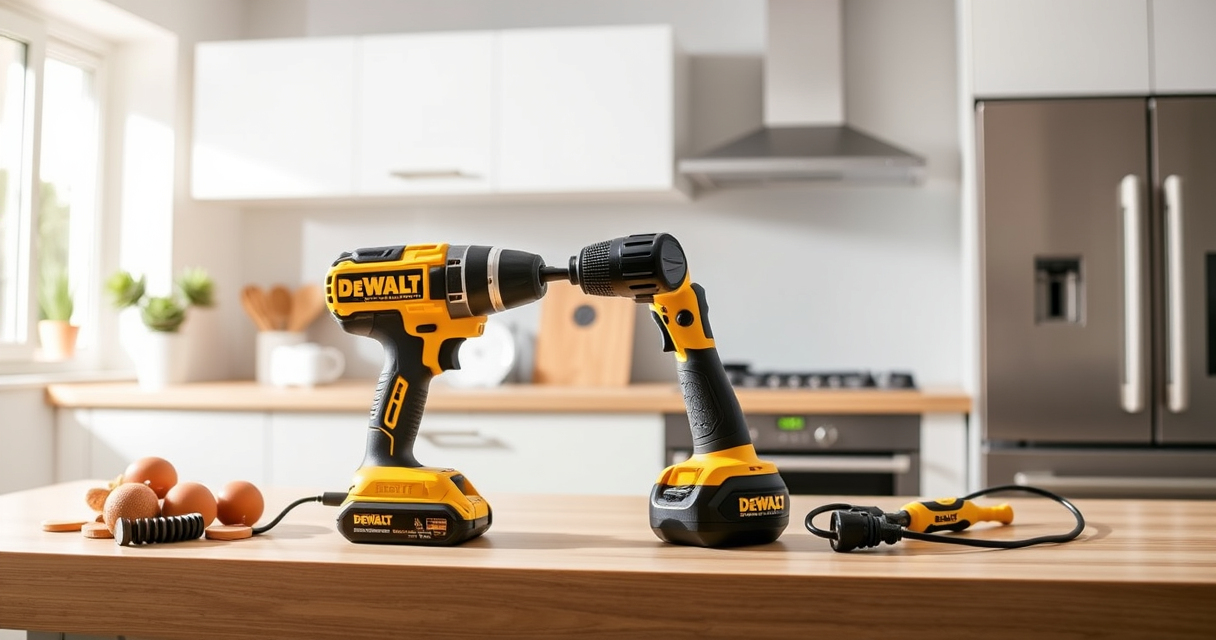

Getting started with your new DEWALT power tools can be exciting, but proper setup is essential for safety and maximum efficiency. Whether you’re a DIY enthusiast or a professional, understanding how to assemble and prepare your DEWALT cordless drill and accessories will help you get the most out of your investment.

Get business pricing on tools and workshop supplies
- Business-only prices and quantity discounts
- Tax-exempt purchasing
- Multiple users, one account, clear invoices
This guide provides clear, practical steps to set up your DEWALT 20V MAX Cordless Drill Driver Set, including safety tips, accessory recommendations, and troubleshooting advice. Follow these instructions carefully to ensure a smooth start to your projects.
Key Takeaways
| Safety First | Always wear protective gear and read the manual before assembling. |
| Battery Handling | Use compatible batteries and check charge levels before starting. |
| Proper Assembly | Securely attach drill bits and accessories to prevent accidents. |
| Initial Testing | Test the drill in a safe area to ensure proper operation. |
| Maintenance Tips | Keep your tools clean and store batteries properly. |
Gather Your Tools and Safety Equipment
Before beginning setup, ensure you have all necessary components and safety gear. You’ll need your DEWALT 20V MAX Cordless Drill Driver Set, including the drill, battery, and charger. Additionally, gather safety glasses, gloves, and ear protection. Having a clean, organized workspace will help prevent accidents and allow for a smoother setup process.
Charge and Prepare the Battery
- Remove the battery from the drill if installed.
- Insert the battery into the DEWALT charger and connect it to power.
- Allow the battery to fully charge, indicated by the LED light on the charger turning green.
- Once charged, insert the battery back into the drill, ensuring it clicks into place securely.
Using a fully charged battery will ensure optimal performance during setup and initial use.
Attach the Desired Drill Bit or Accessory
- Select the appropriate drill bit or accessory for your task. For general drilling, a standard twist bit or screwdriver bit is suitable.
- Loosen the single-sleeve ratcheting chuck by rotating it counterclockwise.
- Insert the shank of the bit into the chuck, ensuring it is centered and fully seated.
- Hand-tighten the chuck by rotating it clockwise, then use the included keyless chuck to tighten securely by hand. For extra security, you can use a chuck key if your model has one.
Ensure the bit is tightly secured before proceeding to prevent it from slipping during operation.
Test the Drill in a Safe Area
- Find a piece of scrap material or a testing surface.
- Hold the drill firmly with both hands.
- Press the trigger lightly to test the drill’s operation, checking for smooth rotation and proper speed control.
- Test the LED light to ensure it illuminates in dim conditions.
If the drill doesn’t operate correctly, double-check the battery connection, the bit attachment, and ensure there are no obstructions or damage. Refer to troubleshooting tips if needed.
Tips for Maintaining Your DEWALT Power Tools
- Clean your drill after each use to remove dust and debris.
- Store batteries in a cool, dry place and avoid extreme temperatures.
- Check the battery’s charge level regularly using the LED indicator.
- Inspect the drill and accessories for wear and replace parts as necessary.
- Use the recommended drill bits and accessories for best results and longevity.
Proper maintenance ensures your tools stay in top condition and extend their lifespan.
Troubleshooting Common Setup Issues
- Drill not turning on: Check that the battery is fully charged and properly inserted.
- Bit slipping or wobbling: Ensure the chuck is tightened securely.
- LED light not working: Confirm the trigger is pressed, and the battery is charged.
- Overheating: Avoid prolonged use without breaks and keep the tool clean.
If issues persist, consult the user manual or contact DEWALT customer support for assistance.
The Products in This Guide

DEWALT 20V MAX Cordless Drill Driver Set
- ✔ Power Source: 20V MAX lithium-ion
- ✔ Speed: 2-speed transmission
- ✔ Weight: 7.6 inches length

DEWALT Drill Bit Set
- ✔ Number of Bits: 14
- ✔ Tip Angle: 135 degrees
- ✔ Shank Type: 3-flats
DEWALT 20V MAX Cordless Drill Driver Set
The DEWALT 20V MAX Cordless Drill Driver Set offers a powerful brushless motor, lightweight design, and user-friendly features like an LED light, making it ideal for both professionals and DIYers. Proper setup ensures you get the most out of this reliable tool.
Pros:
- Brushless motor for longer run time
- Compact and lightweight design
- 2-speed transmission for versatility
- LED light for working in dim spaces
Cons:
- Battery life depends on usage
- Chuck size limited to 1/2 inch
Best for: General-purpose drilling and fastening in tight or awkward spaces
Not ideal for: Heavy-duty industrial applications requiring more power
Bottom line: A reliable, versatile drill perfect for a wide range of tasks, provided setup and safety precautions are followed.
DEWALT Drill Bit Set
Pair your DEWALT drill with this 14-piece drill bit set featuring 135-degree split point tips. Designed for plastic, wood, and metal, these bits enhance your drilling efficiency and accuracy, making your projects easier.
Pros:
- Durable high-speed steel construction
- Split point tips reduce walking
- Easy size identification
- Rust-resistant coating
Cons:
- Only suitable for light to medium tasks
- Limited to specific bit sizes
Best for: General drilling in various materials with precision
Not ideal for: Heavy-duty industrial drilling
Bottom line: A versatile drill bit set that complements your DEWALT drill for most household and light professional tasks.
Frequently Asked Questions
How do I safely change the drill bit on my DEWALT drill?
First, turn off and remove the battery from the drill. Loosen the chuck by rotating it counterclockwise. Insert the new bit fully into the chuck and tighten it securely by hand, then tighten further if necessary. Always ensure the bit is firmly secured before use.
Can I use other batteries with my DEWALT drill?
No, it’s recommended to use only DEWALT 20V MAX batteries compatible with your model to ensure safety and optimal performance.
What should I do if the LED light is not working?
Check that the battery is charged and properly inserted. Try testing the trigger again. If it still doesn’t work, inspect the LED for damage or contact support.
How do I extend the battery life?
Keep batteries stored in a cool, dry place, avoid extreme temperatures, and recharge only when the battery is low. Regularly clean battery contacts and avoid letting the tool sit unused for long periods.
What maintenance is recommended for my DEWALT drill?
Clean the drill after each use, check for loose parts, and ensure the chuck and ventilation areas are free of dust. Replace worn-out bits and avoid exposing the tool to water or moisture.
Start Your Projects with Confidence
Setting up your DEWALT power tools correctly ensures safety, efficiency, and longevity. Follow the step-by-step instructions for battery charging, accessory attachment, and testing to begin your tasks smoothly. Remember, safety gear and proper maintenance are key to enjoying your tools for years to come. Happy drilling!
Affiliate disclosure: As an Amazon Associate we earn from qualifying purchases. Prices and availability are accurate as of the time of publishing.
Halloween Picks
halloween
As an affiliate, we earn on qualifying purchases.