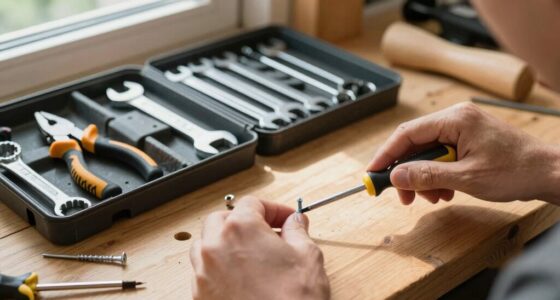
Maintaining your DEWALT FLEXVOLT drill is essential for ensuring long-lasting performance and safety. Proper cleaning removes dust, debris, and grime that can affect its operation. This guide provides clear, safe steps to clean your drill effectively without damaging its components.

Get business pricing on tools and workshop supplies
- Business-only prices and quantity discounts
- Tax-exempt purchasing
- Multiple users, one account, clear invoices
Always ensure your tool is powered off and unplugged (or the battery removed) before cleaning to prevent accidents.
Key Takeaways
| Safety First | Always disconnect power or remove the battery before cleaning. |
| Use Proper Tools | Soft brushes and lint-free cloths prevent damage. |
| Avoid Liquids | Never immerse the drill in water or use excessive moisture. |
| Clean Ventilation Areas | Regularly clear dust from vents to prevent overheating. |
| Check for Damage | Inspect for worn parts or cracks after cleaning. |
Gather Your Cleaning Supplies
- Soft-bristled brush or compressed air
- Lint-free cloth or microfiber towel
- Isopropyl alcohol (optional for stubborn grime)
- Small screwdriver (if needed to open casing)
Power Off and Prepare the Drill
Ensure the drill is switched off, unplugged from power, and the battery is removed. This prevents accidental activation during cleaning.
Clean Exterior and Vents
- Use a soft brush or compressed air to gently remove dust from the vents, handle, and trigger area.
- Wipe the exterior with a slightly damp lint-free cloth. Avoid excessive moisture.
Deep Cleaning Internal Components (If Necessary)
If your drill shows signs of internal dust buildup, carefully open the casing using a small screwdriver. Use compressed air to blow out dust from internal parts, avoiding contact with electronic components. Reassemble carefully.
Final Inspection and Maintenance Tips
- Check for any loose screws or damaged parts.
- Lubricate the chuck if it feels stiff, using a small amount of appropriate lubricant.
- Reinstall the battery and test the drill to ensure smooth operation.
The Products in This Guide

DEWALT 20V MAX Cordless Drill Driver Set
- ✔ Weight: Approx. 3.4 lbs
- ✔ Chuck Size: 1/2 inch
- ✔ Speed: 2-speed transmission

DEWALT Drill Bit Set
- ✔ Size Range: Various
- ✔ Web Design: Tapered
- ✔ Brand: DEWALT
DEWALT 20V MAX Cordless Drill Driver Set
Regular cleaning of your DEWALT 20V MAX Cordless Drill Driver Set keeps it running smoothly and extends its lifespan. Follow these steps to maintain peak performance and safety.
Pros:
- Prevents dust buildup
- Improves tool efficiency
- Reduces overheating risk
- Easy to perform at home
Cons:
- Requires disassembly for internal cleaning
- Avoid using excessive moisture
- Be cautious with internal components
Best for: DIY enthusiasts and professionals needing reliable maintenance
Not ideal for: Heavy internal grime or damage may require professional servicing
Bottom line: Consistent cleaning ensures your DEWALT drill performs reliably for years.
DEWALT Drill Bit Set
Pair your cleaning routine with this high-quality DEWALT Drill Bit Set to keep your bits sharp and effective after cleaning your drill. Durable and rust-resistant, these bits fit well with your cordless drill for versatile use.
Pros:
- High-speed steel
- Corrosion resistant
- Easy to identify sizes
- Durable tip design
Cons:
- Limited to drilling tasks
- Not for heavy-duty industrial use
- Requires separate storage
Best for: Home repair and light construction
Not ideal for: Heavy industrial applications
Bottom line: A reliable drill bit set complements your drill cleaning routine well.
Frequently Asked Questions
Can I use water to clean my DEWALT drill?
No, water can damage the internal electronic components. Use a damp cloth and avoid excessive moisture.
How often should I clean my drill?
Clean your drill regularly, especially after heavy use or working in dusty environments, to maintain optimal performance.
Is it safe to open the casing for internal cleaning?
Yes, but only if you are comfortable with small repairs. Ensure the tool is unplugged and batteries removed before opening.
What should I do if my drill still overheats after cleaning?
Check for dust buildup in vents, ensure the chuck is lubricated, and consider professional servicing if overheating persists.
Keep Your DEWALT FLEXVOLT in Top Shape
Regular cleaning and maintenance of your DEWALT drill not only prolongs its lifespan but also ensures safety and efficiency during use. Follow these simple steps periodically to keep your tool performing at its best, and pair it with quality accessories for optimal results.
Affiliate disclosure: As an Amazon Associate we earn from qualifying purchases. Prices and availability are accurate as of the time of publishing.
Halloween Picks
halloween
As an affiliate, we earn on qualifying purchases.