
For woodworking, I’d choose the AlgoLaser MK3 20W as the best overall pick for its higher diode power and adjustable air assist, which suit projects that call for stronger cutting capability. The LASER TREE 20W stands out for a larger work area, while the Creality Falcon A1C offers an enclosed setup with a smart camera and autofocus for a more guided workflow. The main tradeoffs are cutting power versus fine-detail work, open-frame flexibility versus enclosure and fume control, and a larger work area versus a compact footprint. A wattage figure alone does not predict results across different woods, thicknesses, or project layouts. Read on for my full comparison and a guide to matching a machine to your woodworking plans.

Get business pricing on tools and workshop supplies
- Business-only prices and quantity discounts
- Tax-exempt purchasing
- Multiple users, one account, clear invoices
Complete the kit


Key Takeaways
Two 20W picks fill different roles: the AlgoLaser MK3 pairs higher diode power with adjustable air assist, while the LASER TREE model is distinguished by its 400 × 800 mm work area.
Enclosure and workflow features set the guided options apart: the Creality Falcon A1C combines an enclosure, smart camera, and autofocus; the xTool M2 enclosed model adds dual cameras.
Not every woodworking project needs a 10W-or-higher machine: the 2.5W ACMER S1 and 6W ELIDOR are lower-power options that may suit smaller engraving-focused work, but they are less compelling for frequent cutting.
Several names in the lineup represent distinct configurations: the xTool M2 appears as both a CMYK inkjet combination and an enclosed dual-camera machine, so buyers should compare the exact version and included workflow features.
Compact value and specialty range are different priorities: the Creality Falcon 10W and Carverall K15 Pro offer desktop 10W configurations, while the LASER TREE’s extended work area better suits larger layouts that may not fit a compact bed.
| xTool M2 10W Color Craft Laser Engraver with CMYK Inkjet Printer |  | Best for Color-Enhanced Wood Crafts | Laser power: 10W | Printer: CMYK inkjet | Cameras: Dual built-in cameras | VIEW LATEST PRICE | See Our Full Breakdown |
| Creality Falcon 10W Desktop Laser Engraver and Cutter |  | Best for Fine Wood Detail | Optical power: 10W | Laser spot size: 0.06 × 0.06 mm | Maximum engraving speed: 10,000 mm/min | VIEW LATEST PRICE | See Our Full Breakdown |
| Twotrees TTS-55 Pro 5.5W Laser Engraver |  | Best Entry-Level Woodworking Pick | Laser power: 5.5W | Work area: 300 × 300 mm | Laser spot size: 0.08 × 0.46 mm | VIEW LATEST PRICE | See Our Full Breakdown |
| LASER TREE 20W Laser Engraver and Cutter with 400 × 800 mm Work Area |  | Best for Large Wood Projects | Optical power: 20W | Work area: 400 × 800 mm (15.75 × 31.5 inches) | Maximum engraving speed: 10,000 mm/min | VIEW LATEST PRICE | See Our Full Breakdown |
| Carverall K15 Pro 10W Laser Engraver and Cutter |  | Best Compact Pick | Laser power: 10W | Work area: 11.8 × 7.9 inches | Engraving precision: 0.01 mm | VIEW LATEST PRICE | See Our Full Breakdown |
| Twotrees TTS-10 Pro 10W Laser Engraver |  | Best for Flexible Small-Shop Woodworking | Optical power: 10W | Laser wavelength: 450 nm | Work area: 300 × 300 mm | VIEW LATEST PRICE | See Our Full Breakdown |
| ACMER S1 2500 mW Laser Engraver and Cutter |  | Best Compact Starter for Small Wood Pieces | Laser power: 2,500 mW | Wavelength: 455 ± 5 nm | Working area: 130 × 130 mm | VIEW LATEST PRICE | See Our Full Breakdown |
| AlgoLaser MK3 20W Laser Engraver and Cutter with Adjustable Air Assist Pump |  | Best for Large Wood Projects | Laser power: 20W | Working area: 400 × 400 mm | Maximum speed: 15,000 mm/min | VIEW LATEST PRICE | See Our Full Breakdown |
| ATOMSTACK A20 Pro V2 20W Laser Engraver and Cutter |  | Best for Fast, Software-Flexible Engraving | Laser output power: 20W | Maximum engraving speed: 400 mm/s | Engraving accuracy: 0.01 mm | VIEW LATEST PRICE | See Our Full Breakdown |
| Creality Falcon A1C 10W Enclosed Laser Engraver with Smart Camera and Auto Focus |  | Best Enclosed Option for Easier Alignment | Included laser module: 10W diode | Maximum engraving speed: 15,000 mm/min | Positioning: Built-in HD smart camera with real-time preview | VIEW LATEST PRICE | See Our Full Breakdown |
| xTool M2 10W Enclosed Laser Engraver with Dual Cameras |  | Best for Precise, Enclosed Woodworking | Laser power: 10W diode laser | Safety class: Class 1 | Cameras: Built-in dual cameras | VIEW LATEST PRICE | See Our Full Breakdown |
| BlazeX M3 10W Laser Engraver and Cutter with Enclosure and Honeycomb Bed |  | Best Starter Kit for Woodworking | Laser power: 10W | Precision: 0.01 mm | Voltage: 120 volts | VIEW LATEST PRICE | See Our Full Breakdown |
| ORTUR Laser Master 2 S2 LU2-10A 10W Laser Engraver and Cutter |  | Best for Larger Wood Panels | Laser power: 10W | Laser class: Class 4 | Engraving area: 390 × 410 mm | VIEW LATEST PRICE | See Our Full Breakdown |
| xTool F2 Dual-Laser Engraver with 5W IR and 15W Diode |  | Best Premium Dual-Laser Pick | Infrared laser output: 5W | Diode laser output: 15W | Maximum speed: 6000 mm/s | VIEW LATEST PRICE | See Our Full Breakdown |
| ELIDOR 6000 mW Laser Engraver and Cutter |  | Best Compact, Lightweight Pick | Laser power: 6000 mW | Laser spot size: 0.04 × 0.14 mm | Engraving accuracy: Up to 0.01 mm | VIEW LATEST PRICE | See Our Full Breakdown |
More Details on Our Top Picks
xTool M2 10W Color Craft Laser Engraver with CMYK Inkjet Printer
The M2 is the most versatile craft pick here for buyers who want to combine wood engraving with full-color printing. Its CMYK inkjet module adds color work that the laser-only Creality Falcon 10W and Twotrees TTS-55 Pro do not offer, while dual cameras help position designs on small pieces and blanks. The Class 1 enclosure and real-time monitoring also make it a more contained home-workshop choice than the open-frame machines in this group. The tradeoff is that its 10W laser is geared toward craft-scale work, not the larger, thicker cuts claimed for the 20W LASER TREE. It is also a substantial 36.7-pound package, and the optional IR module adds capability only as a separate purchase. I’d choose it for colorful personalized wooden goods, not production cutting.
Pros:- Combines a 10W diode laser with CMYK inkjet printing for color-accented wood projects.
- Dual cameras provide a workspace preview that can help position designs.
- Class 1 enclosed design includes real-time monitoring.
- Templates and an AI image generator support a craft-focused workflow.
Cons:- The 10W laser is less suited to heavy cutting than the 20W LASER TREE.
- The 3W IR laser module is sold separately.
- The 36.7-pound package is less convenient to move than lighter open-frame options.
Best for: Home crafters making personalized signs, ornaments, and gifts who want color printing alongside wood engraving in an enclosed machine.
Not ideal for: Woodworkers prioritizing large-format or thick-stock cutting, or buyers who want a lightweight, laser-only machine.
- Laser power:10W
- Printer:CMYK inkjet
- Cameras:Dual built-in cameras
- Safety:Class 1 enclosed design with real-time monitoring
- Compatible materials:Cardstock, felt, leather, wood, fabric, and paper
- Optional module:3W IR laser, sold separately
- Item weight:36.7 pounds
- Package dimensions:27 × 25 × 10 inches
Our verdict“Choose the M2 if color printing and a contained craft setup matter more than large or thick wood cuts.”
Creality Falcon 10W Desktop Laser Engraver and Cutter
For detailed work on modest-sized wood pieces, the Falcon’s standout advantage is its 0.06 × 0.06 mm laser spot. That fine spot is aimed at crisp lines and small graphics, while its 15.7 × 16.3-inch work area gives it more room than the compact Carverall K15 Pro. The stated single-pass capacity—up to 5 mm basswood—also gives buyers a clear guide for planning cuts, though thicker stock calls for a different approach or machine. Software support for LightBurn and LaserGRBL, plus SD-card offline operation, makes it flexible for different workflows. Unlike the enclosed xTool M2, this is an open-frame desktop setup, so its UV filter and included goggles do not remove the need for careful workspace safety. I’d pick it for detail and flexible software, not unattended home use.
Pros:- Fine 0.06 × 0.06 mm laser spot is suited to detailed engraving.
- Work area is larger than the compact Carverall K15 Pro’s.
- Supports both LightBurn and LaserGRBL, with SD-card offline operation.
- Specified single-pass capacity includes 5 mm basswood.
Cons:- Open-frame construction requires careful attention to laser safety.
- Single-pass cutting capacity is limited to the stated material thicknesses.
- The 15.7 × 16.3-inch work area excludes larger panels and signs.
Best for: Woodworkers engraving detailed logos, labels, and decorative patterns on pieces that fit within a 15.7 × 16.3-inch work area.
Not ideal for: Buyers who need an enclosed machine, a larger work surface, or routine cuts through wood thicker than the stated single-pass capacity.
- Optical power:10W
- Laser spot size:0.06 × 0.06 mm
- Maximum engraving speed:10,000 mm/min
- Working area:15.7 × 16.3 inches
- Cutting capacity:Up to 5 mm basswood or 3 mm black acrylic in one pass
- Software compatibility:LightBurn and LaserGRBL
- Offline operation:SD card
- Weight:7.05 pounds
Our verdict“Pick the Falcon for fine engraving on medium-sized wood pieces if an open-frame workflow suits your workspace.”
Twotrees TTS-55 Pro 5.5W Laser Engraver
The TTS-55 Pro is the lower-power choice for buyers learning laser workflows on wood rather than starting with a large cutting machine. Its 300 × 300 mm work area is ample for many small signs, coasters, and panels, and the listed capacity reaches 5 mm plywood. Against the 10W Creality Falcon, its 5.5W laser gives up power, but the Twotrees lists a broader maximum speed and includes a metal air-assist nozzle and red laser shield. It also supports LightBurn and LaserGRBL and can run online or from a TF card. The tradeoffs are a spot size of 0.08 × 0.46 mm, which is elongated rather than square, and required assembly. Some Windows setups may also need a CH340 or CH341 driver. I’d treat it as a learning and light-project machine, not a fast cutting upgrade.
Pros:- 300 × 300 mm work area suits many small woodworking projects.
- Includes a metal air-assist nozzle and red laser shield.
- Supports LightBurn and LaserGRBL, with online and TF-card operation.
- Lists cutting capacity up to 5 mm plywood.
Cons:- Its 5.5W laser has less power than the 10W Creality Falcon.
- Assembly is required before use.
- Some Windows users may need to install a CH340 or CH341 driver.
Best for: New hobbyists who want a manageable work area for engraving wood and occasional cuts in plywood while learning LightBurn or LaserGRBL.
Not ideal for: Woodworkers who need higher-power cutting, a ready-to-run machine with no assembly, or a compact square laser spot for fine detail.
- Laser power:5.5W
- Work area:300 × 300 mm
- Laser spot size:0.08 × 0.46 mm
- Engraving accuracy:Up to 0.1 mm
- Maximum engraving speed:30,000 mm/min
- Cutting capacity:Up to 5 mm plywood, 3 mm acrylic, and 0.7 mm leather
- Operation modes:Online and TF card
- Compatible software:LaserGRBL and LightBurn
Our verdict“Choose the TTS-55 Pro as a learning-focused option for small wood projects if you accept assembly and modest laser power.”
LASER TREE 20W Laser Engraver and Cutter with 400 × 800 mm Work Area
The LASER TREE is the clear choice in this group when workpiece size and cutting capacity matter more than an enclosed, compact setup. Its 400 × 800 mm bed is far longer than the Falcon’s 15.7 × 16.3-inch area, giving room for larger signs or several smaller pieces in one layout. The 20W optical output is also specified for cutting up to 10 mm plywood in one pass, well beyond the Twotrees TTS-55 Pro’s listed 5 mm plywood capacity. Fixed focus can simplify setup, and it works with LightBurn and LaserGRBL on Windows and Mac. The tradeoff is a Class 4 laser classification: this open machine calls for deliberate safety practices and a suitable workspace. Its stated 10,000 mm/min maximum speed is not higher than the Falcon’s, so its case rests on bed size and power, not speed.
Pros:- 400 × 800 mm work area accommodates projects much larger than the Falcon’s.
- 20W optical power is specified for cuts up to 10 mm plywood in one pass.
- Fixed-focus setup reduces focus adjustment steps.
- Supports LightBurn and LaserGRBL on Windows and Mac.
Cons:- Class 4 classification requires careful laser-safety planning.
- Its large footprint is less suited to small workspaces.
- The stated maximum engraving speed is 10,000 mm/min, matching rather than exceeding the Falcon’s listed speed.
Best for: Sign makers and small woodworking shops handling long panels, larger designs, or batches of wood pieces.
Not ideal for: Beginners seeking an enclosed home machine, or buyers without a workspace suited to Class 4 laser operation.
- Optical power:20W
- Work area:400 × 800 mm (15.75 × 31.5 inches)
- Maximum engraving speed:10,000 mm/min
- Cutting capacity:Up to 10 mm plywood and 8 mm acrylic in one pass
- Supported materials:Wood, acrylic, leather, fabric, cardboard, anodized aluminum, and coated metal
- Compatible software:LightBurn and LaserGRBL
- Focus:Fixed focal length
- Laser safety classification:Class 4
Our verdict“Choose the LASER TREE if you need a long bed and higher stated wood-cutting capacity and can manage an open Class 4 machine.”
Carverall K15 Pro 10W Laser Engraver and Cutter
The K15 Pro fits buyers whose woodworking projects are small enough to stay within an 11.8 × 7.9-inch work area. Its 2.68 kg machine weight and support for app, computer, and TF-card control make it easier to place in a limited workspace than the larger-bed LASER TREE. For engraving and occasional cutting, it lists 10W power, up to 15,000 mm/min speed, and multi-pass cutting up to 12 mm plywood. That last figure is a multi-pass claim, not a one-pass capacity, so it does not make this a substitute for the 20W LASER TREE on thicker stock. One-touch focus and saved-file memory can help repeat small jobs, while the optional IR head is an add-on rather than part of the core setup. Its small bed is the defining compromise.
Pros:- Compact work area and 2.68 kg machine weight suit space-constrained workshops.
- Offers app, computer, and offline TF-card control.
- One-touch focus and saved-file memory support repeat jobs.
- Lists multi-pass cutting up to 12 mm plywood.
Cons:- The 11.8 × 7.9-inch work area limits project size compared with the LASER TREE.
- Thicker cuts require multiple passes.
- The optional IR laser head and expansion accessories are separate additions.
Best for: Apartment hobbyists and makers engraving coasters, small plaques, tags, and other wood blanks who need a compact machine with flexible controls.
Not ideal for: Sign makers, batch producers, or anyone whose wood panels exceed the 11.8 × 7.9-inch work area or require faster thick-stock cutting.
- Laser power:10W
- Work area:11.8 × 7.9 inches
- Engraving precision:0.01 mm
- Maximum speed:15,000 mm/min
- Maximum multi-pass cutting thickness:12 mm plywood; 8 mm acrylic
- Control options:App, computer software, and offline TF card
- Machine weight:2.68 kg
- Warranty:1 year
Our verdict“Pick the K15 Pro for small wood projects and a compact, flexible-control setup, but skip it if your work regularly exceeds its bed.”
Twotrees TTS-10 Pro 10W Laser Engraver
The Twotrees TTS-10 Pro pairs a 10W diode with a 300 × 300 mm work area, giving woodworkers useful room for signs, panels, and repeated smaller pieces without moving up to a large machine. Its dual Y-axis motors and aluminum alloy frame support steady movement, while LightBurn and LaserGRBL compatibility lets buyers choose familiar design workflows. Compared with the compact ACMER S1, it offers more than five times the working-area footprint, making it a better fit for projects that outgrow small tags and ornaments. Its USB and TF card options also allow jobs to run without a constant computer connection, though TF operation requires a separately sold monitor. The tradeoff is that its bed remains modest for large boards, and bare steel or uncoated metal needs marking spray or preparation.
Pros:- 300 × 300 mm work area suits a range of small-shop wood projects.
- 10W optical output is intended for faster engraving and deeper marks than lower-power diode options.
- Dual Y-axis motors and an aluminum alloy frame support stable motion.
- USB and TF card workflows work alongside LightBurn and LaserGRBL.
Cons:- The work area is too small for many full-size boards and large signs.
- Bare steel and uncoated metal require marking spray or other preparation.
- A monitor for TF card operation is sold separately.
Best for: Woodworking hobbyists making medium-size signs, panels, and batches of smaller pieces who want a 10W diode and flexible software options.
Not ideal for: Makers engraving large furniture parts or wide boards, or buyers who need direct marking on bare metal without surface preparation.
- Optical power:10W
- Laser wavelength:450 nm
- Work area:300 × 300 mm
- Maximum speed:30,000 mm/min
- Laser spot size:0.069 mm
- Motion system:Dual Y-axis 42 stepper motors; GT2-6 mm synchronous belts
- Connectivity:USB and TF card
- Software compatibility:LightBurn and LaserGRBL
Our verdict“Choose the TTS-10 Pro for versatile woodworking projects that fit a 300 × 300 mm bed; skip it if you need a larger work area or unprepared bare-metal marking.”
ACMER S1 2500 mW Laser Engraver and Cutter
The ACMER S1 is the compact choice here: its 130 × 130 mm work area suits coasters, ornaments, small labels, and thin plywood pieces rather than broad panels. At 3.98 pounds and 99% preassembled, it is easier to store or move than the larger Twotrees TTS-10 Pro, though that convenience comes with far less room for a project. The 2.5W laser can engrave wood and cut thin plywood, MDF, and acrylic, so it offers more than marking alone on suitable stock. Software support spans Acmerstudio, LightBurn, and LaserGRBL across macOS, Windows, and Linux. I would choose it for a small desk and simple workpieces, not for deep, fast engraving or regular cutting of thick wood; the listed cutting use is limited to thin materials.
Pros:- Compact, lightweight aluminum-alloy construction is easy to carry and store.
- Arrives 99% preassembled, reducing initial setup work.
- Supports Acmerstudio, LightBurn, and LaserGRBL on macOS, Windows, and Linux.
- Can engrave wood and cut thin plywood, MDF, and acrylic.
Cons:- The 130 × 130 mm working area restricts project size.
- The 2.5W laser and stated thin-material cutting scope are limiting for heavier woodworking tasks.
- The listed engraving speed is lower than the faster machines in this group.
Best for: Beginners and makers with limited bench space who mainly personalize small wooden gifts, tags, ornaments, and thin plywood pieces.
Not ideal for: Woodworkers producing large signs or seeking faster, deeper engraving and cuts beyond thin plywood, MDF, or acrylic.
- Laser power:2,500 mW
- Wavelength:455 ± 5 nm
- Working area:130 × 130 mm
- Maximum engraving speed:10,000 mm/min
- Positioning accuracy:0.01 mm
- Weight:3.98 lb
- Supported software:Acmerstudio, LightBurn, LaserGRBL
- Compatible operating systems:macOS, Windows, Linux
Our verdict“Pick the ACMER S1 for portable, small-format wood engraving and light cutting, but choose the Twotrees TTS-10 Pro or a 20W model for larger or more demanding work.”
AlgoLaser MK3 20W Laser Engraver and Cutter with Adjustable Air Assist Pump
For woodworkers who regularly work beyond desktop-sized blanks, the AlgoLaser MK3 offers the largest specified bed in this group: 400 × 400 mm. That extra room can reduce repositioning when engraving larger signs or arranging a batch of parts, while the 20W diode gives it more cutting-oriented capacity than the 10W Twotrees TTS-10 Pro. Its touchscreen, AlgoOS, Wi-Fi, USB, TF card, and app control also provide more standalone options than a machine that depends on a computer connection. LightBurn and LaserGRBL remain available for users who prefer established software. The tradeoff is less detail about which materials it handles, so woodworkers should confirm compatibility for their intended stock. Safety features include motion and tilt detection, but the listing does not specify an enclosure or ventilation system.
Pros:- 400 × 400 mm work area accommodates larger wooden designs and batch layouts.
- 20W laser power suits engraving, marking, and cutting compatible materials.
- Touchscreen and Wi-Fi, USB, TF card, and app connections support flexible operation.
- Emergency stop, dual-lock authorization, and motion and tilt detection are listed safety features.
Cons:- Material compatibility is not specified in detail, leaving buyers to verify suitability for their wood and other stock.
- The listed safety information does not describe an enclosure or ventilation system.
- At 12.7 pounds and 20.7 × 10.5 × 5.2 inches, it requires more bench space than the compact ACMER S1.
Best for: Woodworkers making larger signs, panels, or batches who value a 20W diode, a 400 × 400 mm bed, and multiple control methods.
Not ideal for: Buyers who require clearly documented material compatibility, a specified enclosed setup, or a machine for tight workspaces.
- Laser power:20W
- Working area:400 × 400 mm
- Maximum speed:15,000 mm/min
- Display:3.5-inch smart touchscreen
- Operating system:AlgoOS
- Connectivity:Wi-Fi, USB cable, TF card, app control
- Software compatibility:LightBurn and LaserGRBL
- Weight:12.7 lb
Our verdict“Choose the AlgoLaser MK3 when a large bed and 20W output matter more than a fully specified material list or a documented enclosed design.”
ATOMSTACK A20 Pro V2 20W Laser Engraver and Cutter
The ATOMSTACK A20 Pro V2 stands out for its stated engraving speed of up to 400 mm/s and its 20W laser output, making it a compelling option for woodworkers who value throughput on repeat designs. An integrated linear guide and aluminum alloy frame are aimed at controlled movement, while support for the ATOMSTACK app and PC software, LightBurn, and LaserGRBL gives buyers several ways to prepare jobs. Compared with the AlgoLaser MK3, the A20 Pro V2 lists a higher speed figure, but AlgoLaser provides a clearly specified 400 × 400 mm work area and more standalone control details. ATOMSTACK’s product information does not give its working area, which makes it harder to judge whether larger boards will fit. Its removable magnetic protective cover and tilt alert add useful safeguards, though they do not resolve that sizing uncertainty.
Pros:- 20W laser output and stated speeds up to 400 mm/s suit productivity-focused engraving.
- Integrated linear guide and aluminum alloy frame support controlled movement.
- Works with the ATOMSTACK app and PC software, LightBurn, and LaserGRBL.
- Includes a removable magnetic protective cover, safety glasses, limit switches, and tilt safety alert.
Cons:- The product information does not specify the working area, making project fit difficult to evaluate.
- The listed warranty is one year.
- The listed protective cover and safety features do not provide the same enclosure detail as the Creality Falcon A1C.
Best for: Woodworkers repeating smaller or mid-size designs who prioritize fast stated engraving speed, guided motion, and broad software choice.
Not ideal for: Buyers who need a confirmed work area before purchase, or who want a fully enclosed machine with detailed safety specifications.
- Laser output power:20W
- Maximum engraving speed:400 mm/s
- Engraving accuracy:0.01 mm
- Frame material:Aluminum alloy
- Connectivity:Type-C, USB stick
- Compatible software:ATOMSTACK App/PC software, LightBurn, LaserGRBL
- Weight:13.67 lb
- Warranty:1 year
Our verdict“The A20 Pro V2 suits buyers focused on speed and software flexibility, but the missing work-area specification makes it a weaker choice for size-critical woodworking.”
Creality Falcon A1C 10W Enclosed Laser Engraver with Smart Camera and Auto Focus
The Creality Falcon A1C takes a different approach from open-frame machines such as the Twotrees TTS-10 Pro: its Class 1 enclosed design, camera preview, and automatic focus make setup and alignment simpler to manage at a desktop. For woodworking, the included 10W diode supports materials such as wood, bamboo, and leather, while the camera’s real-time preview helps position artwork on a blank before the job starts. Flame detection, tilt protection, and a USB safety lock add safeguards beyond the basic control options on some open-frame models. The key tradeoff is expandability: 5W diode and 1.2W infrared modules are sold separately, and the included diode is not the choice for every material. Its 31.2-pound weight also makes it less convenient to move than the ACMER S1.
Pros:- Class 1 enclosed design includes flame detection, tilt protection, and a USB safety lock.
- Built-in HD camera provides a real-time preview for positioning artwork on wood.
- Automatic focus simplifies setup between compatible workpieces.
- PC and mobile app controls support flexible design and positioning workflows.
Cons:- Compatible 5W diode and 1.2W infrared modules are sold separately.
- The included 10W diode supports a defined set of materials; some metals and plastics require the optional infrared module.
- At 31.2 pounds, it is substantially less portable than the ACMER S1.
Best for: Home workshop users who engrave wood and other listed materials and want an enclosed desktop machine with camera-assisted positioning and automatic focus.
Not ideal for: Buyers seeking a lightweight portable engraver, or those who expect the included 10W diode to handle materials that require an optional module.
- Included laser module:10W diode
- Maximum engraving speed:15,000 mm/min
- Positioning:Built-in HD smart camera with real-time preview
- Focus:Automatic focus
- Enclosure and safety:Class 1 enclosed design, flame detection, tilt protection, USB safety lock
- Controls:PC and mobile app
- Compatible optional modules:5W diode and 1.2W infrared, sold separately
- Weight:31.2 lb
Our verdict“Choose the Falcon A1C for enclosed, camera-assisted wood engraving and easier focusing, but account for its weight and the extra cost of modules for expanded material use.”
xTool M2 10W Enclosed Laser Engraver with Dual Cameras
For woodworking projects where alignment and a contained workspace matter, the xTool M2 makes a more guided choice than the open-frame ORTUR Laser Master 2 S2. Its dual cameras provide workspace previews that help position a design on a wood blank, while the Class 1 enclosure keeps the laser operation contained. The 10W diode handles engraving and cutting across wood and several craft materials, and the included base material kit gives new owners something to work with immediately. Templates and an AI image generator can also reduce the setup work for simple designs. The tradeoff is that its 10W output is not the strongest cutting option here, and expanded capabilities require add-ons: the IR laser, rotary, and CMYK module are sold separately. Choose it for guided, enclosed work rather than maximum cutting power.
Pros:- Class 1 enclosure contains the laser during operation
- Dual cameras help preview the work area and place designs accurately
- Engraves and cuts wood alongside leather, felt, fabric, and paper
- Base material kit and software templates provide a ready starting point
Cons:- 10W diode output is less suited to demanding wood cutting than higher-powered options
- 3W IR laser, rotary, and CMYK printing require separately purchased modules
Best for: Woodworkers who want camera-assisted placement and an enclosed machine for small, varied craft projects
Not ideal for: Buyers prioritizing deeper or faster wood cutting, or those who want rotary and IR functions included
- Laser power:10W diode laser
- Safety class:Class 1
- Cameras:Built-in dual cameras
- Compatible materials:Cardstock, felt, leather, wood, fabric, and paper
- Optional modules:CMYK Inkjet module, 3W IR laser, and RA3 Lite Rotary
- Package dimensions:28 × 25 × 12 inches
- Item weight:36.2 pounds
- Included items:xTool M2 machine and base material kit
Our verdict“Choose the M2 for camera-guided woodworking in an enclosed setup, but skip it if cutting power or included specialty modules matter more.”
BlazeX M3 10W Laser Engraver and Cutter with Enclosure and Honeycomb Bed
The BlazeX M3 earns its place as the most ready-to-start package in this group: the box includes an enclosure, honeycomb bed, tool kit, and 13 engraving materials. That is a more complete initial setup than the ORTUR Laser Master 2 S2, which has a larger listed work area but requires assembly and places more responsibility on the owner. For woodworkers, the honeycomb bed gives workpieces a supported platform, while the 10W laser can engrave and cut suitable materials. Tilt and open-lid sensors stop operation when the machine is disturbed or opened, adding a practical safeguard. The listed 0.01 mm precision is appealing for detailed designs, but it does not change the limits of a 10W laser on thicker wood. Air assist, risers, rotary, and a purifier are optional, so this kit is less complete for advanced cutting or smoke management than the starter bundle might suggest.
Pros:- Includes enclosure, honeycomb bed, tool kit, and 13 engraving materials
- Tilt and open-lid sensors automatically stop the machine
- Supports LightBurn, LaserGRBL, and CutLabX
- 0.01 mm stated precision suits detailed engraving layouts
Cons:- 10W power can limit cutting performance on thicker wood
- Air assist, risers, rotary roller, and purifier are optional upgrades
Best for: First-time hobbyists who want an enclosed 10W machine with a bed, tools, and sample materials in one package
Not ideal for: Woodworkers focused on thicker-stock cutting or buyers who need air assist, a purifier, or rotary capability included
- Laser power:10W
- Precision:0.01 mm
- Voltage:120 volts
- Power source:Corded electric
- Dimensions:14.28 × 11.28 × 8.6 inches
- Included components:Protective enclosure, tool kit, 13 engraving materials, and honeycomb bed
- Compatible software:LightBurn, LaserGRBL, and CutLabX
- Compatible platforms:Windows, macOS, iOS, and Android
Our verdict“Pick the BlazeX M3 for a well-stocked entry setup, but choose a stronger machine if wood cutting is your main priority.”
ORTUR Laser Master 2 S2 LU2-10A 10W Laser Engraver and Cutter
Among these five, the ORTUR Laser Master 2 S2 is the clearest fit for woodworkers who need room to lay out larger panels: its 390 × 410 mm work area exceeds the ELIDOR’s 300 × 300 mm bed. The 10W module and integrated air-assist interface are geared toward engraving and cutting, while the modular metal frame supports assembly and part replacement. That serviceable design is a useful contrast with the enclosed xTool M2, which puts more emphasis on cameras and containment than on an open, repairable frame. The ORTUR also supports LightBurn and LaserGRBL, giving users familiar software choices. Its tradeoffs are substantial: it is a Class 4 laser, assembly is required, and the open-frame format calls for careful handling and a controlled workspace. I’d choose it for bed size and serviceability, not for a plug-in-and-go setup.
Pros:- 390 × 410 mm engraving area accommodates larger wood layouts than the ELIDOR
- Integrated air-assist interface supports cutting work
- Modular full-metal frame facilitates assembly and replacement of parts
- Motion, connection, and idle safeguards plus an eye-protective cover are included
Cons:- Class 4 laser requires careful handling and eye protection
- Assembly is required before use
- Open-frame design offers less containment than the enclosed xTool M2 or BlazeX M3
Best for: Experienced hobbyists engraving larger wood panels who are comfortable assembling and operating an open-frame Class 4 machine
Not ideal for: Beginners seeking an enclosed, ready-assembled engraver or anyone unable to provide careful laser safety controls
- Laser power:10W
- Laser class:Class 4
- Engraving area:390 × 410 mm
- Compressed spot size:0.05 × 0.1 mm
- Laser module weight:235 g
- Product dimensions:22.44 × 21.65 × 6.9 inches
- Item weight:9.03 pounds
- Supported software:LaserGRBL and LightBurn
- Supported file formats:SVG, DXF, JPG, JPEG, PNG, BMP, TIF, and CR2
Our verdict“Choose the ORTUR for a larger work area and a serviceable frame if you can manage assembly and Class 4 laser safety.”
xTool F2 Dual-Laser Engraver with 5W IR and 15W Diode
The xTool F2 is the premium specialist here, combining a 15W diode laser for wood with a 5W IR laser for metal marking and other tasks. Compared with the 10W xTool M2, the F2 has more diode output and a much faster stated maximum speed, so it is better suited to buyers who want one compact machine for wood projects and work beyond wood. Its built-in 50MP camera and alignment accuracy up to 0.1 mm help place designs, and the machine arrives assembled with a base plate and material kit. The compromise is its small listed footprint and limited portability in use compared with a larger-frame engraver like the ORTUR; the supplied details do not specify a larger woodworking bed. It is also Class 4, and the purifier, slide extension, and rotary are accessories rather than included equipment.
Pros:- 15W diode laser offers more wood-focused output than the 10W xTool M2
- 5W IR laser adds metal marking capability
- 50MP camera and stated 0.1 mm alignment accuracy aid design placement
- Arrives assembled with a base plate and base material kit
Cons:- Class 4 laser requires careful safety practices
- Purifier, slide extension, and RA3 rotary are not included
- Listed dimensions do not establish a large work area for bigger wood pieces
Best for: Makers who want a compact, assembled machine for detailed wood engraving plus metal marking and other material work
Not ideal for: Woodworkers handling large panels or buyers who want an enclosed Class 1 machine with purifier and rotary included
- Infrared laser output:5W
- Diode laser output:15W
- Maximum speed:6000 mm/s
- Camera:Built-in 50MP
- Alignment accuracy:Up to 0.1 mm
- Supported materials:300+
- Machine weight:4.6 kg
- Laser class:Class 4
- Included items:Machine, base plate, and base material kit
Our verdict“Choose the F2 if you want stronger diode output and IR marking in an assembled machine, but not if your wood blanks need a large bed.”
ELIDOR 6000 mW Laser Engraver and Cutter
For small wood pieces and a workspace where a full-size frame is impractical, the ELIDOR 6000 mW is the most portable choice in this lineup at 2.13 kg. Its 300 × 300 mm work area is enough for small signs, ornaments, and panels, while the fine 0.04 × 0.14 mm spot and stated accuracy up to 0.01 mm support detailed engraving. It runs LaserGRBL or LightBurn on Windows, macOS, and Linux, making it more flexible across computer setups than the BlazeX M3’s listed software and platform options. The compromise is power: at 6W, it is less suited to cutting wood than the 10W BlazeX M3 or the 15W xTool F2. The protective enclosure is also not included; buyers must pair it with a compatible enclosure to create a Class 1 system.
Pros:- Lightweight 2.13 kg design is easier to move than the larger ORTUR
- 300 × 300 mm work area accommodates many small woodworking projects
- Fine spot size and stated 0.01 mm accuracy support detailed engraving
- LightBurn and LaserGRBL support Windows, macOS, and Linux
Cons:- 6W output is less suited to wood cutting than the 10W and 15W alternatives
- 300 × 300 mm work area limits larger designs
- Compatible protective enclosure must be added for a Class 1 system
Best for: Makers with limited bench space who mainly engrave small wood pieces and want a lightweight machine compatible with common design software
Not ideal for: Woodworkers cutting thicker stock, producing large panels, or seeking an included enclosure
- Laser power:6000 mW
- Laser spot size:0.04 × 0.14 mm
- Engraving accuracy:Up to 0.01 mm
- Maximum speed:10,000 mm/min
- Working area:300 × 300 mm (11.8 × 11.8 in)
- Weight:2.13 kg (4.7 lbs)
- Compatible software:LaserGRBL and LightBurn
- Supported operating systems:Windows, macOS, and Linux
- Compatible materials:Wood, leather, acrylic, cardboard, ceramic, glass, and metal
Our verdict“Pick the ELIDOR for portable, detailed engraving on small wood projects, but favor a higher-powered model for regular cutting.”
How We Picked
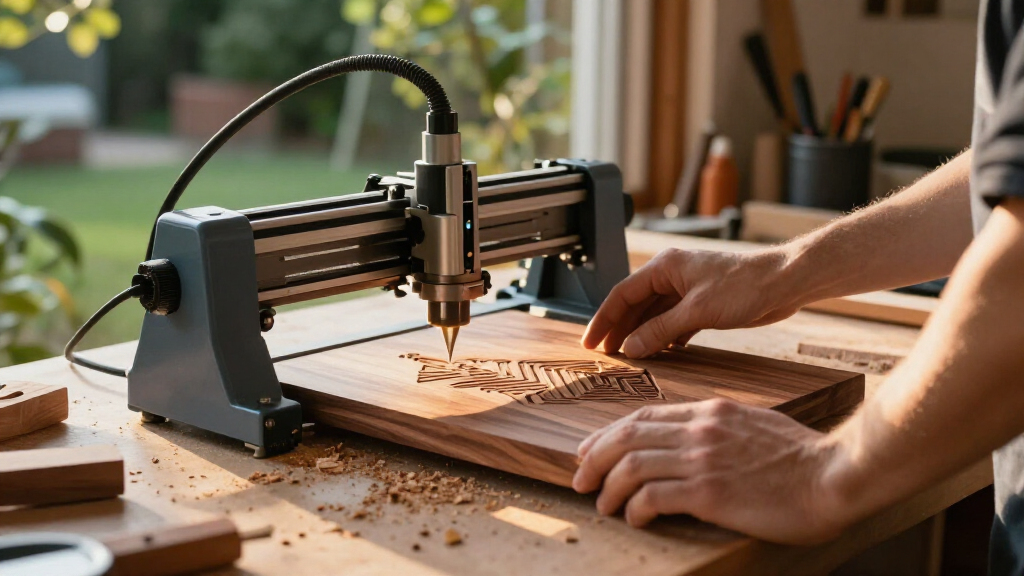
I compared these laser engravers for woodworking by the factors that change what a buyer can make and how much setup a project requires: stated diode power, cutting-oriented features such as air assist, usable work area, enclosure, focusing and camera aids, and the flexibility of the machine’s format. I also considered whether each model’s configuration made sense for common wood projects, from small engraved gifts to signs and repeated shop work. A higher power rating can help with cutting, but it does not replace safe ventilation, material testing, or a bed sized for the work.
The ranking gives more weight to a balanced woodworking workflow than to any single headline specification. That favors machines that pair useful power with practical controls, while options with a specific advantage—such as a large work area, enclosure, or low-power engraving focus—are placed for buyers who value that feature most. I treat model variants separately where their listed configurations differ, and avoid assuming that accessories, software capabilities, or performance details not stated in the product information are included.
Factors to Consider When Choosing Laser Engravers For Woodworking
Before choosing a machine, I’d work backward from the wood pieces and shop conditions it needs to handle. The sections below focus on buying decisions that specifications alone can obscure, including what power can and cannot tell you, how to size a work area, and how to plan for fumes and repeatability.
Match Laser Power to the Work, Not Just the Label
For woodworking, distinguish between engraving detail and cutting throughput before comparing wattage. A 20W diode option such as the AlgoLaser MK3 or LASER TREE may be a better fit for buyers who plan to cut wood regularly, while lower-power models can make sense for light engraving and small projects. Actual results depend on wood species, thickness, finish, focus, and machine setup, so published power alone cannot promise a particular cut. A common mistake is buying extra power for occasional shallow marks while overlooking the bed size or enclosure that would affect every project. Another is expecting a diode machine to cut any thickness in one pass. If cutting is central to your work, check the maker’s material guidance and plan on test pieces and multiple passes where appropriate.
Size the Work Area Around Real Projects
Choose a work area based on the largest pieces you expect to process, not only the average coaster or ornament. The LASER TREE’s listed 400 × 800 mm work area makes it distinct for larger layouts, while desktop formats can be easier to fit into a home shop. Large beds can reduce the need to split a sign design, but they also take up more bench space and may call for a stable, level support surface. Buyers sometimes focus on the advertised bed dimensions without checking whether the machine can accommodate long stock, irregular shapes, or the fixture they plan to use. Think through where material will enter and exit the machine, and whether the full workpiece can sit flat. If most jobs are small, a compact machine may be simpler to store and set up.
Plan for Smoke, Fire Risk, and Room Ventilation
Wood engraving creates smoke and airborne residue, so a laser needs a ventilation plan rather than a spot on any available desk. An enclosure, such as those listed for the Creality Falcon A1C and enclosed xTool M2, can help contain the work area, but it does not by itself remove fumes from the room. Buyers should check how the enclosure is meant to be vented and whether their workspace can support that arrangement. Open-frame machines may offer easier access to larger or oddly shaped material, yet they expose the work area and require careful attention to eye protection and surroundings. Never leave a laser running unattended, and keep suitable fire precautions close at hand. If a safe exhaust route is not practical, reconsider where and how often the machine will run.
Treat Air Assist and Material Preparation as Part of Cutting
Air assist can help clear smoke and debris from the work zone during cutting, which may reduce scorching and support cleaner edges when settings are suitable. The AlgoLaser MK3 specifically lists an adjustable air assist pump, a useful distinction for buyers planning regular wood cutting. Air assist does not make every cut clean or remove the need to tune speed, power, focus, and pass count for each material. Flat, clean stock matters too: warped boards can shift the focus distance and affect the result. Before running a finished piece, test the same wood and finish on scrap, and record settings that work. This small preparation step can save more material than choosing a machine by wattage alone.
Decide How Much Guidance You Want From the Machine
Camera and autofocus features can reduce setup friction, especially when placing a design on a pre-cut blank or repeating a layout. The Falcon A1C lists a smart camera and autofocus, while the enclosed xTool M2 lists dual cameras; those features are not the same thing as a larger cutting area or higher laser power. Buyers who mostly engrave one-off pieces may value visual positioning more than maximum output. For repeated batches, a dependable way to align stock and keep fixtures consistent may matter more than a camera count. Check how the alignment workflow works with your preferred software and project shape before paying for convenience features. If you are comfortable setting focus and positioning manually, a simpler machine may leave more of your budget for ventilation, materials, or fixtures.
Check the Exact Configuration and Your Shop Routine
Product names can cover variants with different features, so verify the exact machine, enclosure, bed, and included accessories before ordering. This matters in this lineup because the xTool M2 appears in two different configurations: one listing combines a 10W laser with a CMYK inkjet printer, while another specifies an enclosure and dual cameras. Those added functions may suit mixed craft work, but they do not automatically improve woodworking cuts. Also plan for dust and residue cleanup, lens care according to the manufacturer’s instructions, and a place to store material flat. Consider whether you will move the engraver often, whether your workbench can support it, and how much time you want to spend aligning each job. A machine that fits the shop routine is more useful than a feature-rich model that is awkward to vent or set up.
Frequently Asked Questions
Is a 20W laser worth choosing over a 10W model for woodworking?
It can be worth choosing a 20W machine if cutting wood is a regular part of your work, since higher diode power is generally more relevant to cutting than to simple surface engraving. In this lineup, the AlgoLaser MK3 and LASER TREE 20W also serve different needs: one lists adjustable air assist, and the other offers a 400 × 800 mm work area. A 10W option may be a better match for smaller engraving projects or a more compact setup. Neither rating guarantees a particular cut depth or finish across every wood type. Compare manufacturer material guidance and test your own stock before making a production plan.
Should I choose an enclosed engraver or an open-frame machine for a home workshop?
An enclosure can make the work area more contained, which may be appealing in a shared room or a busy home shop, but it does not replace exhaust ventilation or safe operating habits. The Creality Falcon A1C and enclosed xTool M2 are the clearest listed enclosed choices here. An open-frame model may be easier to access when working with larger or unusual pieces, though it calls for careful guarding and workspace planning. Compare how each machine can be vented in your actual room, not just whether an enclosure is included. If you cannot provide safe exhaust and supervision, the machine’s enclosure alone is not a reason to run it indoors.
Will a camera or autofocus feature make alignment easier for custom wood pieces?
These features can make placing a design on a prepared blank more convenient, but the benefit depends on the machine’s alignment workflow and the shape of your stock. The Falcon A1C lists a smart camera and autofocus, while the enclosed xTool M2 lists dual cameras. Curved, warped, or irregular wood can still complicate focus and placement even with guided features. Ask whether the workflow supports the software and file types you plan to use, and check how the machine handles positioning near the edges of its work area. For repeat batches, a simple fixture may offer more consistent placement than relying on a camera alone.
Can a lower-power model handle signs and other larger woodworking projects?
A larger project can mean a broad engraved design rather than a deep cut, so the answer depends on both the size of the piece and the operation. The ACMER S1 is listed at 2.5W and the ELIDOR at 6W, making them more naturally suited to buyers prioritizing smaller or engraving-focused work than frequent wood cutting. For a large sign, bed dimensions may be just as limiting as power; the LASER TREE’s stated 400 × 800 mm area is a notable alternative for larger layouts. Check the usable area and supported material guidance before committing to a project size. If the sign must be cut from thick stock, a low-power engraver may not match the job.
Which features should I pay extra attention to if I want to cut wood, not just engrave it?
Prioritize a suitable power level, material guidance, work area, and cutting support such as air assist, then confirm the machine can be safely vented in your workspace. In this group, the 20W AlgoLaser MK3 lists adjustable air assist, while the 20W LASER TREE is distinguished by its larger work area. A camera, inkjet function, or enclosure may add convenience for other parts of a workflow, but none guarantees a clean wood cut. Plan for test cuts on the same species and thickness you intend to use, since wood varies and settings need adjustment. Also account for stock flatness and safe supervision rather than treating the engraver as a set-and-forget tool.
Conclusion
For the broadest woodworking fit among these listings, I’d start with the AlgoLaser MK3 20W: its stated power and adjustable air assist make it the best overall match for buyers balancing engraving with regular cutting. My best value pick is the Creality Falcon 10W for a straightforward desktop configuration, while the Creality Falcon A1C is the better beginner choice for shoppers who want an enclosure, camera, and autofocus in the listed setup. For a premium or workflow-focused option, compare the xTool M2 versions carefully: the CMYK inkjet configuration suits mixed craft tasks, while the enclosed dual-camera version prioritizes guided positioning. If you need room for larger layouts, choose the LASER TREE 20W; for light, compact engraving, consider the ACMER S1 rather than buying more power than your projects require. Match the machine to your wood thickness, work area, and ventilation plan before making the final choice.