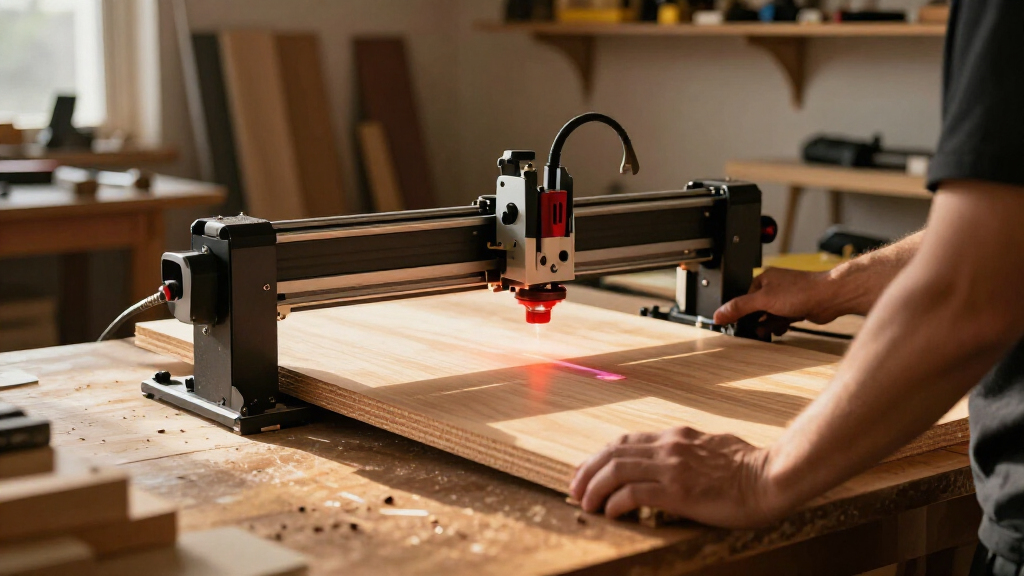

If you’re choosing among modular laser engravers, the key difference is not just wattage: it’s which laser module comes in the box and how readily the platform can grow with your projects. I’d start with the Creality Falcon T1 with 40W diode for a capable general-purpose setup, or the Falcon T1 20W Fiber if marking metals and production-oriented workflows matter more. For a smaller, lighter machine with camera-assisted positioning, the Falcon A1C 10W is the easier entry point.

Get business pricing on tools and workshop supplies
- Business-only prices and quantity discounts
- Tax-exempt purchasing
- Multiple users, one account, clear invoices
These picks trade off module versatility, machine size, and the work each included laser can handle. The two T1 configurations share an enclosed modular platform, but the diode and fiber modules serve different materials; neither package includes every supported laser. The A1C takes up less space and costs less in complexity, though its 10W diode has narrower material capabilities and its other modules are separate purchases. I’ve ranked them by how well each package fits a distinct buyer, rather than treating speed or module count as the whole story.
Complete the kit


Key Takeaways
- The Falcon T1 40W diode is the most balanced pick here for buyers who want to cut and engrave wood, leather, cardboard, and compatible acrylic, with room to add other laser types later.
- The Falcon T1 20W Fiber is the specialist choice for metal marking and detail-focused production; its fiber module is included, but it does not make the package a diode cutter.
- The Falcon A1C is the most compact and lightest machine in this lineup at 31.2 pounds, but its included 10W diode is less capable on materials that need IR or another laser type.
- Both T1 configurations advertise up to 10,000 mm/s, while the A1C lists up to 15,000 mm/min; those figures use different units and should not be compared as if they describe identical workflows.
- All three machines are enclosed, but modularity does not mean every module is included or that changing modules is always safe while the machine is running.
| Creality Falcon T1 Enclosed Modular Galvo Laser Engraver with 40W Diode Module |  | Best Overall — the most balanced modular starting setup | Included laser: 40W diode | Compatible modules: 20W/40W diode, 20W fiber, 60W MOPA, 5W UV | Maximum engraving speed: Up to 10,000 mm/s | VIEW LATEST PRICE | See Our Full Breakdown |
| Creality Falcon T1 20W Fiber Laser Engraver |  | Best for Metal Marking — a modular platform with a specialist module included | Included laser: 20W fiber | Supported technologies: 20W/40W diode, 20W fiber, 5W UV, 60W MOPA | Maximum engraving speed: Up to 10,000 mm/s | VIEW LATEST PRICE | See Our Full Breakdown |
| Creality Falcon A1C 10W Mini Laser Engraver |  | Best Compact Pick — lighter, simpler, and easier to place | Included laser: 10W diode | Compatible modules: 5W diode and 1.2W IR; sold separately | Maximum engraving speed: Up to 15,000 mm/min | VIEW LATEST PRICE | See Our Full Breakdown |
| modular laser engraver | Included laser | Maximum engraving speed | Safety | Weight |
|---|---|---|---|---|
| Creality Falcon T1 Enclosed Mo | 40W diode | Up to 10,000 mm/s | Flame detection, tilt/drop emergency stop, door interlock | 54.3 pounds |
| Creality Falcon T1 20W Fiber L | 20W fiber | Up to 10,000 mm/s | Class 1 enclosed system, flame detection, emergency stop | 66 pounds |
| Creality Falcon A1C 10W Mini L | 10W diode | Up to 15,000 mm/min | Class 1 enclosure, flame detection, tilt protection, USB safety lock | 31.2 pounds |
More Details on Our Top Picks
Creality Falcon T1 Enclosed Modular Galvo Laser Engraver with 40W Diode Module
I rank the Falcon T1 with 40W diode first because its included module makes the platform useful for common workshop materials without requiring an immediate module purchase. Creality lists wood, leather, cardboard, and acrylic among the materials the diode is designed to cut or engrave. For a buyer who wants one machine for signs, personalized goods, and small-batch craft work, that is a more practical first configuration than starting with a specialist fiber module.
The T1’s modular system is the larger reason to choose it over a conventional single-laser machine. It is compatible with 20W and 40W diode, 20W fiber, 60W MOPA, and 5W UV modules, so the platform can be adapted if future jobs call for different laser types. That flexibility has limits: only one module operates at a time, replacement requires the machine to be powered off, and the listed 15-second swap time does not mean modules or lenses are hot-swappable. I would view it as a platform for planned changes, not rapid switching between jobs on a live machine.
Its stated 10,000 mm/s maximum engraving speed suits buyers considering production workflows, while camera-based AI autofocus and mobile monitoring can help with setup and oversight. The enclosure adds a door interlock, flame detection, and tilt/drop emergency stop. Compared with the T1 20W Fiber, this configuration is the better match for wood and compatible acrylic work; the fiber version is the more relevant choice for metal marking. The A1C is smaller and lighter, but its 10W diode is a less capable starting point for buyers who want a diode-focused machine.
The downsides are mostly about scale and expectations. At 54.3 pounds, this is not a grab-and-go desktop appliance, and the stated maximum speed does not by itself establish cutting speed or results on every material. I’d also confirm material compatibility and ventilation needs for the specific work before buying. Its best case is a dedicated, enclosed workstation with room for a larger machine and a clear plan to exploit the interchangeable modules over time.
Pros:- Included 40W diode is a versatile starting configuration for listed craft and workshop materials.
- Supports diode, fiber, UV, and MOPA modules, allowing the platform to adapt to different future jobs.
- Camera-based AI autofocus and mobile monitoring support setup and oversight.
- Enclosure includes flame detection, door interlock, and tilt/drop emergency stop.
Cons:- Only one laser module can be used at a time, and the machine must be powered off before replacement.
- At 54.3 pounds, it is less convenient to move than the compact A1C.
- Maximum engraving speed is not a guarantee of equivalent cutting performance across materials.
Best for: Buyers who want an enclosed diode engraver for wood, leather, cardboard, and compatible acrylic, with a credible path to adding fiber, UV, or MOPA capability later.
Not ideal for: People who need to swap laser types frequently during a work session, need a lightweight portable machine, or expect the package to include every compatible module.
- Included laser:40W diode
- Compatible modules:20W/40W diode, 20W fiber, 60W MOPA, 5W UV
- Maximum engraving speed:Up to 10,000 mm/s
- Module swap time:Listed as 15 seconds; power down before replacement
- Focus:Camera-based AI autofocus
- Safety:Flame detection, tilt/drop emergency stop, door interlock
- Dimensions:12 x 19 x 18 inches
- Weight:54.3 pounds
Our verdict“I’d choose the Falcon T1 40W diode as the best all-around modular pick when the included diode matters more than starting with a specialist fiber workflow.”
Creality Falcon T1 20W Fiber Laser Engraver
The Falcon T1 20W Fiber earns a distinct place in this list because the package starts with a fiber module, not a diode. That makes it the more relevant T1 for buyers whose core work is metal marking or other jobs suited to fiber, while the 40W diode configuration is the stronger fit for wood, leather, cardboard, and compatible acrylic. They share the T1 platform, but the included module changes what each machine is ready to do on day one.
This configuration supports the same broad family of interchangeable options described for the platform: 20W diode, 40W diode, 20W fiber, 5W UV, and 60W MOPA. The listing describes a tool-free module swap that can take as little as 15 seconds, but I would not mistake that for a license to switch modules with the laser running. The package includes one module based on configuration, and the machine should be treated as a one-module-at-a-time system. Buyers who want both fiber marking and diode cutting should account for the separate module purchase rather than assuming one laser does both jobs.
For repeat work, this T1 adds details that may matter more than the A1C’s small footprint: batch processing, LightBurn compatibility, a touchscreen, and stated repeat accuracy down to 0.001 mm depending on the module. It also lists up to 10,000 mm/s, autofocus, flame detection, emergency stop, and a Class 1 enclosed design. Compared with the 40W diode T1, this is the specialist’s choice rather than the more balanced material-work option. Compared with the A1C, it is a larger, 66-pound desktop platform aimed at a more involved production setup.
The biggest tradeoff is that the fiber module narrows the package’s immediate usefulness if your projects mainly involve cutting or engraving wood and acrylic. The listed speed and accuracy are module-dependent, so they should not be read as fixed outcomes for every material or job. I’d pick this model when fiber is the reason for buying and the modular platform is a future expansion path—not when the hope is that one included module will cover every material in a mixed craft studio.
Pros:- The 20W fiber module is the included configuration, making this the direct specialist pick for fiber-oriented work.
- Platform supports several additional diode, UV, and MOPA module options.
- Batch processing, touchscreen control, and LightBurn support suit repeat workflows.
- Enclosed Class 1 design lists autofocus, flame detection, and emergency stop.
Cons:- The package includes one module; other laser types require a separate module.
- Fiber is not the right included starting point for every wood or acrylic project.
- At 66 pounds, it is the heaviest option here, and listed performance varies by module.
Best for: Small shops and makers whose primary jobs call for a fiber laser, and who value an enclosed platform with batch-processing and software options.
Not ideal for: Buyers whose main work is diode-oriented cutting or engraving on wood and acrylic, or anyone expecting fiber and diode modules to be included together.
- Included laser:20W fiber
- Supported technologies:20W/40W diode, 20W fiber, 5W UV, 60W MOPA
- Maximum engraving speed:Up to 10,000 mm/s
- Repeat accuracy:Down to 0.001 mm, depending on module
- Module change:Tool-free; listed as taking as little as 15 seconds
- Software and workflow:Falcon Design Space, LightBurn, batch processing, touchscreen
- Safety:Class 1 enclosed system, flame detection, emergency stop
- Weight:66 pounds
Our verdict“I’d choose the fiber T1 over the 40W diode model when metal marking is the central job and treat its extra module compatibility as an expansion path.”
Creality Falcon A1C 10W Mini Laser Engraver
The Falcon A1C 10W is the right pick when footprint and approachable setup matter more than the T1’s broader modular range. At 31.2 pounds, it is substantially lighter than either T1 configuration, and its 13.22 x 14.8 x 13.4-inch body is easier to fit on a compact bench. A smart camera for visual positioning and automatic focus also make it a more inviting option for someone who wants help placing a design without stepping straight into a heavier production machine.
Its included 10W diode module is listed for wood, leather, bamboo, cardboard, paper, fabric, rubber, felt, and dark opaque acrylic. That is a useful set for signs, craft pieces, and personalized goods, but the machine’s modular promise needs careful reading: compatible 5W diode and 1.2W IR modules are sold separately. Some metals and plastics need the optional IR module, so the A1C should not be selected on the assumption that its included diode will handle every material in the marketing phrase “300+ materials.” The material result depends on the module and the specific stock.
Creality lists speeds up to 15,000 mm/min, along with an enclosed Class 1 design, flame detection, tilt protection, and a USB safety lock. Its speed figure uses different units from the T1 models’ 10,000 mm/s claims, so I would not compare the numbers without consistent test conditions and a clear understanding of the operation being measured. What is easier to compare is the product’s role: the A1C is compact and diode-first, while the T1 40W offers a stronger included diode configuration and the T1 Fiber arrives ready for a different kind of work.
The tradeoff is that a smaller, lighter package comes with less headroom in the included laser. Buyers looking for broader material options may need another module, and that changes the total setup they need to plan for. I would choose it for a home workspace, classroom, or craft bench where its size and positioning aids are more valuable than the T1’s heavier platform. For frequent production or a primary metal-marking workflow, the two T1 versions are better aligned with those needs.
Pros:- The lightest and most compact machine in this comparison.
- Smart camera and automatic focus help with positioning and setup.
- Enclosed Class 1 design includes flame detection, tilt protection, and a USB safety lock.
- Included 10W diode supports a broad range of listed craft materials.
Cons:- Optional 5W diode and 1.2W IR modules are sold separately.
- The included 10W diode has material limits; some metals and plastics need the IR module.
- Its speed figure uses mm/min, unlike the T1 models’ mm/s figures, so direct number comparisons are misleading.
Best for: Beginners, hobbyists, or space-limited makers who want an enclosed diode engraver with camera positioning and a modest modular upgrade path.
Not ideal for: Buyers who need a high-power diode starting configuration, frequent production, or metal and plastic work without purchasing an optional module.
- Included laser:10W diode
- Compatible modules:5W diode and 1.2W IR; sold separately
- Maximum engraving speed:Up to 15,000 mm/min
- Positioning and focus:Smart camera and automatic focus
- Safety:Class 1 enclosure, flame detection, tilt protection, USB safety lock
- Listed materials:Wood, leather, bamboo, cardboard, paper, fabric, rubber, felt, dark opaque acrylic
- Dimensions:13.22 x 14.8 x 13.4 inches
- Weight:31.2 pounds
Our verdict“I’d pick the A1C for a compact, camera-assisted diode setup, not as a substitute for the T1’s stronger included diode or fiber configuration.”
How We Picked
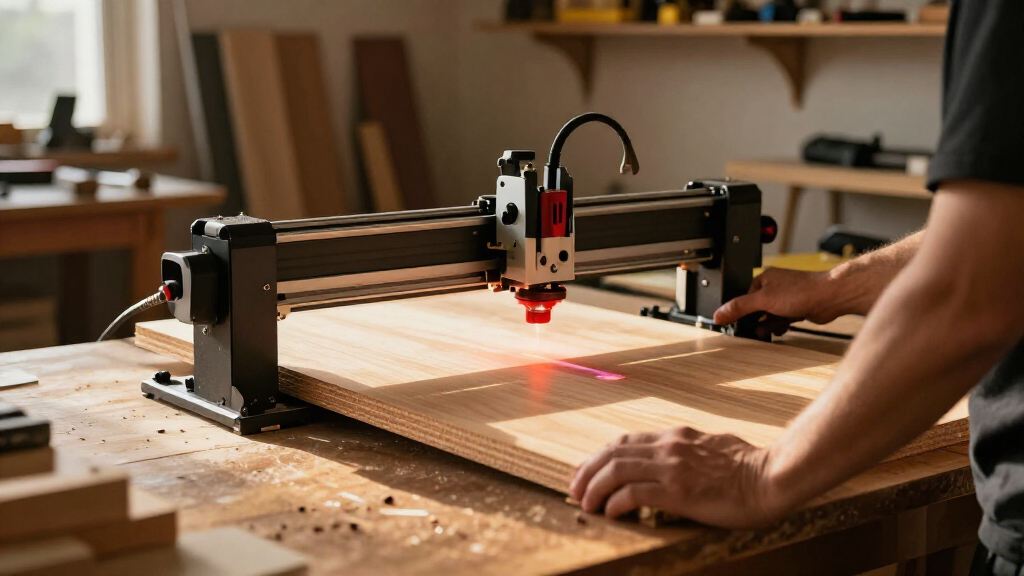
I ranked these machines around the question a modular-laser buyer actually faces: which included module gets useful work done now, and what does the platform let you add later? A machine that accepts several laser types can be appealing, but compatibility alone does not tell you whether the supplied configuration suits your materials. I gave more weight to the included laser’s practical role than to the number of optional modules listed.
I also compared enclosure and safety features, setup aids, footprint, and workflow support. Camera-based positioning and autofocus can reduce alignment friction, while batch processing and LightBurn support may matter more to a repeat-production shop than to someone engraving a few personalized pieces. Because the available descriptions give different speed units and qualify accuracy by module, I do not treat maximum speed or repeat accuracy as directly interchangeable promises across the three products.
Finally, I looked for the tradeoff that defines each recommendation. The T1 40W diode offers the broadest general-purpose starting point here, but its module change requires powering down and only one module works at a time. The fiber T1 is purpose-built around a different materials workflow, not a more universal version of the diode. The A1C is smaller and lighter, but buyers need to factor in the limits of its included 10W diode and the separate cost and availability of compatible add-on modules. I have not treated optional modules as part of any package unless the supplied configuration explicitly includes them.
| modular laser engraver | Maximum engraving speed | Safety |
|---|---|---|
| Creality Falcon T1 Enclosed Mo | Up to 10,000 mm/s | Flame detection, tilt/drop emergency stop, door interlock |
| Creality Falcon T1 20W Fiber L | Up to 10,000 mm/s | Class 1 enclosed system, flame detection, emergency stop |
| Creality Falcon A1C 10W Mini L | Up to 15,000 mm/min | Class 1 enclosure, flame detection, tilt protection, USB safety lock |
Factors to Consider When Choosing Best Modular Laser Engravers
I’d choose a modular engraver by starting with the work the included module can perform, then checking whether the upgrade path fits projects I genuinely expect to take on. The modular label is useful only if the platform’s current configuration, safety setup, and workflow match the buyer’s actual needs.
Start with the included laser, not the platform’s full module list
Each machine’s advertised compatibility describes what the platform can accept, not what arrives in every box. The Falcon T1 40W diode starts with a diode suited to listed materials such as wood, leather, cardboard, and compatible acrylic. The T1 20W Fiber starts with a different tool for fiber-oriented marking. The A1C includes a 10W diode for craft materials, while its compatible IR and other diode modules are separate purchases.
I’d write down the three materials and jobs that matter most, then verify which supplied module suits them before comparing platforms. If you need both a fiber workflow and a diode workflow, plan for an additional module and the practical time needed to change it. A multi-module platform is not a machine with every laser installed at once.
Treat speed claims as context, not a simple ranking
The T1 listings state a maximum of 10,000 mm/s; the A1C lists up to 15,000 mm/min. These are different units, and the supplied descriptions do not establish a common test material, design, or operation. A headline maximum cannot tell you how quickly a particular job will finish or how a laser will perform when cutting rather than engraving.
The fiber T1 also lists repeat accuracy down to 0.001 mm, depending on module. That figure may be relevant to detailed repeat work, but it should not be assumed across all modules or materials. I’d prioritize the workflow features that match the job—such as batch processing on the fiber T1—over selecting a machine solely by its largest speed or precision number.
Check how module changes fit your real workflow
Both T1 configurations are described as supporting module changes in as little as 15 seconds, and the fiber listing calls its swap tool-free. The 40W diode T1 description also states that the machine must be powered off before replacement and that modules and lenses are not hot-swappable. Plan around the more conservative operational detail: one module at a time, with the machine off for a change.
That arrangement works well when a shop assigns modules to occasional project changes. It is less convenient if a single batch requires repeated switches between different laser types. Before buying, check the exact module compatibility, what is included, how the replacement is performed, and whether the machine’s operating instructions permit the workflow you have in mind.
Match the enclosure and safety features to the workspace
All three picks are enclosed, and the descriptions list protective features: the T1 40W has a door interlock, flame detection, and tilt/drop emergency stop; the fiber T1 lists Class 1 protection, flame detection, and emergency stop; the A1C lists a Class 1 enclosure, flame detection, tilt protection, and USB safety lock. These are meaningful differences to compare, but no feature list replaces reading the manufacturer’s safety instructions.
I’d also plan for appropriate ventilation and material handling based on the manufacturer’s guidance and the specific material being processed. A compact enclosed machine can be easier to place, but that does not mean it can be operated anywhere without workspace planning. Consider who will use the machine, how it will be supervised, and how its enclosure and safety systems fit the intended setting.
Choose a size that can stay set up
The A1C is the clear compact choice at 31.2 pounds. The T1 40W weighs 54.3 pounds, and the fiber T1 weighs 66 pounds. If the engraver needs to be moved or stored between projects, the A1C’s lower weight is a practical advantage. If it will live on a dedicated workstation, the larger T1 platforms may make more sense—particularly when their module options and production features serve the work.
Check the stated outer dimensions against the desk or bench, but leave room for access, material handling, cables, and the manufacturer’s recommended setup. The smallest machine is not automatically the best fit if the supplied laser does not suit the jobs, just as the most configurable platform is not useful if it cannot be accommodated safely.
Pick software and workflow features for the person operating it
The fiber T1 specifically lists Falcon Design Space, LightBurn, touchscreen control, and batch processing. The 40W T1 lists mobile monitoring and control through the Falcon Design Space app. The A1C emphasizes its smart camera and autofocus. These are different conveniences: batch tools can support repeated work, mobile monitoring may help with oversight, and visual positioning can make placement easier.
I’d check software compatibility, file preparation, and the learning curve against the operator’s experience before choosing. If repeat production is the priority, the fiber T1’s workflow details may justify its larger setup. If projects are occasional and the workstation is tight, the A1C’s positioning features may matter more than batch processing that will rarely be used.
Frequently Asked Questions
What does modular mean for these laser engravers?
Here, modular means that a compatible machine can accept more than one type of laser module, letting the owner adapt the platform to different material tasks. It does not mean every module comes with the machine or that two modules run at once. The Falcon T1 configurations each include one selected module, while the A1C includes a 10W diode and lists other modules as separate purchases. I’d confirm the exact module in the package and its material suitability before ordering.
Which of these is best for wood and craft materials?
For buyers focused on wood and common craft materials, I’d compare the T1 40W diode with the A1C 10W diode. The T1’s included 40W diode is the stronger starting configuration in this lineup for its listed wood, leather, cardboard, and compatible acrylic work. The A1C is better suited to a smaller workspace and lists additional craft materials such as paper, fabric, felt, and rubber, but its included 10W module has different limits. Check compatibility for the precise material and job rather than relying on a broad material count.
Which model should I choose for metal marking?
The Falcon T1 20W Fiber is the most direct choice here if fiber-oriented metal marking is your main job, because that is the module included in this configuration. The T1 40W diode is a better starting point for its listed wood and craft-material applications, while the A1C may need its separately sold 1.2W IR module for some metals. Verify that the specific metal and marking result you want are supported by the selected module and the manufacturer’s operating guidance.
Are the listed maximum engraving speeds directly comparable?
No. The two T1 descriptions state up to 10,000 mm/s, while the A1C lists up to 15,000 mm/min, so the units differ. The supplied information also does not give a shared test material, design, or operating condition. A maximum figure should not be read as a guaranteed job time or cutting speed. I’d compare the modules and workflow features first, then look for consistent, task-specific performance details if speed is a deciding factor.
Can I change modules while the machine is running?
I would not plan on that. The T1 40W information says the machine must be powered off before replacing a module and that modules and lenses are not hot-swappable. Although the fiber T1 listing describes a tool-free change that can take as little as 15 seconds, a quick change does not imply that it is safe to make while operating. Follow the manual for the exact model and module, and plan for one laser module to be active at a time.
Conclusion
For the most balanced starting point, I recommend the Falcon T1 40W diode to buyers whose projects center on wood, leather, cardboard, and compatible acrylic and who want a modular platform to grow into. For metal-marking-focused work, choose the Falcon T1 20W Fiber; its included module makes it a more direct fit than buying a diode-first package and expecting it to do the same job. For a compact home or craft workspace, the Falcon A1C 10W is the lighter, easier-to-place option, provided its included diode matches the materials you use and you are prepared to buy an optional module if needed.
I would not choose any of these on module compatibility alone. Check which laser is included, confirm that it suits your materials, and factor in the enclosure, workspace, software, and powered-down module-change process. The best modular engraver is the one whose included setup earns its place now and whose upgrade path solves a real future need.