
Maintaining your DEWALT 20V MAX Cordless Drill Driver Set ensures optimal performance and longevity. Whether you’re experiencing power issues, battery problems, or mechanical malfunctions, this comprehensive guide provides clear, practical steps to troubleshoot common issues safely.

Get business pricing on tools and workshop supplies
- Business-only prices and quantity discounts
- Tax-exempt purchasing
- Multiple users, one account, clear invoices
Follow these instructions carefully, and always prioritize safety when handling power tools. Regular maintenance can prevent many problems before they arise, saving you time and money in the long run.
Key Takeaways
| Battery Maintenance | Proper care extends battery life and improves runtime. |
| Battery Charging | Use compatible chargers and avoid overcharging. |
| Tool Cleaning | Keep vents and moving parts clean for optimal function. |
| Troubleshooting Common Issues | Identify and resolve power, performance, and mechanical problems. |
| Safety First | Always disconnect power before maintenance or troubleshooting. |
Battery Care and Charging
- Ensure your battery is properly seated in the tool before use. Remove and inspect for dirt or debris.
- Keep the battery contacts clean with a dry cloth or a gentle brush.
- Charge the battery using the DEWALT-compatible charger. Avoid using incompatible chargers to prevent damage.
- If the battery isn’t holding a charge, perform a full cycle: drain completely, then recharge fully.
- Store batteries in a cool, dry place away from direct sunlight and extreme temperatures.
Regularly inspecting and maintaining your batteries helps prevent unexpected power failures and extends their lifespan.
Tool Cleaning and Maintenance
- After each use, wipe down the exterior with a dry cloth to remove dust and debris.
- Check and clean the vents to prevent overheating and ensure proper airflow.
- Lubricate moving parts if specified in the user manual, usually with a light machine oil.
- Inspect the chuck for wear or damage; clean with a brush if debris is lodged inside.
- Periodically tighten all screws and fasteners to keep the tool sturdy.
Proper cleaning and routine checks keep your drill operating smoothly and prevent mechanical failures.
Troubleshooting Power and Performance Issues
- If the drill doesn’t turn on, check the battery’s charge indicator. Replace or recharge if needed.
- Ensure the battery is fully seated and contacts are clean.
- Test the trigger for responsiveness. If unresponsive, inspect for damage or debris.
- For reduced power or overheating, allow the tool to cool and check for jammed bits or obstructions.
- If the tool makes unusual noises or vibrates excessively, turn it off immediately and inspect for mechanical damage.
- Replace worn or damaged parts as per the user manual instructions.
If issues persist, consult DEWALT customer service or a qualified technician to avoid further damage or safety hazards.
Replacing and Maintaining Batteries
- Turn off the tool and remove the battery by pressing the release button.
- Inspect the battery for visible damage or corrosion. Do not use if damaged.
- Replace with a DEWALT 20V MAX 5 Ah Lithium-Ion Battery for best compatibility and runtime.
- Charge the new battery fully before use to maximize lifespan.
- Regularly cycle batteries by discharging and recharging to maintain capacity.
Using the correct batteries and proper charging practices are key to maintaining your tool’s performance over time.
Safety Tips During Maintenance and Troubleshooting
- Always disconnect the battery before cleaning or repairing the tool.
- Wear safety glasses and gloves when inspecting or working inside the tool.
- Avoid exposing batteries or electronic components to water or moisture.
- Work in a well-ventilated area and keep away from flammable materials.
- If unsure about any repair, consult a professional or authorized service center.
- Follow the manufacturer’s instructions and warnings in the user manual at all times.
Prioritizing safety helps prevent accidents and prolongs the life of your DEWALT tools.
The Products in This Guide

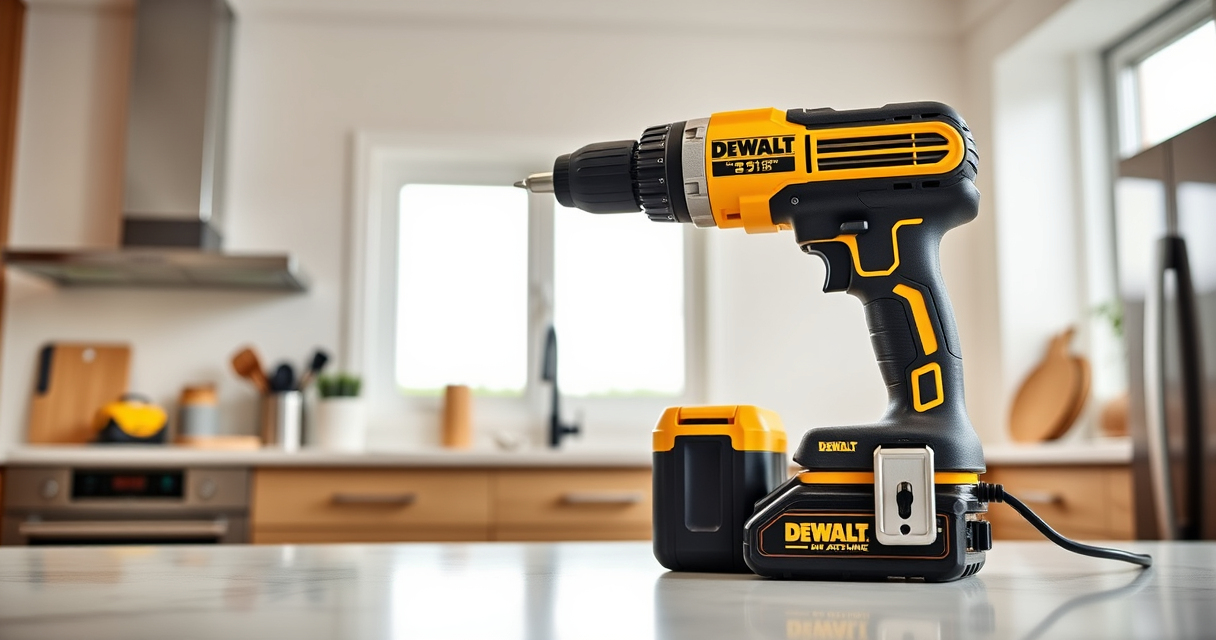
DEWALT 20V MAX Cordless Drill Driver Set
- ✔ Dimensions: 7.6 in. length
- ✔ Power Source: 20V MAX Lithium-ion battery
- ✔ Warranty: 3 years

DEWALT Drill Bit Set
- ✔ Number of Bits: 14
- ✔ Tip Type: Split point
- ✔ Coating: Black and gold
DEWALT 20V MAX Cordless Drill Driver Set
The DEWALT 20V MAX Cordless Drill Driver Set combines a brushless motor with a compact design, making it ideal for a variety of applications. Regular maintenance and troubleshooting ensure consistent performance and safety. This guide helps you keep your drill in top shape.
Pros:
- Long-lasting brushless motor
- Lightweight and ergonomic design
- Convenient LED light
- Includes 2.0 Ah battery and charger
Cons:
- Battery life varies with use
- Requires proper maintenance for optimal performance
- Limited to 20V MAX system
Best for: Home improvement projects, furniture assembly, and DIY tasks
Not ideal for: Heavy-duty industrial use or extended continuous operation
Bottom line: A versatile and reliable cordless drill ideal for most DIY and professional tasks.
DEWALT Drill Bit Set
Complement your DEWALT drill with this 14-piece drill bit set featuring high-speed steel and a 135-degree split point tip. Designed for durability and precision, it’s ideal for various materials including plastic, wood, and metal.
Pros:
- High-quality High-Speed Steel
- Split point prevents walking
- Corrosion-resistant coating
- Wide range of sizes
Cons:
- Not suitable for heavy industrial use
- Limited to drill bits only
- Requires compatible drill chuck
Best for: General purpose drilling and fastening tasks
Not ideal for: Heavy-duty machining or metalworking
Bottom line: A reliable drill bit set that enhances your drilling efficiency.
Frequently Asked Questions
Why won’t my DEWALT drill turn on?
First, check if the battery is properly seated and fully charged. If it still doesn’t turn on, inspect the trigger for responsiveness and ensure there are no jams or obstructions. If problems persist, consult troubleshooting steps or contact customer service.
How can I extend the battery life of my DEWALT drill?
Keep batteries stored in a cool, dry place away from extreme temperatures. Avoid overcharging by unplugging the charger once the battery is full. Regularly cycle the batteries by discharging and recharging to maintain capacity.
What should I do if my drill overheats?
Turn off the drill immediately and allow it to cool in a well-ventilated area. Check for obstructions or jammed bits. Regular cleaning and avoiding prolonged continuous use can prevent overheating.
Can I use other batteries with my DEWALT drill?
It is best to use DEWALT-approved batteries compatible with your model. Using incompatible batteries can damage your tool and void the warranty.
How often should I perform maintenance on my DEWALT drill?
Clean the exterior after each use, inspect for wear or damage monthly, and perform more thorough maintenance every 3-6 months depending on usage.
Keep Your DEWALT Running Smoothly
By following these practical troubleshooting and maintenance tips, you can ensure your DEWALT 20V MAX Cordless Drill Driver Set remains reliable and efficient for years to come. Regular care, proper storage, and prompt attention to issues will help you get the most out of your tool, making every project safer and more successful.
Affiliate disclosure: As an Amazon Associate we earn from qualifying purchases. Prices and availability are accurate as of the time of publishing.
Halloween Picks
halloween
As an affiliate, we earn on qualifying purchases.