
If your DEWALT power tools are overheating during use, it can lead to performance issues and potential damage. Overheating is often caused by prolonged use, overloading, or insufficient maintenance. Addressing these problems promptly can extend the lifespan of your tools and keep them operating safely.

Get business pricing on tools and workshop supplies
- Business-only prices and quantity discounts
- Tax-exempt purchasing
- Multiple users, one account, clear invoices
This guide provides clear, practical steps to diagnose and fix overheating issues in your DEWALT tools, focusing on safety and effectiveness. Whether you use a cordless drill, impact driver, or other models, these tips will help you troubleshoot common causes and prevent future overheating.
Key Takeaways
| Overloading | Avoid pushing the tool beyond its capacity to prevent overheating. |
| Ventilation | Ensure vents are clear of dust and debris for proper cooling. |
| Battery Care | Use fully charged batteries and avoid overheating batteries. |
| Maintenance | Regularly clean and lubricate moving parts. |
| Usage Duration | Limit continuous operation to prevent excessive heat buildup. |
Identify the Cause of Overheating
Before attempting repairs, determine why your DEWALT tool is overheating. Common causes include overloading the tool, poor ventilation, dirty vents, or battery issues. In your testing, check if the tool heats up quickly during operation or after prolonged use. Listen for unusual sounds or observe if the tool stops working prematurely. Inspect the vents for dust, lint, or debris that can trap heat and impede airflow. Additionally, consider the battery’s condition, especially if it gets hot separately from the tool itself.
Identifying the root cause helps you choose the most effective fix and prevents future overheating problems.
Clean and Maintain Your DEWALT Tool
- Turn off and unplug or remove the battery from the tool for safety.
- Use a small brush or compressed air to gently clean dust and debris from vents and cooling areas.
- Check for any buildup of dirt inside the chuck or around moving parts; clean with a dry cloth or brush.
- If your model has lubrication points, apply a few drops of appropriate lubricant to reduce friction and heat.
- Reassemble the tool, reinstall the battery, and test for overheating during light to moderate use.
Regular cleaning prevents dust accumulation, which can insulate heat and cause the tool to overheat during operation.
Check and Replace the Battery if Needed
The battery is a common source of overheating, especially if it’s old or damaged. Remove the battery and inspect for swelling, corrosion, or dirt. If the battery is hot to the touch or shows signs of damage, replace it with a new, compatible 20V MAX 5Ah lithium-ion battery, such as the DEWALT DCB205-2, which offers reliable runtime and performance.
Always use genuine DEWALT batteries and chargers to ensure proper voltage and safety. Avoid using a battery that feels excessively hot after use, as this indicates it may be failing or causing overheating issues.
Avoid Overloading and Limit Continuous Use
Overloading your DEWALT tools by pushing them beyond their designed capacity can cause excessive heat buildup. Use the appropriate bit or accessory for the task, and don’t force the tool through tough materials. Also, limit continuous operation—take breaks after 10-15 minutes of use to allow the tool to cool down.
If you’re working on a demanding project, consider using a higher-capacity battery or a different tool better suited for prolonged use. Monitoring your tool’s temperature during operation helps prevent overheating and damage.
Safety Tips and Final Checks
- Always unplug or remove the battery before cleaning or performing maintenance.
- Wear safety glasses and gloves when cleaning vents or handling batteries.
- Test your tool after maintenance by running it in a safe environment and monitoring heat levels.
- If overheating persists despite cleaning and proper use, contact DEWALT customer service or a professional repair technician.
Proper maintenance and cautious operation are key to preventing overheating and extending the lifespan of your DEWALT power tools.
The Products in This Guide

DEWALT 20V MAX Cordless Drill and Impact Driver
- ✔ Length: 7.6 inches
- ✔ Batteries: 2 included
- ✔ Warranty: 3 years

DEWALT Drill Bit Set
- ✔ Piece Count: 14
- ✔ Tip Type: Split point
- ✔ Coating: Rust-resistant
DEWALT 20V MAX Cordless Drill and Impact Driver
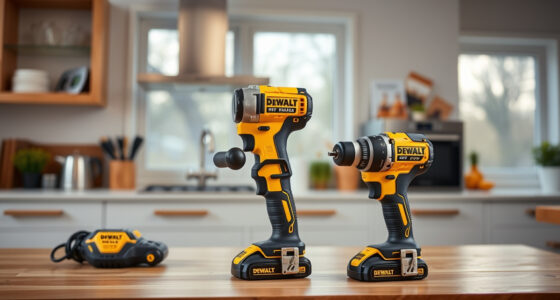
The DEWALT 20V MAX Cordless Drill and Impact Driver is known for its compact design and powerful brushless motors. Its ergonomic grip and LED work light make it a versatile and user-friendly choice for various projects, but overheating can occur if not properly maintained or used within its limits.
Pros:
- Lightweight and compact design
- Brushless motor for efficiency
- Includes 2 batteries and charger
- Ergonomic comfort grip
Cons:
- Can overheat with prolonged use
- Vents need regular cleaning
- Battery overheating possible if misused
Best for: DIY enthusiasts and professionals needing a reliable, lightweight cordless drill and impact driver combo.
Not ideal for: Heavy-duty continuous industrial use without proper maintenance.
Bottom line: Proper maintenance and cautious use can prevent overheating and ensure long-lasting performance.
DEWALT Drill Bit Set
This DEWALT 14-piece drill bit set features durable high-speed steel bits with a 135-degree split point tip, ideal for plastic, wood, and metal. It complements your power tools by ensuring efficient drilling without excessive heat generation.
Pros:
- Durable high-speed steel
- Includes a variety of sizes
- Resists rust with black and gold coating
- Tapered web design for strength
Cons:
- Only compatible with certain drill sizes
- No impact driver bits included
- May require additional bit storage
Best for: Home DIY projects and professional tasks requiring reliable drill bits.
Not ideal for: Heavy industrial drilling without proper cooling measures.
Bottom line: A versatile drill bit set that enhances your drilling efficiency and reduces heat during use.
Frequently Asked Questions
What causes a DEWALT power tool to overheat?
Overheating can result from prolonged use, overloading the tool, blocked vents, dirty cooling areas, or faulty batteries. Regular maintenance and proper use help prevent this.
How often should I clean the vents of my DEWALT tool?
Clean the vents at least once a month or more frequently if you work in dusty environments. Use compressed air or a soft brush to remove dust and debris.
Can I continue using my DEWALT tool if it gets hot during operation?
It’s best to stop and let the tool cool down. Using it while hot can cause internal damage or reduce its lifespan.
What should I do if my battery overheats?
Remove the battery immediately, let it cool, and inspect for damage. Replace if swollen or damaged, and always use genuine DEWALT batteries for safety.
How can I prevent overheating during heavy-duty tasks?
Limit continuous use, avoid overloading, use appropriate bits, and ensure proper ventilation. Take breaks to allow the tool to cool.
Keep Your DEWALT Tools Cool and Reliable
Proper maintenance, cautious operation, and timely troubleshooting are essential for preventing overheating in your DEWALT power tools. Regular cleaning of vents, using the right batteries, and avoiding overloading will help ensure your tools perform optimally and last longer. If overheating issues persist despite following these steps, consulting a professional or contacting DEWALT support is recommended to avoid further damage and safety risks.
Affiliate disclosure: As an Amazon Associate we earn from qualifying purchases. Prices and availability are accurate as of the time of publishing.
Fall yard work Picks
leaf blowers
As an affiliate, we earn on qualifying purchases.