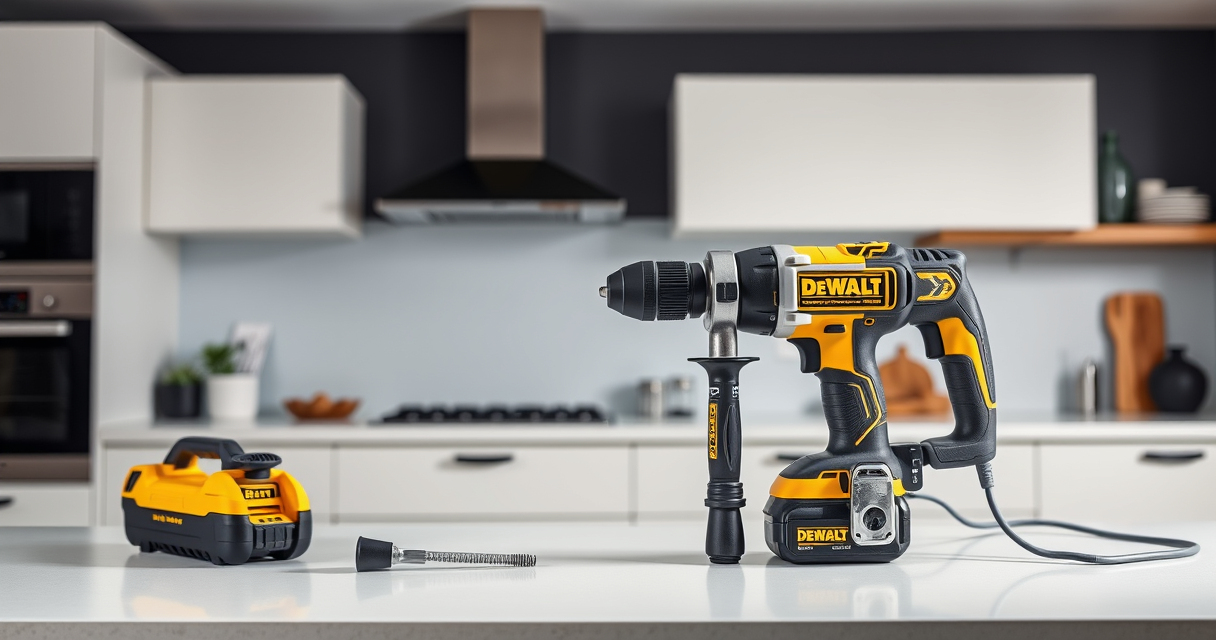
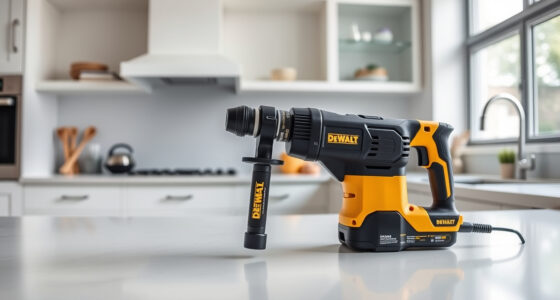
Maintaining your DEWALT ATOMIC Drill is essential for ensuring it remains reliable and efficient through its lifespan. Regular cleaning helps prevent dust buildup and mechanical issues, especially after heavy use or working in dusty environments. Follow these practical steps to keep your drill in top condition while prioritizing safety and proper care.
Here’s a clear, step-by-step guide to safely clean your DEWALT ATOMIC Drill and maintain its performance for years to come.
Key Takeaways
| Regular Cleaning | Prevents dust and debris buildup, extending drill life. |
| Use Proper Tools | Avoid damage by choosing soft brushes and compressed air. |
| Safety First | Always disconnect power before cleaning to prevent accidents. |
| Focus on Ventilation | Keep vents clear for proper cooling and operation. |
| Check for Damage | Inspect for worn parts or corrosion during cleaning. |

DEWALT 20V MAX Cordless Drill Driver Set, Electric Drill, Brushless 1/2 In 2 Speed, 2.0 Ah Battery and Charger Included, LED Light (DCD777D1)
- Motor Type: Brushless motor for longer run time
- Size: Compact 7.6-inch design
- Design: Lightweight for easy handling
As an affiliate, we earn on qualifying purchases.
Prepare Your Workspace
- Ensure the drill is turned off and remove the battery to prevent accidental activation.
- Work in a well-lit, clean area with a flat surface for easier handling.

DEWALT Drill Bit Set, 3-Flats Shank,14-Piece, 135 Degree Split Point, for Plastic, Wood and Metal (DWA1184)
- Split point tip: Reduces walking during drilling
- Material: High Speed Steel for versatile use
- Durability: Tapered web design resists breakage
As an affiliate, we earn on qualifying purchases.
Clean Exterior Surfaces
- Use a soft, dry cloth or microfiber towel to wipe down the exterior, removing dust and dirt.
- For stubborn grime, slightly dampen the cloth with water or a mild detergent, then wipe again.
Remove Dust from Vents and Motor Area
- Use compressed air (at low pressure) to blow out dust from vents and motor housing. Hold the can upright and keep it at a safe distance.
- Avoid inserting objects into vents, as this can damage internal components.
Clean the Chuck and Tool Mount
- Use a brush or compressed air to remove debris from the chuck and around the bit holder.
- If the chuck is greasy, wipe it with a cloth lightly dampened with isopropyl alcohol, then dry thoroughly.
Inspect and Maintain Internal Components
While internal cleaning is best done by professionals or after disassembly, regularly check for corrosion or damage. If you notice issues, consult a service center or refer to the user manual for troubleshooting.
The Products in This Guide

DEWALT 20V MAX Cordless Drill Driver Set
- ✔ Battery: 2.0 Ah included
- ✔ Motor Type: Brushless
- ✔ Chuck Size: 1/2 inch

DEWALT Drill Bit Set
- ✔ Number of Pieces: 14
- ✔ Tip Design: Split point
- ✔ Coating: Black and gold
DEWALT 20V MAX Cordless Drill Driver Set
Regularly cleaning your DEWALT 20V MAX Cordless Drill Driver Set, especially the ATOMIC model, helps maintain its power and prevents mechanical problems. Follow these simple steps for safe and thorough cleaning.
Pros:
- Prevents dust buildup
- Maintains optimal cooling
- Extends tool lifespan
- Easy to perform
Cons:
- Requires careful handling of compressed air
- Internal cleaning best left to professionals
- Must disconnect battery before cleaning
Best for: DIY enthusiasts and professionals seeking to prolong tool life
Not ideal for: Heavy internal cleaning or repair without proper training
Bottom line: Routine cleaning is vital for maintaining your DEWALT drill’s performance and durability.
DEWALT Drill Bit Set
Pair your DEWALT drill with this 14-piece drill bit set, featuring 135-degree split point tips for reduced walking and increased accuracy across various materials.
Pros:
- High-speed steel for durability
- Split point for clean starts
- Versatile for plastic, wood, and metal
- Easy to identify sizes
Cons:
- Limited to specific bit sizes
- Requires proper storage
- Not suitable for heavy-duty industrial use
Best for: Home projects and light professional work
Not ideal for: Heavy industrial drilling
Bottom line: A reliable drill bit set that enhances your drilling precision and efficiency.
Frequently Asked Questions
Can I use compressed air to clean the inside of my drill?
Yes, but use low-pressure compressed air carefully to avoid damaging internal components. Always disconnect the battery first.
What should I do if my drill’s vents are clogged?
Use compressed air to blow out dust from the vents. Do not insert objects into the vents to prevent damage.
Is it safe to clean the motor area with water?
No, water can cause damage to the motor and internal parts. Use a dry or slightly damp cloth for cleaning external surfaces only.
How often should I clean my DEWALT drill?
Clean your drill after heavy use or exposure to dust and debris, ideally every few uses to ensure optimal performance.
Keep Your DEWALT ATOMIC Drill in Peak Condition
Proper cleaning and maintenance of your DEWALT ATOMIC Drill not only extend its lifespan but also ensure it performs efficiently whenever you need it. Regularly inspect, clean, and handle your tool with care to enjoy many years of reliable service.
Affiliate disclosure: As an Amazon Associate we earn from qualifying purchases. Prices and availability are accurate as of the time of publishing.




![How Blackwing Pencils Are Made [Video]](https://tooltrekpro.com/wp-content/uploads/2026/08/how-blackwing-pencils-are-made-video-featured-260x140.jpg)