

TL;DR

Get business pricing on tools and workshop supplies
- Business-only prices and quantity discounts
- Tax-exempt purchasing
- Multiple users, one account, clear invoices
This article explains how a single video upload can generate an entire publishing package using local processing. It highlights the benefits of privacy, cost savings, and automation without relying on the cloud.
Imagine finishing a video, then instantly getting a complete set of social posts, thumbnails, transcripts, and blog drafts—without uploading your footage to a cloud server. That’s the promise of a local-first, AI-powered publishing system. It’s not just about convenience; it’s about privacy, control, and cutting costs.
In this article, you’ll see how one video can turn into a full publishing kit—ready for multiple platforms—without relying on third-party cloud services. We’ll explore what this means for creators, teams, and anyone tired of endless manual repackaging and subscription fees.
Key Takeaways
- A single video can generate a complete publishing kit—titles, clips, thumbnails, social posts—automatically and locally.
- Running everything on your own machine boosts privacy, reduces costs, and eliminates subscription dependencies.
- Layered AI analysis (audio, visuals, fusion, intelligence) drives more accurate and context-aware asset creation.
- The workflow is designed for simplicity: drop your video, review assets, approve, and publish—fast and efficient.
- Hardware matters: a mid-range GPU and SSD are enough for most creators to start processing locally.
As an affiliate, we earn on qualifying purchases.
Why Cloud-Based Publishing Is Holding Creators Back
Most tools today are cloud-dependent. You upload your video, and the AI does some magic—then you wait, hoping your data stays private. But cloud workflows come with hidden costs: recurring fees, data security concerns, and dependency on internet stability.
For example, a YouTuber with sensitive content might hesitate to upload high-stakes footage to a third-party server. Plus, cloud services often lock you into subscriptions, limiting flexibility and increasing costs over time.
Switching to a local-first approach means you keep everything on your machine. No cloud, no ongoing fees, just faster, more private workflows. That’s where tools like ChannelHelm step in.

As an affiliate, we earn on qualifying purchases.
How a Local-First Workflow Turns One Video Into Everything You Need
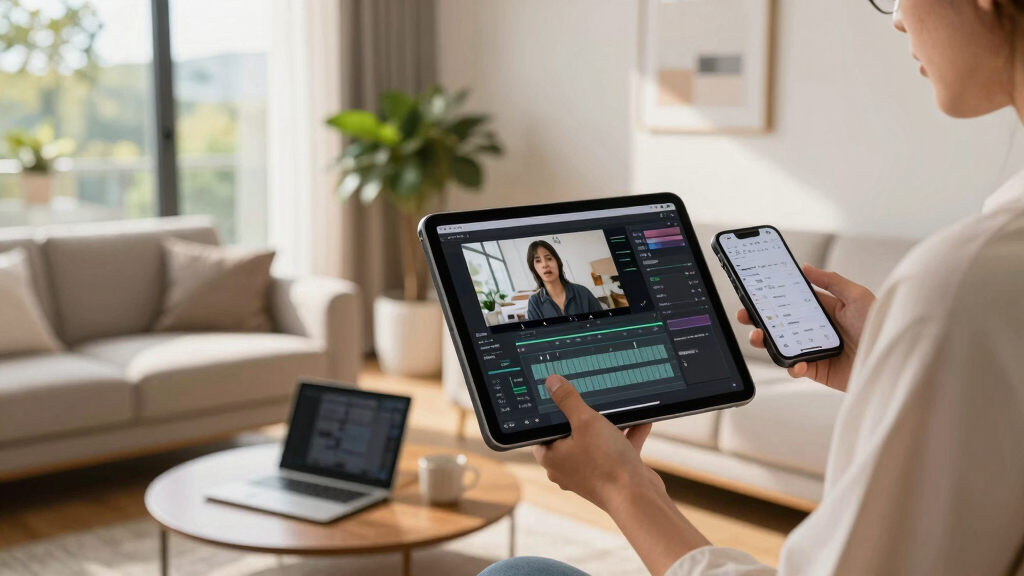
A local AI system reads your video on four levels: audio, visuals, fused data, and intelligent analysis. It transcribes speech with speaker labels and timing, detects scene changes, reads on-screen text, and aligns everything on a timeline. This layered understanding allows it to generate precise assets—titles, descriptions, clips, thumbnails, and more. Learn more about automated content creation.
Why does this matter? Because understanding content at multiple levels enables the system to produce assets that are more accurate, contextually relevant, and tailored to your target audience. It reduces the guesswork and manual effort, but it also introduces tradeoffs: the quality of output depends heavily on the sophistication of your AI models and hardware. If the AI misinterprets a scene or mislabels a clip, it might require manual correction, which adds to your workload. Therefore, while automation accelerates production, it still demands oversight, especially for high-stakes content.
This layered approach also means you can customize assets more precisely—adjust titles for SEO, select the best clips, or refine thumbnails—giving you control over the final output. The key implication? You get a more consistent, branded, and optimized publishing package, all generated within your local environment, avoiding cloud-related vulnerabilities and costs.

As an affiliate, we earn on qualifying purchases.
What Assets Can You Automatically Generate From a Single Video?
| Asset Type | How It’s Created | Real-World Example |
|---|---|---|
| Titles & Descriptions | AI analyzes key moments and hooks, scoring options based on relevance and length. This process enables the system to generate multiple options, allowing you to choose the most effective one. It also considers SEO best practices, helping your content rank better. | A 10-minute tutorial yields 3 catchy titles and detailed descriptions, ready for upload, saving hours of brainstorming and testing different headlines. |
| Clips & Shorts | Highlights are extracted from high-retention moments detected during analysis. The system trims these clips to perfect start/end points, ensuring they are engaging and optimized for social platforms. | Vertical TikTok clips from a 30-minute interview, with auto-captions and overlays, can be generated in minutes, expanding reach without extra effort. |
| Thumbnails | AI pulls frames from key moments, suggests concepts, and can generate text overlays based on scene context. This multi-faceted approach helps create eye-catching visuals tailored to the content. | A thumbnail featuring a smiling face and bold, relevant text can significantly boost click-through rates, influencing viewer engagement and retention. |
| Transcripts & Captions | Word-level speech recognition, synced with visuals, ensures transcripts are accurate and time-aligned. This improves accessibility and searchability. | Closed captions with precise timestamps improve viewer experience and can be repurposed for SEO and indexing. |
| Social & Blog Posts | Summaries, hashtags, and hooks are crafted from the video’s key themes and highlights using natural language processing. This allows consistent messaging across platforms. | Multiple social posts tailored for Twitter, Instagram, and LinkedIn, all from one source, streamline marketing efforts and maintain brand coherence. |
Understanding how these assets are generated emphasizes the importance of layered analysis. Check out home decor resources for inspiration. It’s not just about automation but about creating assets that are more relevant, engaging, and optimized for each platform—drastically reducing manual editing and boosting content quality.
As an affiliate, we earn on qualifying purchases.
Why Avoiding the Cloud Boosts Privacy & Cuts Costs
Processing everything locally means you keep sensitive footage off the internet. For more on secure workflows, visit outdoor power equipment. No risk of leaks or data breaches. This is especially critical for industries like legal, medical, or corporate where confidentiality is paramount. Plus, no ongoing subscription fees—just a one-time investment in hardware and software. While initial costs might seem higher, they often pay off over time by eliminating recurring expenses and reducing dependency on external providers.
For example, a legal team reviewing confidential footage can do so securely on-premises, avoiding cloud storage. This not only safeguards sensitive data but also ensures compliance with privacy regulations. Over time, this approach can save hundreds or thousands of dollars, especially when managing large libraries or series, as cloud storage costs can escalate quickly. Moreover, avoiding cloud reliance reduces exposure to outages or service disruptions, ensuring your workflow remains uninterrupted. The key takeaway? Maintaining local control is a strategic choice that prioritizes security, privacy, and cost-efficiency—especially as data regulations tighten and cloud services become more scrutinized.
With tools like [ChannelHelm](https://channelhelm.com/), you get a private, cost-effective pipeline that scales with your needs—no surprise bills, no data compromises, and full control over your content lifecycle.

Step-by-Step: Building Your Local Video Publishing Workflow
- Install or Set Up Your System: Choose hardware—powerful enough to handle your video sizes—and install the software directly from [channelhelm.com](https://channelhelm.com/). Consider your current hardware capabilities and future scalability to ensure smooth operation.
- Drop or Link Your Video: Load your media into the system. ChannelHelm detects the source and auto-assigns channel info for easier management. This step is crucial because proper input setup ensures accurate analysis and asset generation later.
- Let AI Analyze & Generate Assets: Background workers transcribe, analyze visuals, and fuse data. This process may take some time depending on video length and system specs. Monitoring the progress helps you identify any issues early and plan subsequent edits accordingly.
- Review & Edit Assets: Use the Studio’s different views to approve, tweak, or regenerate assets. Partial progress indicators keep you updated on what’s ready. This step is vital because automated outputs often need fine-tuning to meet your branding and quality standards.
- Publish & Distribute: Send assets directly to social platforms, blogs, or websites. Use integrated tools to track each asset’s journey—ensuring timely deployment and feedback collection. This streamlined distribution maximizes your content’s reach while maintaining control over the process.
Building this workflow requires initial setup and understanding, but once established, it dramatically reduces manual effort, accelerates publishing, and enhances content consistency across platforms. The tradeoff is investing time upfront for a more resilient, private, and cost-effective system in the long run.

How a Single Package Serves All Your Publishing Needs
The core of this system is the Publishing Package. It bundles everything: titles, descriptions, clips, thumbnails, transcripts, social posts, and blog drafts. This package is designed to adapt seamlessly across multiple platforms, ensuring your branding and messaging stay consistent without manual reformatting.
Why does this matter? Because managing multiple assets manually is time-consuming, error-prone, and often leads to inconsistent branding. Automating this process within a single package reduces human error, saves time, and ensures a unified voice across channels. The implication is significant: you can produce high-quality, platform-optimized content at scale, with minimal effort, enabling rapid deployment and more responsive content strategies.
Furthermore, this approach allows you to iterate quickly. If you want to tweak a title or update a thumbnail, you do it once, and all related assets are regenerated accordingly. This integration fosters a more agile publishing process, giving you a competitive edge in content marketing and audience engagement.

Reviewing Made Easy: The Multi-Layout Studio
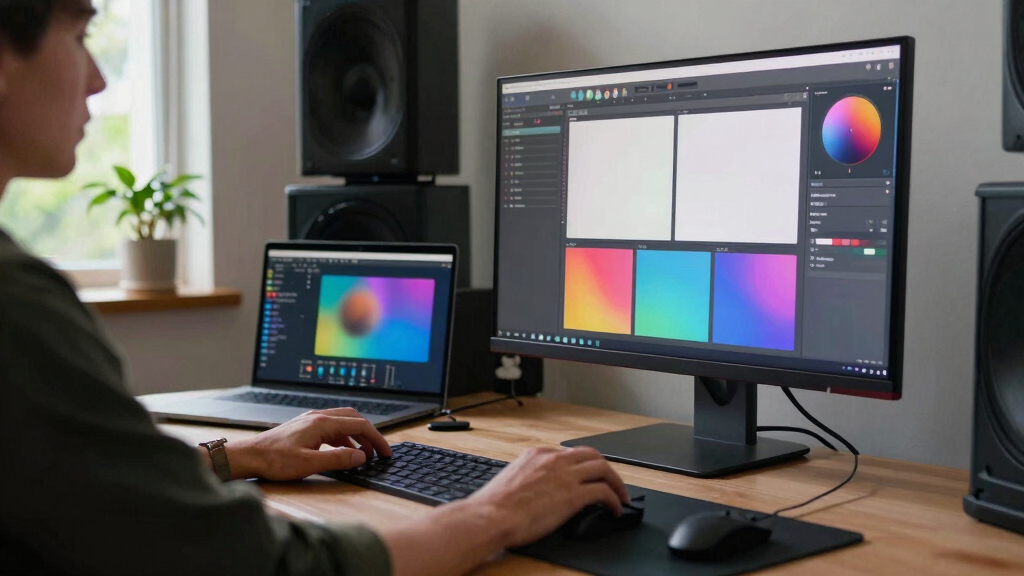
Reviewing your content is streamlined with three views: Console, Editor, and Atlas. Console shows everything at a glance—pipeline status, assets, and quick approvals. It provides a high-level overview, so you can quickly identify what’s ready and what needs attention. The Editor offers a detailed comparison—side-by-side views of assets, with options to refine or regenerate. Atlas acts as a dashboard, giving a comprehensive status across all platforms and assets, helping you coordinate multi-channel publishing.
Provenance is a key feature here. Every asset logs what model, prompt, and version created it—making you the boss of your content’s origin. No more black boxes, no guessing which AI version made that thumbnail or title. This transparency enables better quality control, troubleshooting, and iterative improvements, ensuring your content maintains a high standard and consistent branding.
What Hardware Do You Need to Make This Work?
Running a local AI pipeline isn’t free—your hardware needs to be up to the task. A mid-range GPU, 16GB RAM, and SSD storage are minimums for smooth operation. For larger videos or batch processing, consider more powerful setups like high-end GPUs, additional RAM, or dedicated servers. The hardware choice impacts processing speed, reliability, and the ability to handle complex or high-resolution content efficiently.
Many creators are opting for dedicated mini PCs or servers with local AI capabilities. This setup offers a balance between cost and performance, keeping everything fast, private, and out of reach from cloud outages or data breaches. For example, a solo creator with an RTX 3060 and 32GB RAM can process 4K videos and generate assets in real time, without any cloud dependency. Investing in the right hardware is crucial because it directly influences your workflow’s speed, reliability, and scalability.

Limitations & Trade-offs You Should Know
Local processing isn’t magic. It requires setup, some technical know-how, and hardware investment. Larger files or long-form content can slow down your workflow, depending on your machine’s specs. There’s also a learning curve to optimize your setup and workflows effectively, which might be daunting for non-technical users.
While automation is powerful, it’s not perfect. You’ll still need to review and tweak assets—especially for high-stakes or complex content. For example, AI might misinterpret a scene or generate less-than-ideal thumbnails, requiring manual correction. Additionally, some features like cloud storage, real-time collaboration, or remote access are absent here, limiting flexibility for distributed teams. However, these trade-offs often favor privacy, security, and cost savings, making local workflows attractive for creators who prioritize control and confidentiality.
Ultimately, understanding these limitations helps set realistic expectations and guides you in optimizing your setup for the best balance between automation and manual oversight.

The Future of Local Publishing: Bigger, Smarter, Privacy-First
As AI models get more efficient and hardware continues to improve, local-first tools will become more mainstream. Faster processing, more accurate assets, and deeper integrations with editing and publishing tools will empower creators to work entirely offline with minimal compromise. The trend toward purpose-built hardware—like dedicated media processing boxes—further emphasizes privacy and control, reducing reliance on cloud infrastructure.
Leading companies are already shifting toward hardware that combines AI, storage, and media processing—like purpose-built boxes replacing generic controllers. This trend emphasizes privacy, control, and cost savings. The implications are profound: creators will have the ability to own their entire publishing pipeline, from raw footage to social blast, offline and lightning-fast. This evolution not only enhances security and privacy but also democratizes content creation by removing barriers related to internet connectivity or cloud costs. The future is about empowering creators with tools that are powerful, private, and autonomous—making the dream of complete local control a tangible reality.
Frequently Asked Questions
What does “one video in, a whole publishing kit out” actually mean?
It means uploading a single video and having the system automatically generate all related assets—titles, descriptions, clips, thumbnails, transcripts, and social posts—ready for distribution.
Are these assets created automatically, or do I still need to edit them?
While the system automates much of the process, you’ll still review and tweak assets to match your voice and style. The automation speeds up creation, but manual editing ensures quality.
How is this different from cloud-based AI tools?
The main difference is processing occurs entirely on your hardware, keeping your data private and avoiding subscription fees. Cloud tools depend on internet connections and often lock you into ongoing costs.
Can I use this offline? What hardware do I need?
Yes, if you have a capable GPU (like an RTX 3060 or better), plenty of RAM, and SSD storage, you can run the entire workflow offline and keep your content private.
What are the main limitations or trade-offs?
Setting up local processing requires some technical skill and hardware investment. Processing larger videos can take time, and some collaborative features are missing. But for privacy and cost savings, many find these trade-offs worthwhile.
Conclusion
Turning one video into a full publishing package without relying on the cloud isn’t just a dream—it’s becoming a reality. You regain control over your content, keep it private, and cut costs—all while automating tedious tasks.
Imagine a future where your entire content pipeline is on your device, running smoothly, privately, and instantly. That’s the promise of local-first, AI-powered publishing systems. Your next video could be a hundred assets—ready to publish—before you hit ‘upload’ again.

Halloween Picks
halloween
As an affiliate, we earn on qualifying purchases.