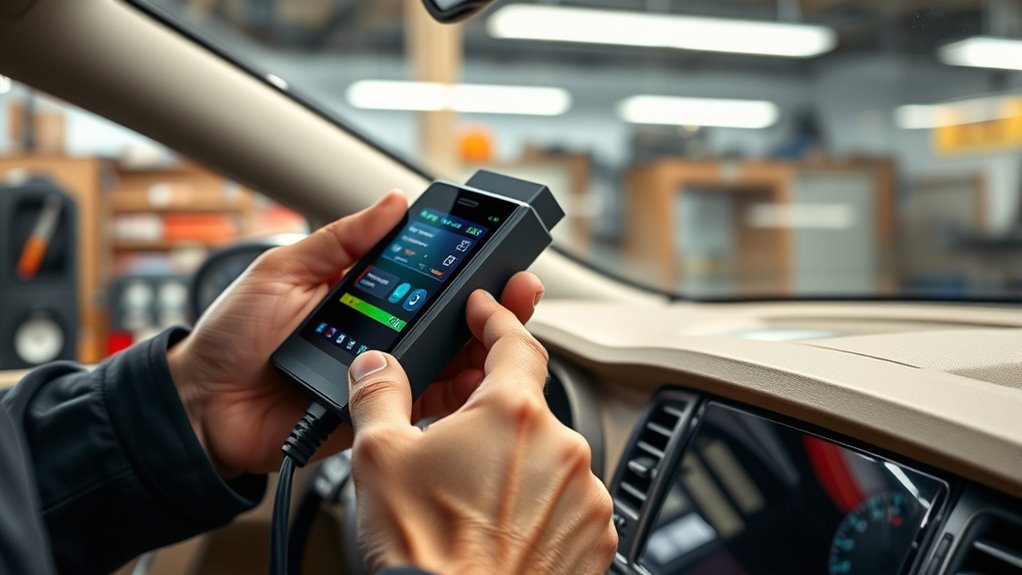
To use an OBD-II scanner, locate the port under your dashboard near the driver’s side. Connect the scanner and turn on your vehicle’s ignition. Follow the scanner’s instructions to retrieve diagnostic trouble codes (DTCs), which reveal issues with sensors or components. Understanding these codes helps you determine if repairs or sensor calibrations are needed. If you keep exploring, you’ll find ways to interpret and act on these codes for better vehicle health.
Key Takeaways
- Connect the OBD-II scanner to the port located under the dashboard near the driver’s side.
- Power on the vehicle and scanner to establish a connection, then retrieve diagnostic trouble codes (DTCs).
- Interpret the codes to identify specific issues, especially sensor malfunctions or calibration needs.
- Use the scanner’s data to determine if sensor-related problems are affecting engine performance or emissions.
- Regularly scan and reset codes after repairs to ensure proper sensor calibration and vehicle health.
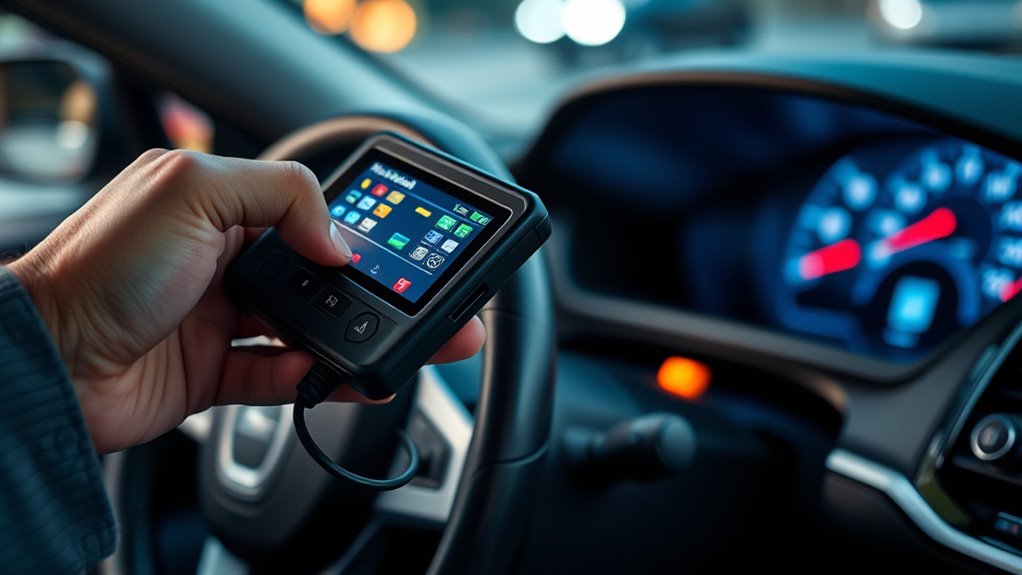
If your car’s check engine light comes on, you don’t have to rush to the mechanic right away. Using an OBD-II scanner can help you get a quick idea of what’s wrong and decide whether professional help is necessary. The scanner connects to your vehicle’s onboard computer system via the OBD-II port, usually located under the dashboard. Once connected, you can retrieve diagnostic trouble codes (DTCs) that pinpoint specific issues. These codes make troubleshooting more straightforward and can save you time and money.
Using an OBD-II scanner helps diagnose your car’s issues quickly and accurately.
When you use an OBD-II scanner, it’s important to understand that some problems relate to sensor calibration. Many modern vehicles rely heavily on sensors—like oxygen sensors, mass airflow sensors, and throttle position sensors—to operate efficiently. If these sensors aren’t calibrated properly, your engine may run poorly, affect emission testing results, or trigger the check engine light. The scanner’s codes can indicate sensor-related issues, guiding you toward necessary calibration or replacement. Correct sensor calibration ensures your vehicle’s systems work in harmony, maintaining peak performance and keeping emissions within legal limits. This step is especially vital if your vehicle has recently been repaired or if you notice irregular engine behavior, such as rough idling or decreased fuel efficiency.
Another key aspect of interpreting OBD-II codes is understanding how they relate to emission testing. Emission tests are designed to evaluate whether your vehicle’s emissions fall within acceptable standards, which depend heavily on sensor accuracy. Faulty sensors or improper calibration can cause your vehicle to fail these tests, even if there’s no other noticeable problem. By reading the codes with your scanner, you can identify whether a sensor malfunction is causing elevated emissions and address it before heading to a testing center. This proactive approach not only helps you pass emission testing but also reduces harmful pollutants released into the environment.
Using an OBD-II scanner gives you a window into your vehicle’s health, but it’s essential to interpret the codes correctly. Some codes point directly to specific components, like a faulty oxygen sensor or catalytic converter, while others may be more general. Once you’ve identified the problem, you can decide whether to attempt a repair yourself or seek professional assistance. Regularly checking your vehicle’s codes, especially after a reset or repair, helps ensure sensors remain properly calibrated and emissions stay within legal limits. Being aware of European cloud innovation and how it influences automotive diagnostics can further enhance your understanding of vehicle technology. Overall, mastering your scanner empowers you to diagnose issues early, save money, and keep your vehicle running smoothly.
Frequently Asked Questions
Can I Use an OBD-II Scanner on Any Vehicle?
You can generally use an OBD-II scanner on most vehicles manufactured after 1996, as they share common vehicle compatibility standards. However, be aware of scanner limitations, since some models may not support all manufacturer-specific codes or advanced systems. Always check your vehicle’s compatibility before purchasing or using a scanner, and consider if you need a more specialized device for complex diagnostics.
How Often Should I Scan My Car for Issues?
You should scan your car regularly, ideally during your maintenance schedule or if you notice warning signs like strange noises, reduced performance, or warning lights. Doing a quick scan every few months helps catch issues early, saving you money and preventing breakdowns. If you’re on long trips or driving in tough conditions, consider scanning more frequently. Staying proactive keeps your vehicle running smoothly and avoids bigger problems down the road.
Do All OBD-II Scanners Provide the Same Features?
Not all OBD-II scanners offer the same features, so you should check the device compatibility and scanner features before buying. Basic scanners read trouble codes, but more advanced ones provide live data, freeze frame, or emissions testing. Make sure the scanner you choose supports your vehicle’s make and model, and consider what features you need for your diagnostics. This way, you’ll get the most useful and compatible device for your car.
Is Professional Diagnosis Necessary After Using an OBD-II Scanner?
You don’t always need a professional diagnosis after using an OBD-II scanner for DIY maintenance. While scanners improve diagnostic accuracy, they can’t catch every issue or interpret complex codes fully. If your scanner reveals serious problems or inconsistent readings, it’s wise to seek a mechanic for a thorough diagnosis. This ensures you don’t overlook underlying issues, keeping your car running smoothly and safely.
How Do I Clear Codes With an OBD-II Scanner?
Imagine holding the scanner like a key to your car’s secrets. To clear codes, connect your scanner, turn on your ignition, and navigate to the code clearing or scanner reset option. Select it, confirm if needed, and watch the codes vanish like magic. This simple step erases stored trouble codes, giving your vehicle a fresh start and helping you see if issues reappear without the old data clouding your view.
Conclusion
Now that you’ve got your OBD-II scanner in hand, you’re like a detective with a magnifying glass, ready to uncover hidden clues beneath your car’s hood. With each code you decode, you’re shining a flashlight into the dark corners of your vehicle’s mysteries. Think of it as revealing a secret world of insights, giving you the power to troubleshoot like a pro. Your car’s secrets are no longer hidden—they’re now within your grasp.